Setup & User Guide
| 72
DOC-246-GDE-Pivot3 Acuity 2.3 Setup & User Guide-v1.0.docx
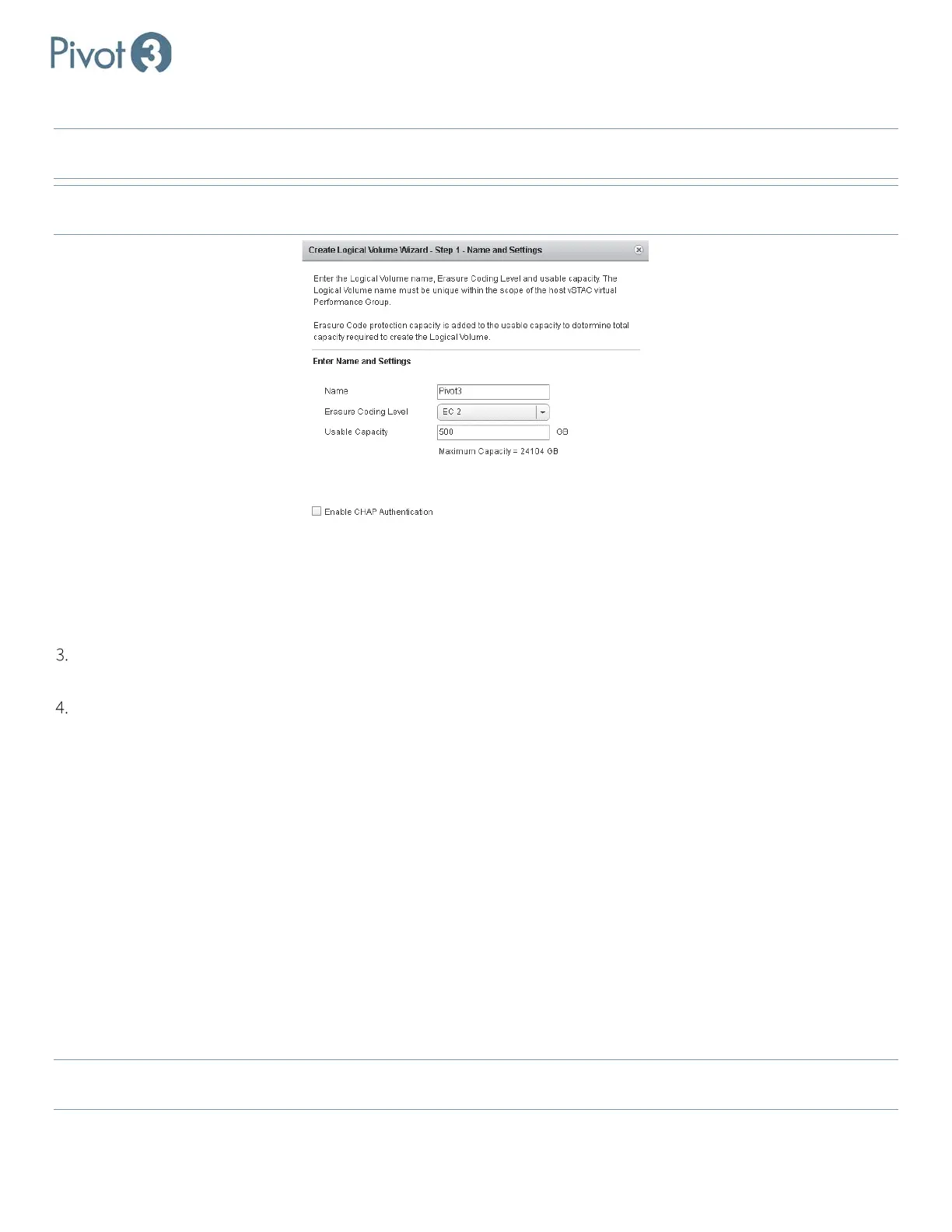
a. First, create the logical volume name (called Pivot3 in the example below).
NOTE: Volume names must be fewer than 40 characters, and cannot contain any of the following characters:
\ ' ; / { * } " : ~
% & @ + = < > ? ` _ ^ #
NOTE: Datastores will be created using the default VMware configuration, datastore type VMFS5, utilizing all available
partitions as well as the entire Pivot3 volume capacity.
b. If desired, enable CHAP (Challenge Handshake Authentication Protocol) authentication. CHAP is an optional
security mechanism that allows network entities to perform additional authentication. If this box is checked, iSCSI
initiators must provide the correct CHAP secret when accessing the logical volume. If this box is not checked, no
CHAP secret will be required.
Click Next on the Create New Volume dialog box, review the information displayed, then click Create to complete
the volume creation process.
Assign the settings to the logical volume according to definitions below.
• Tier – Choose from the available SATA/SAS Tiers in the drop-down menu.
• Erasure Coding Level – Erasure Coding levels are unique to Pivot3 in that they are one step more efficient than
enhanced RAID, which are provided to meet the data protection goals of each application. Not all supported
Erasure Coding levels may be available due to node or drive failures, or available capacity constraints. Only the
Erasure Coding levels compatible with the current tier and volume will be displayed in the drop-down menu.
Acuity vPGs are supported by EC Level 3, which is enhanced striping with disk parity and protects up to 3
simultaneous disk failures or 1 disk and 1 node failure.
• CHAP Secret - If CHAP Authentication was selected in the previous screen, define or auto-generate it here.
• Usable Capacity – the amount of usable storage for the logical volume. Pivot3 Acuity solutions use “GB” and “TB”
to mean standards based on binary multiples of the byte. For example, 1GB is 2
30
bytes. 1TB is 2
40
bytes.
The minimum capacity for a logical volume is 1GB. Capacity must be specified in 1GB increments. The maximum usable
capacity is displayed under the Capacity text field and is updated when the EC Level is changed. Changing the EC level
updates the maximum usable capacity. The Next button will be enabled or disabled based on remaining capacity.
NOTE:
To dynamically expand capacity or change the EC level of a logical volume, these options are available in the
Configuration menu. Access Control for a volume may also be modified in this menu.



 To Next Page