Setup & User Guide
| 90
DOC-246-GDE-Pivot3 Acuity 2.3 Setup & User Guide-v1.0.docx
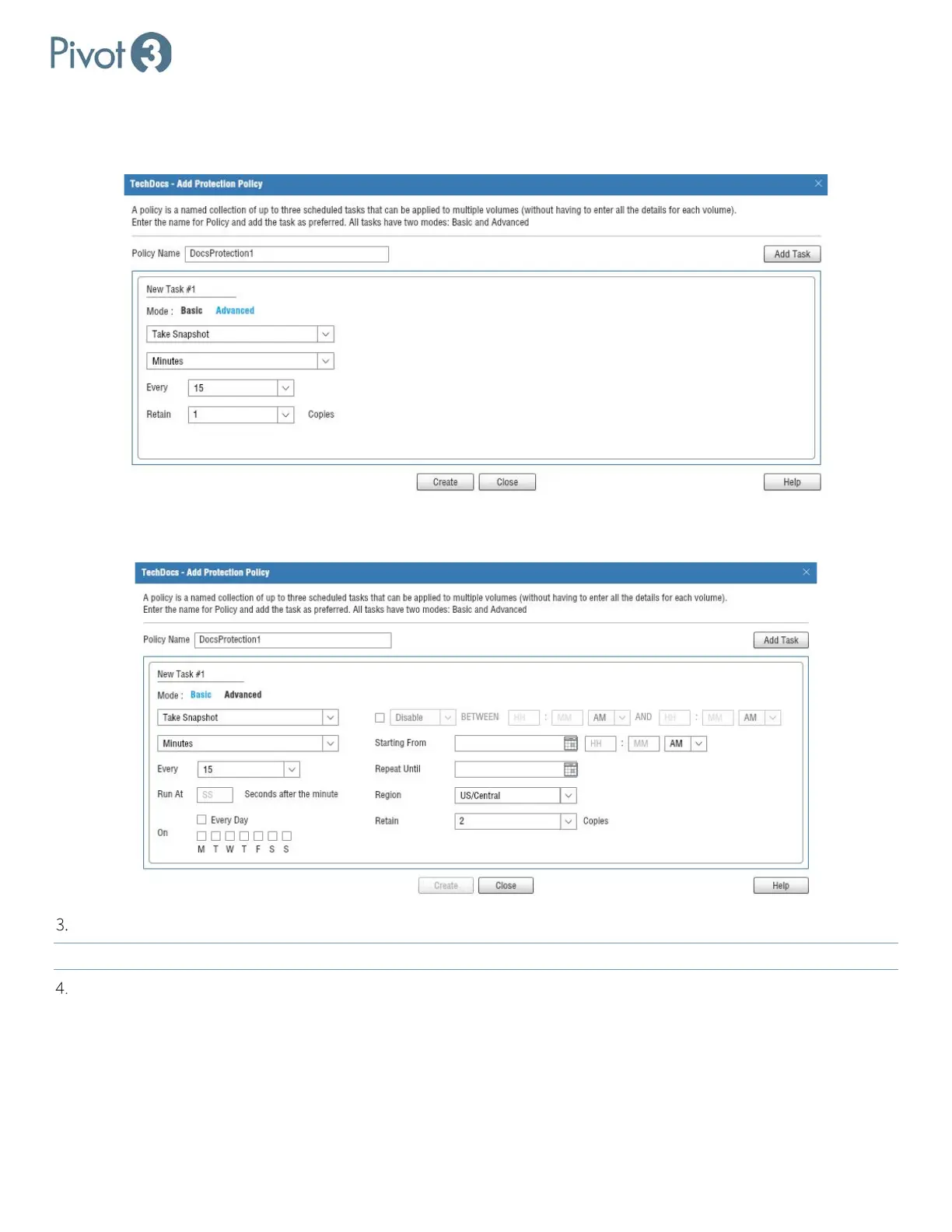
a. The Basic view provides options regarding Type of task (Take Snapshot), Time Period (Minutes, Hours, Days,
Weeks, or Months), Increment (Changes based on Period of Time selected), and Retention instructions (how many
copies to retain of this snapshot; the options are 1-50 and Unlimited).
b. The Advanced view provides similar options but with much more granular variables so that administrators may
have more control over the scheduled tasks.
In either view, simply choose the preferred variables and then click Create.
NOTE: The Create
option will be disabled until all required variables have been defined.
A pop-up dialog will confirm the creation of the new Protection Policy, and it will now show up in the list in
Provisioning tab > Data Services > Protection QoS tab.



 To Next Page