Setup & User Guide
115 |
DOC-246-GDE-Pivot3 Acuity 2.3 Setup & User Guide-v1.0.docx
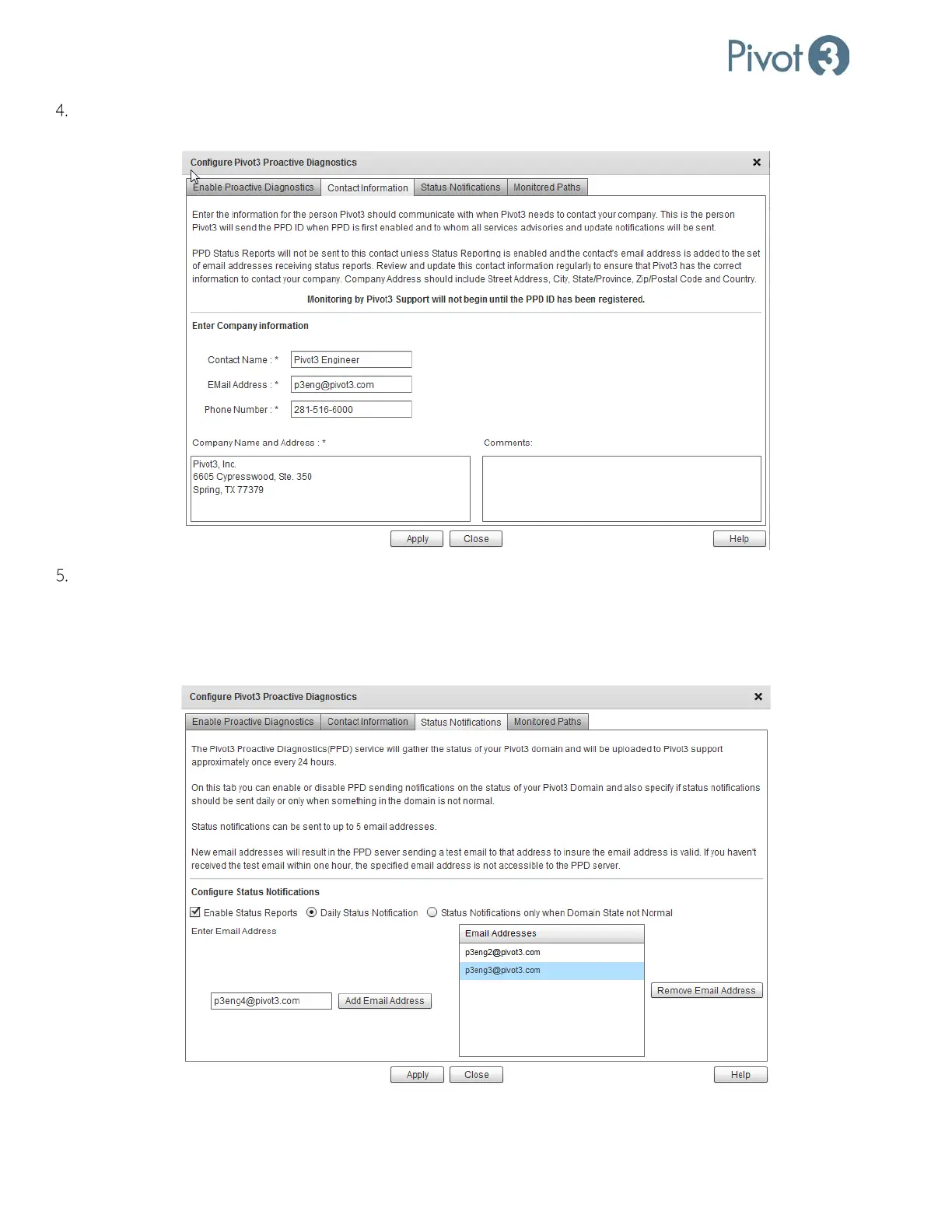
The Contact Information tab is where the information about the company contact is provided. Boxes outlined in red
are required and the Apply button will not activate until all required fields are populated.
The Status Notifications tab provides options regarding notifications from Pivot3 regarding the status of a domain.
When Enable Status Reports is checked, choose between Daily Status Notification and Status Notifications only
when Domain State not Normal. To add more notification recipients, insert an email address in the field on the left
and click Add Email Address. To remove a recipient, select the address to be removed and click Remove Email
Address.



 To Next Page