Setup & User Guide
| 118
DOC-246-GDE-Pivot3 Acuity 2.3 Setup & User Guide-v1.0.docx
Ensure NIC Ports have been configured as defined in Section 8.
With the vPG highlighted in the Physical tab view of the plugin, navigate to Configuration > Update OS.
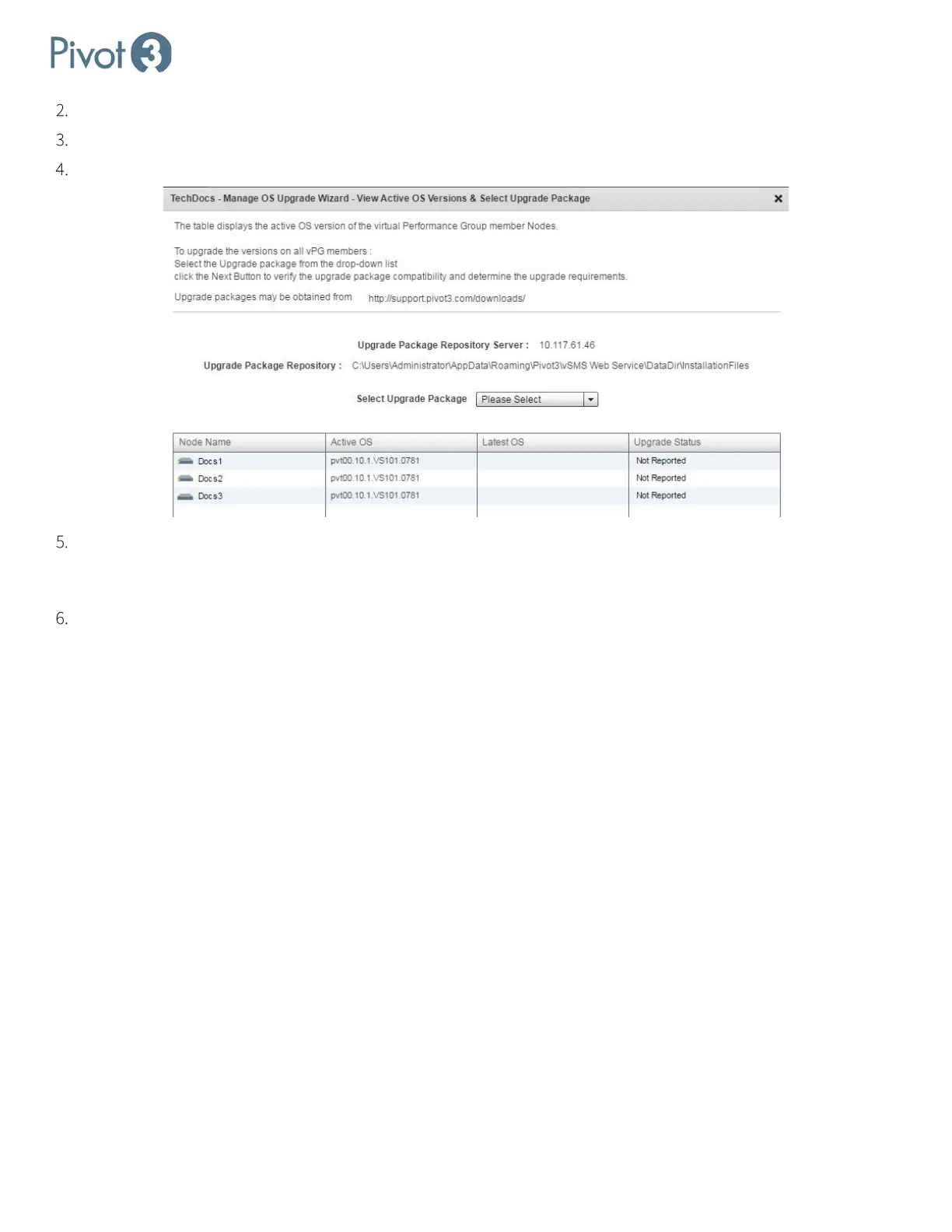
Click the drop-down box next to Select Upgrade Package.
Once the upgrade package has been chosen, click Next. If no options are given in the drop-down, ensure that all of
the files received from Pivot3 have been unzipped and placed in the folder set up in Step 11 of Section 4 for Windows
environments or Step 14e of Section 5 for Linux setups.
A verification process will occur to check the file. After successful verification, click Next.



 To Next Page