Setup & User Guide
| 86
DOC-246-GDE-Pivot3 Acuity 2.3 Setup & User Guide-v1.0.docx
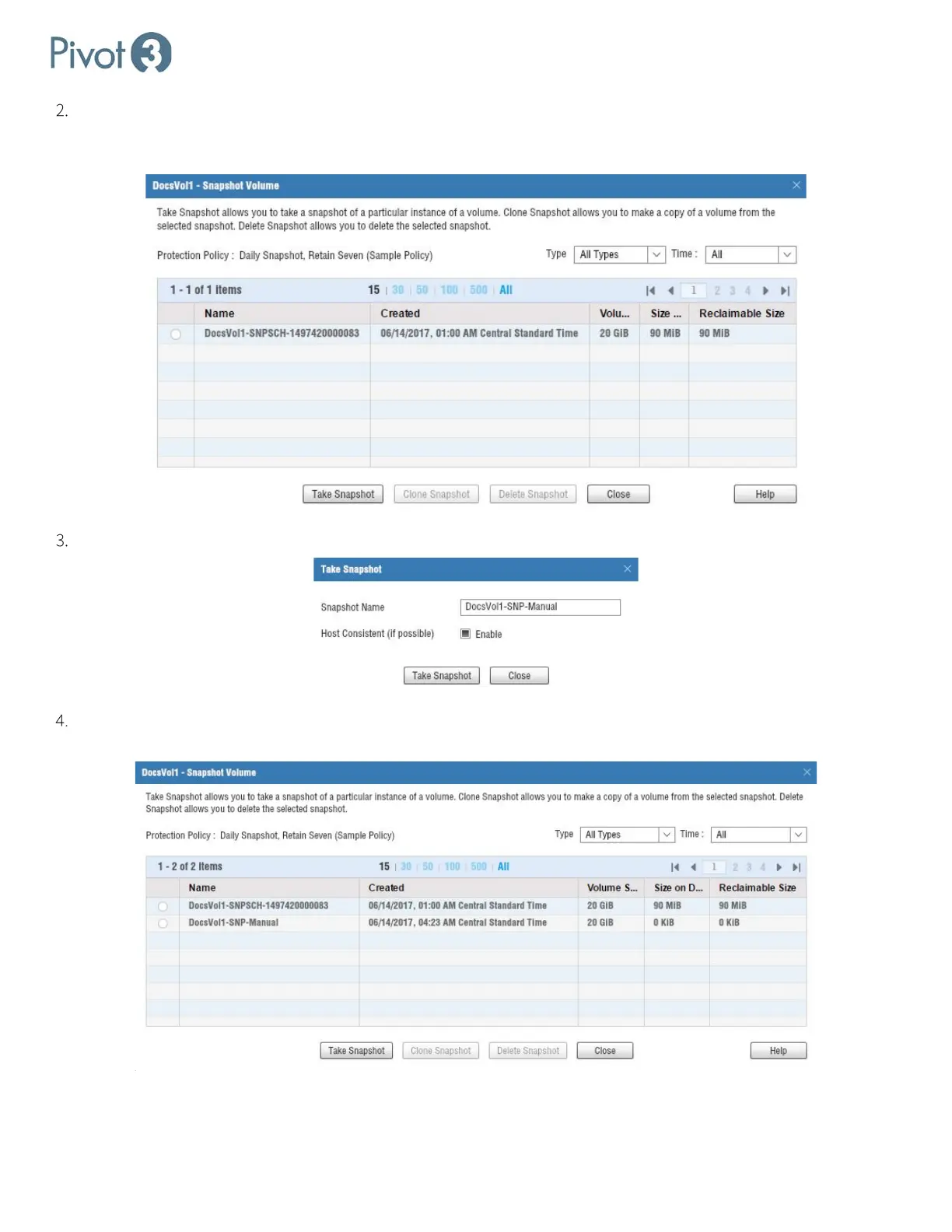
The dialog expands to include snapshot parameters. If there are any existing snapshots, they will show up here and
can be cloned or deleted when selected. To create a new manual snapshot, simply click
Take Snapshot at the
bottom of the dialog box.
Rename the snapshot if desired, and ensure Host Consistent (if possible) is Enabled. Click Take Snapshot.
A popup will confirm if the snapshot is successful. Note that the snapshot may not immediately show up in the list;
this is expected behavior.



 To Next Page