X-Series Hyperconverged Nodes Powered by Acuity
Setup & User Guide, v1.0
| 24
DOC-246-GDE-Pivot3 Acuity 2.3 Setup & User Guide-v1.0.docx
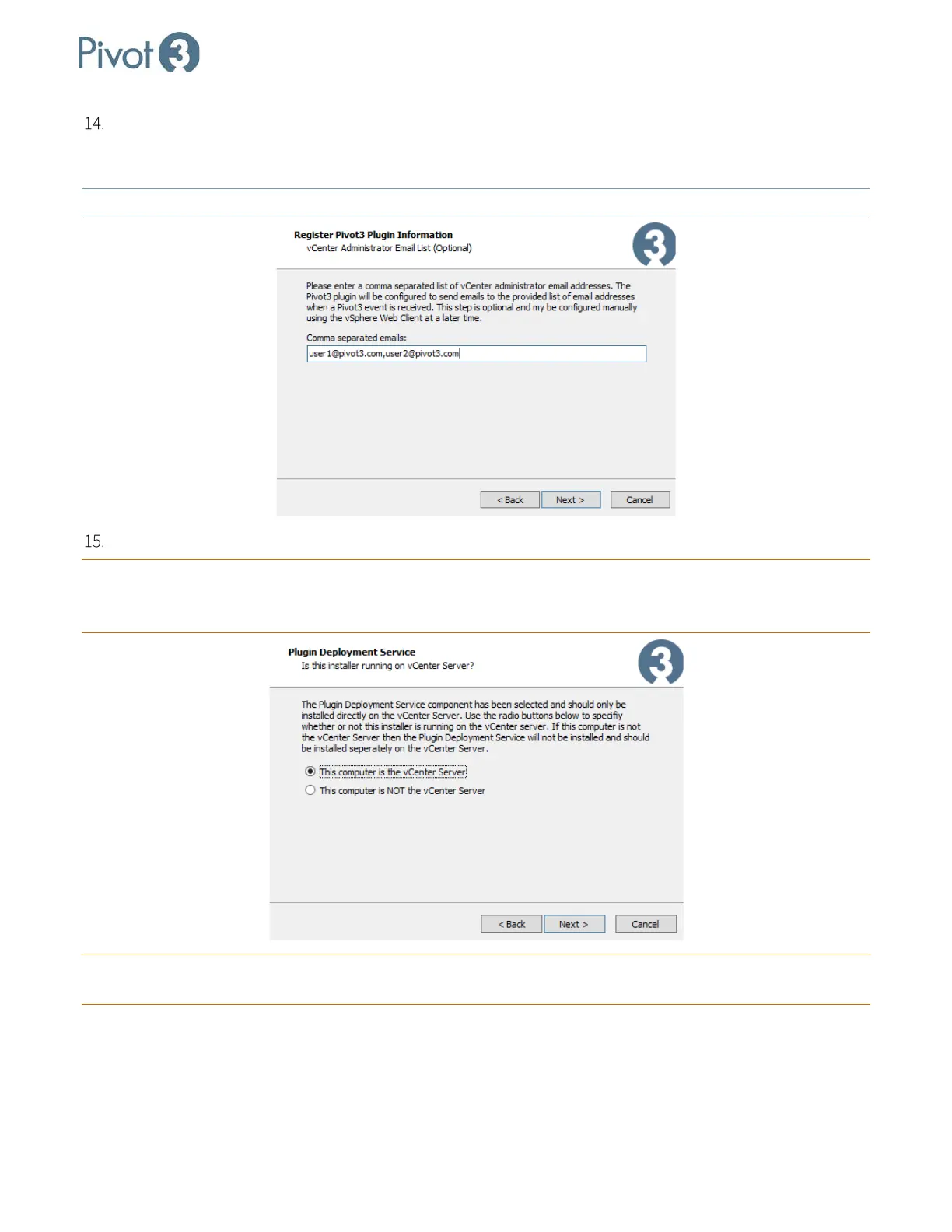
For the contact IP address and vCenter credentials set up in the previous step, enter a comma-separated list
of email addresses for the vCenter administrators who are authorized to receive emails from Pivot3 and the
Pivot3 plugin.
NOTE: The email addresses provided here will also control who receives alarm notifications.
Choose the appropriate radio button for the local setup and click Next.
CRITICAL: If the option This computer is NOT the vCenter Server is chosen,
the plugin’s deployment service will
not install. A successful deployment installation will require setup beginning at Step 2 of this section on
the vCenter server’s Management Station
.
CRITICAL: For full Pivot3 functionality,
a fresh login to vSphere Web Client is required after each vCenter server
reboot.



 To Next Page