X-Series Hyperconverged Nodes Powered by Acuity
Setup & User Guide, v1.0
| 34
DOC-246-GDE-Pivot3 Acuity 2.3 Setup & User Guide-v1.0.docx
vCenter Server & External Host Servers in Linux
Configuration Process
# Configuration Task Procedure Details / Expected Results
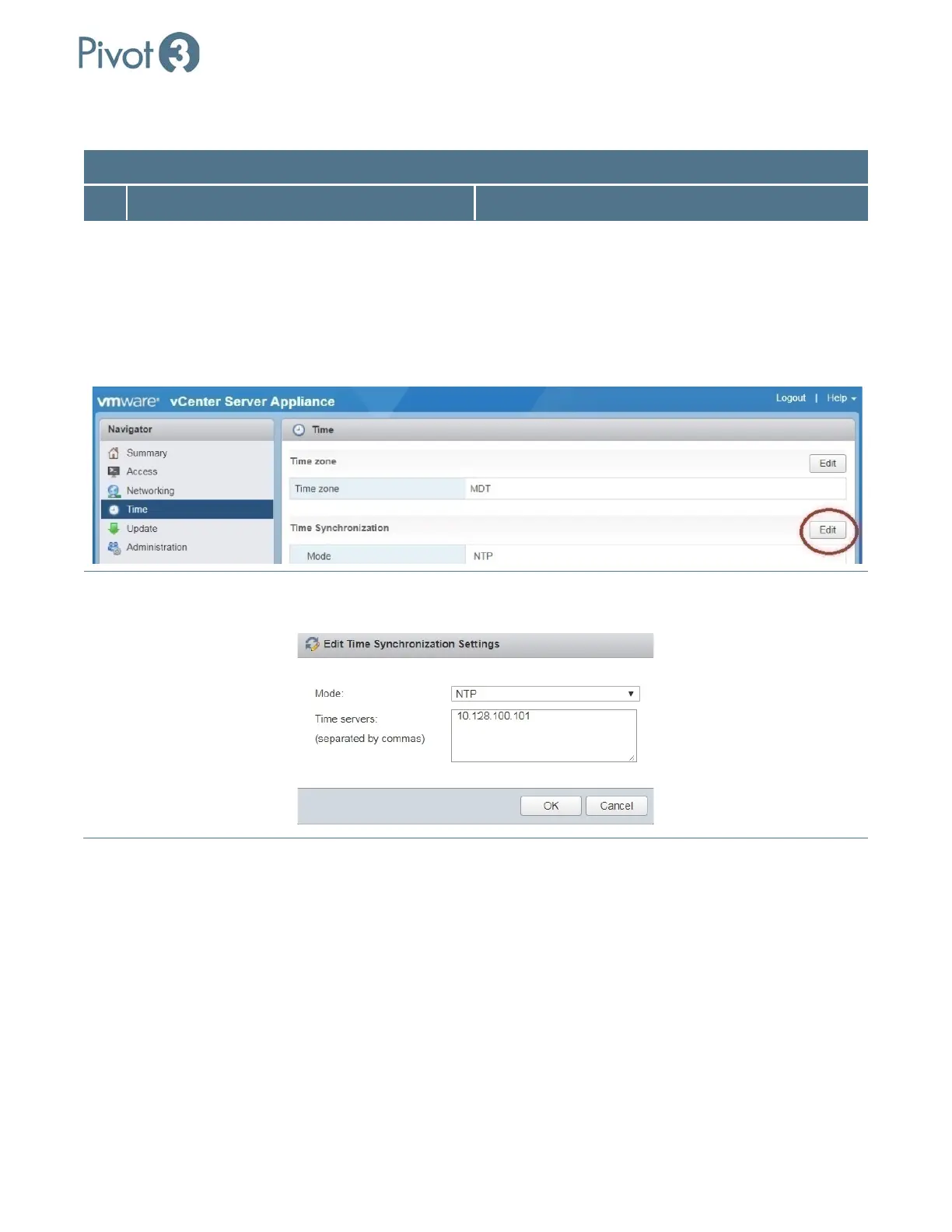
1 Edit time synchronization settings.
(i.e., [vCenterIP]:5480)
In a web browser, connect to the IP address of the
Linux vCenter on port 5480.
Log in with an account that has administrative
privileges.
Navigate to the Time settings page.
In the Time Synchronization box, click Edit.
Set Mode. Select NTP from the Mode pulldown and enter
pool.ntp.org in the Time Servers box. Click OK.



 To Next Page