Architecture
2
29
Polyend Tracker Mini Manual
28
Polyend Tracker Mini Manual
Architecture
2
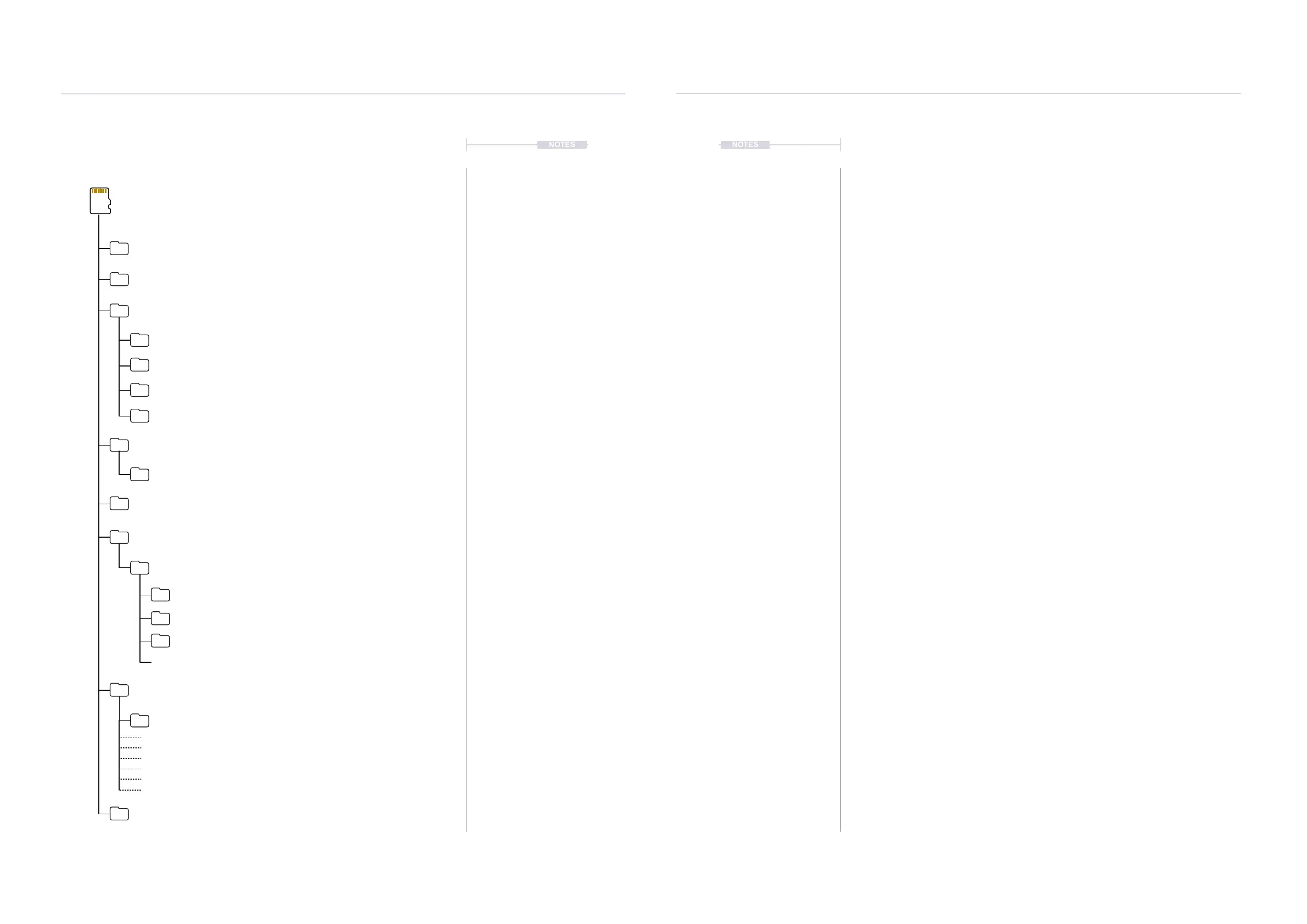
Sub Folders
SD Card
/Root Directory
/Firmware
Default SD Card Structure
/Drum Kits
/Quick Start
/ProjectName
/FactoryPacks
Tracker Mini comes with 50 factory genre-based packs installed onto the SD Card.
/Instruments
/Samples
/Patterns
/Progressions
/Instrument Kits
/Synths
/Games
/Instruments
/Manual
/Mod
/Projects
/Samples
/TrackerLog
Polyend Tracker Mini_1.0.0.ptf
New OS versions can be located here to update Tracker Mini Mini
Contains xxx.pti instrument les in the sub-folders
1.jpg, 2.jpg, 3.jpg, 4.jpg, 5.jpg, 6.jpg, 7.jpg, 8.jpg
Contains project les located in sub-folders
Legacy .mod or .it Tracker les. May not exist on newer SD Cards
Sample Packs located in sub-folders
Project.mt
2.4 Internal Help & Tips.
Tracker Mini has a series of built in tips and instructions to help get started
with the functions and features. These are automatically available as text
hints which appear at various stages of navigating and manoeuvring
through the options and menus.
This ofcial manual and Q&A is available on the Polyend website. A limited
version of quick start is also available as the onboard manual.
▌VIEWING THE ONBOARD QUICK START
1. Hold [Shift] + Function [4] to open the conguration settings. The
secondary function [4] button by default is assigned to ‘Cong’
2. Navigate with the 1
st
and 2
nd
Screen Buttons to select the ‘Manual’. Also
the D-Pad Navigator buttons can be used.
3. In the middle page pane, Press the 4
th
or 5
th
Screen Buttons to navigate
to ‘Quick Start’.
4. Press [Enter], 6
th
Screen Button to select the options. The pop-up
window will appear.
5. Navigate pages, Press (Left) or 1
st
Screen button or (Right) or 8
th
Screen button. The [+] / [-] buttons also turn pages.
6. Select any other function button page to exit.
NOTES NOTES
Lo1.ptl



 To Next Page