167
Polyend Tracker Mini Manual
166
Polyend Tracker Mini Manual
NOTESNOTES
7.28 Overdrive
Variation of overdrive instrument effect
Take care when working with overdrive, especially with headphones. This
can become loud. Start with smaller settings and expand as required.
1
9
5
13
16
F5 16
----
F5 16
----
D 10
D 5
F5 16
---- ----
F5 16
----
D 17
D 20
F5 16
----
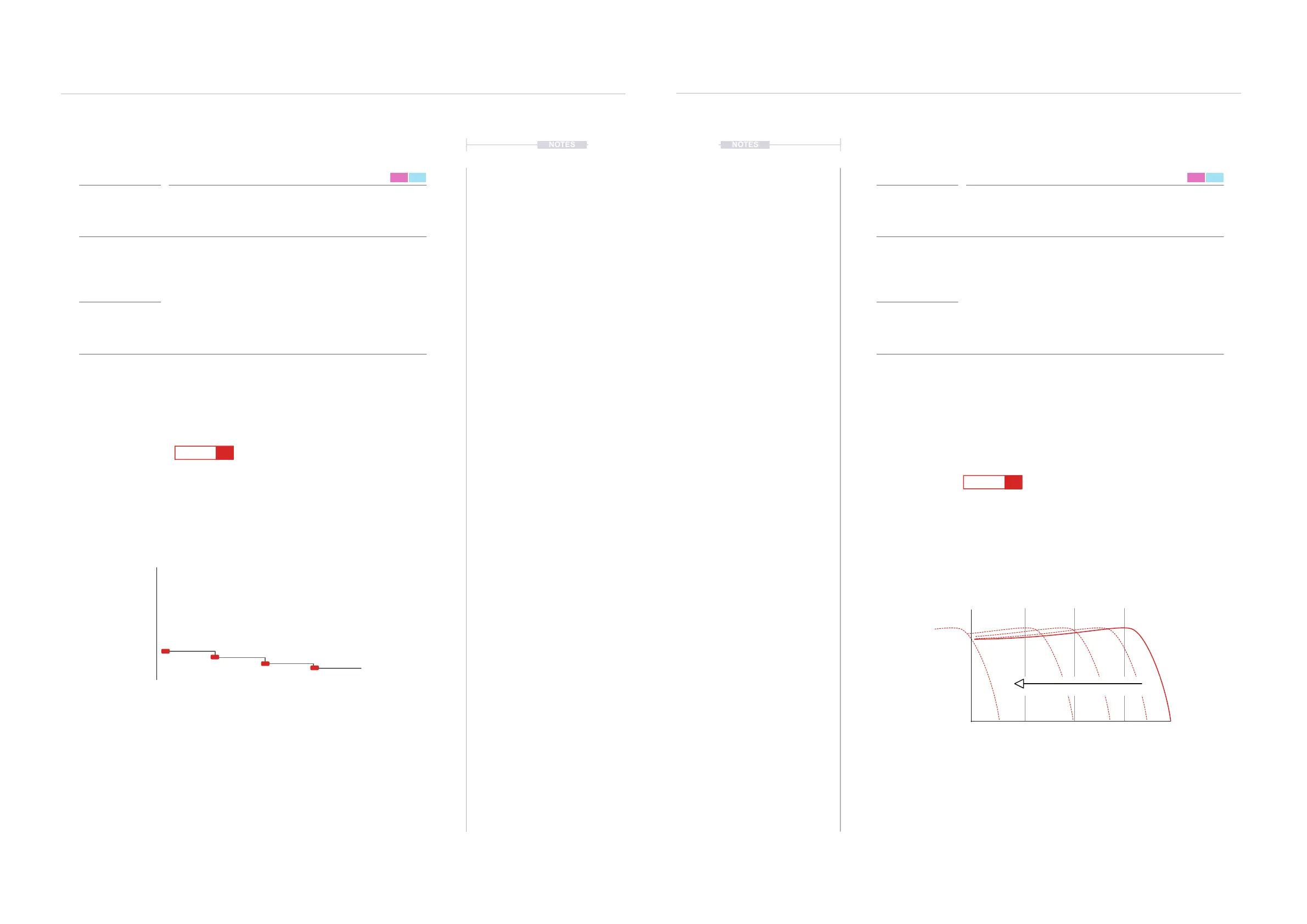
7.29 Low Pass Cutoff
Note and Instrument triggered with no ltering
Sample triggered at step 1 will be fully ltered
1
9
5
13
16
F5 16
---- ----
----
----
----
---
---
---
---
--
--
--
--
L 60
L 40
L 0
----
L 80
FX Type Tag FX Type Tag
Value Ranges Value Ranges
FX Description FX Description
Example Example
Effect Effect
D
L
0-100% 0-100%
Selects the amount of overdrive applied for the duration of the specic step.
Overdrive is found in the instrument parameters P1/2 - Effects.
Adjust the instrument cutoff frequency of the low pass lter. The instrument
lter is found in the instrument parameters P2/2 but can be disabled and this
effect will still operate.
Can be used simply to add overdrive for the specic instrument and create
variety across a pattern.
The cutoff frequency can be triggered by each step applied. This allows
sweeps using only FX steps with multiple steps ramping the value or glitchy
sequenced lter effects. 100% plays the sound as normal, all frequencies
present, while 0% will totally cutoff all frequencies.
Overdrive amount Low Pass Filter
FX Steps
7
FX Steps
7
0%
Overdrive
100%
1 5 9 132 6 10 143 7 11 154 8 12 16
Per Step
< 20Hz > 20KHz
0%
Frequency in %
100%
15913 26 37 4
8
16
Low Pass
Cutoff
Filter Sweep



 To Next Page