97
Polyend Tracker Mini Manual
96
Polyend Tracker Mini Manual
5.9 Instrument Step Parameters
Each step event has an instrument which is based on a sample, either raw
or edited or formed into a granular or wavetable instrument. Any instrument
added to the 48 instrument pool is available to be added to a step.
Instrument Summary
The default note value is C5 which plays a sample at its original pitch value. The rst slice of
a beat slice sample instrument with be triggered at C2.
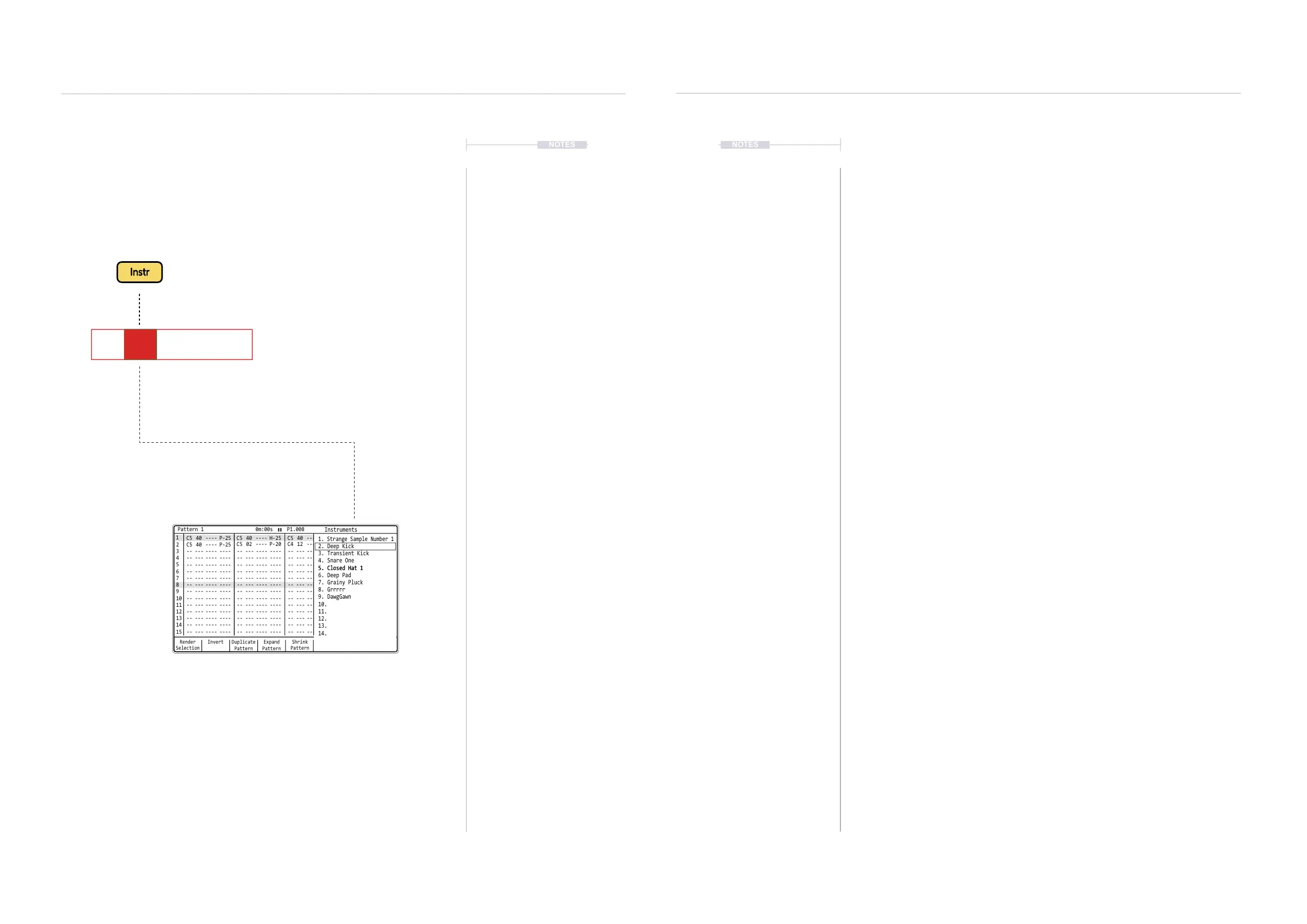
Hold [Instrument] + D-Pad Navigator Buttons or [+] / [-] to
choose an instrument from the list. Also use [+] / [-] to scroll and
select, the outer buttons scrolling in larger increments.
NOTESNOTES
Sequencing Steps
5
Sequencing Steps
5
Instrument parameter has a dedicated
button when working in the pattern.
Instrument is the second parameter in the
step event and is highlighted when selected
While holding [Instrument], the pop-up window will
display the available instrument list where the
selection can be made to load to the step event.
While holding [Instrument], the pop-up window will
display the available instrument list where the
selection can be made to load to the step event.
C5 02 V 10 P 25
▌ DETAILED APPLICATION OF AN INSTRUMENT TO A STEP
1. Press [1] to select the pattern mode page.
2. Select an empty or existing step event.
3. Press [Instrument] to ensure the instrument parameter is selected in the
step event. This is a short press. Holding the button will display the
instrument list.
4. Select recording mode, Press [Rec]. The steps selected will appear red
as opposed to green when in normal playback mode.
5. For placement of instruments to empty steps several methods exist:-
• Press (Enter) to place a note which will also place the current
instrument at the same time.
• Hold [Instrument] till list appears then release. This will place the
current instrument into the step.
• Hold [Instrument] + (Up) or (Down) to select from the instrument list.
A default ‘C5’ note is also added to an empty step.
• Hold [Instrument] + [+] / [-] to scroll in small or large increments and
select an instrument from the list. A default ‘C5’ note is also added
to an empty step.
6. For editing an instrument within an existing step:-
• Hold [Instrument] until list appears then release. This will place the
current instrument into the step.
• Hold [Instrument] + (Up) or (Down) to select from the instrument list.
• Hold [Instrument] + [+] / [-] to scroll in small or large increments and
select an instrument from the list.
5. The instrument will be added, displayed with yellow coloured text.
Instruments are always added with a note. Instruments cannot be
added when a note message ‘OFF’, ‘FAD’ or ‘CUT’ exists.
Render
Selection
1 1
2
C5 40 ---- P-25
C5 40 ---- P-25
-- --- ---- ---- -- --- ---- ---- -- --- ---- ---- -- --- ---- ----
-- --- ---- ---- -- --- ---- ---- -- --- ---- ---- -- --- ---- ----
-- --- ---- ---- -- --- ---- ---- -- --- ---- ---- -- --- ---- ----
-- --- ---- ---- -- --- ---- ---- -- --- ---- ---- -- --- ---- ----
-- --- ---- ---- -- --- ---- ---- -- --- ---- ---- -- --- ---- ----
-- --- ---- ---- -- --- ---- ---- -- --- ---- ---- -- --- ---- ----
-- --- ---- ---- -- --- ---- ---- -- --- ---- ---- -- --- ---- ----
-- --- ---- ---- -- --- ---- ---- -- --- ---- ---- -- --- ---- ----
-- --- ---- ---- -- --- ---- ---- -- --- ---- ---- -- --- ---- ----
-- --- ---- ---- -- --- ---- ---- -- --- ---- ---- -- --- ---- ----
-- --- ---- ---- -- --- ---- ---- -- --- ---- ---- -- --- ---- ----
-- --- ---- ---- -- --- ---- ---- -- --- ---- ---- -- --- ---- ----
-- --- ---- ---- -- --- ---- ---- -- --- ---- ---- -- --- ---- ----
C5 02 ---- P-20
C5 40 ---- H-25
C4 12 ---- A 4
C5 40 ---- P-20
C5 40 ---- P-25
C5 40 ---- P-25
2
3 3
4 4
5 5
6 6
7 7
9 9
11 11
13 13
15 15
8 8
10 10
12 12
14 14
Paste
Pattern
Expand
Pattern
Copy
Pattern
Duplicate
Pattern
Invert MoreShrink
Pattern
Pattern 1 0m:00s P1.008
Instruments
1. Strange Sample Number 1
2. Deep Kick
4. Snare One
5. Closed Hat 15. Closed Hat 1
6. Deep Pad
7. Grainy Pluck
8. Grrrrr
9. DawgGawn
10.
11.
12.
13.
14.
3. Transient Kick



 To Next Page