11
Polyend Tracker Mini Manual
10
Polyend Tracker Mini Manual
1.4 Generic Button & Control Functions.
There are a number of button commands that operate generically
throughout Tracker Mini. These are applied in a variety of situations.
Main Menu Browsing
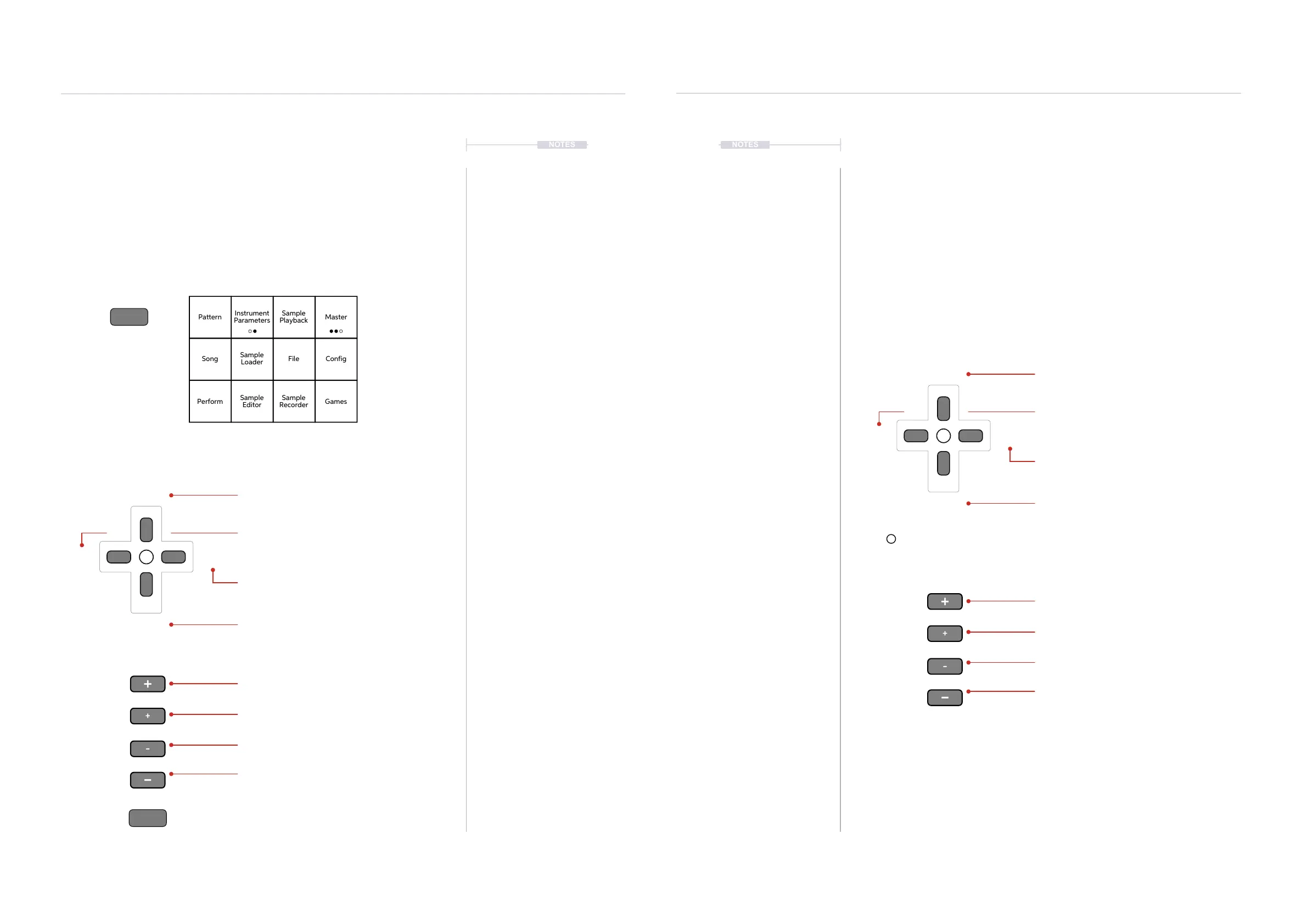
Typically the [Menu] Button is held while navigating the main menu. The
navigation can be performed by various button combinations.
Hold
Release
(Up)
(Down)
(Left) (Right)
Up button scrolls one row up the order.
Hold [Menu] button throughout the navigation process.
The menu item is selected when [Menu] button is released.
+ Scrolls multiple steps in the menu.
Left button scrolls one column left.
Right button scrolls one column right.
Down button scrolls one row down the order.
- Scrolls one item down the order.
+ Scrolls one item up the order.
- Scrolls multiple items down the order.
NOTES
Overview
1
Overview
1
NOTES
Menu
Menu
Pattern
Song
Perform
Sample
Playback
File
Sample
Recorder
Instrument
Parameters
Sample
Loader
Sample
Editor
Master
Config
Games
1.5 Generic Parameter Editing.
Pages may contain parameters and functions which once selected can be
adjusted in value. These are applied in a variety of situations.
Parameter Editing
A page will need to be selected which contains the parameters to edit. For
example the ‘Master’ page contains a series of adjustable settings. The
highlighted and selected parameter will be indicated with a red bounding
box. It is this parameter that will be changed when using the D-Pad
Navigator and +/- buttons.
Within xed page menu options, the D-Pad navigation buttons and +/-
master buttons will scroll through the available options. The option is also
automatically selected when it is highlighted. The respective screen button
may also cycle through menu options when pressed repeatedly in pages.
* Inner +/- and D-Pad Up / down may operate in similar fashion in some menu and value setting options
(Up)
(Down)
(Left) (Right)
Up button increases parameter value.
D-Pad Navigation
Master +/- Buttons
D-Pad Menu Navigation
Menu Page
Master +/- Buttons
[+] Increases value in larger increments.
Left button navigates parameter selection.
Right button navigates parameter selection.
Down button decreases parameter value.
[-] Decreases value, same as (Down) Button*.
[+] Increases value, same as (Up) Button*.
[-] Decreases value in larger increments.
The central navigation button typically acts as a ‘select’ or ‘enter’ button



 To Next Page