53
Polyend Tracker Mini Manual
52
Polyend Tracker Mini Manual
4.1 What’s a Pattern?
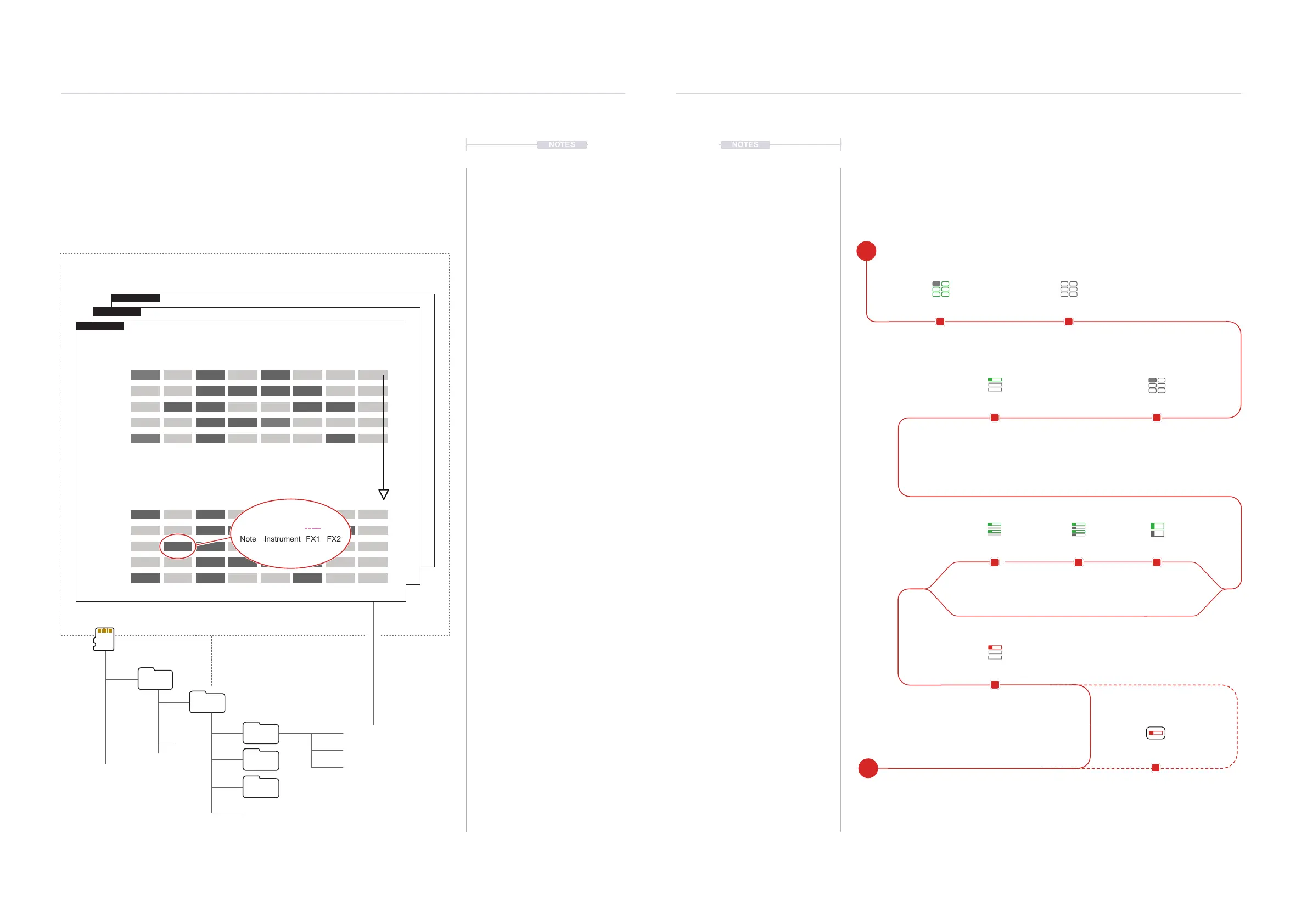
Patterns are a combination of 8 Tracks where each has a series of steps
mapped out. The steps form into a melody or beat. So for example Track 1
could be the Drums, Track 2 for Percussion, Track 3 as Bass etc. Patterns
can be created using steps manually ‘programmed’ into the Tracker Mini or
by recording in real time.
NOTESNOTES
Pattern Format
4
Pattern Format
4
Projects
MyProj
Patterns
Samples
Instruments
project.mt
Pattern_01.mtp
Pattern_02.mtp
Pattern_03.mtp
Pattern 1
Pattern 2
Pattern 3
Project
A default of 32 steps pre track is available in new patterns.
This can be changed between 1 - 128 Maximum.
Play Direction
Up to 255 Patterns per Project.
Step 1
Step 124
Step 2
Step 125
Step 3
Step 126
Step 4
Step 127
Step 5
Step 128
Track 1 Track 4Track 3 Track 7Track 2 Track 6Track 5 Track 8
Patterns will be stored on the SD Card under the project folder.
Step
Track 2, Step 126
Note
C4 01 P 27
Instrument FX1 FX2
4.2 Process of Creating a Pattern
Formatting and creating a pattern is a simple process but there are some
good practices that will speed up workow and help to move quickly to
making music. A pattern is the container for steps and establishes the step
timing and track format. The dynamic screen buttons are used heavily.
Tempo and Project
Instruments list is populated.
Press [1]
Pattern editing is mainly
performed in pattern mode.
Hold [Pattern] + (Up) or (Down)
Pattern is 1
st
Screen Button.
Example Pattern = 1
Hold [Length] + (Up) or (Down)
Length is 2
nd
Screen Button.
(Left) & (Right) for larger increments.
Example Length = 32
Manual or
Live Recording to record
steps into the pattern.
Optionally set screen
view, 8 tracks, vertical /
horizontal etc.
Press [Shrink]
Screen Button
Halves length by removing
every second step
Press [Duplicate]
Screen Button
Doubles pattern length
including steps
Press [Expand]
Screen Button
Doubles length by
inserting steps
Pre-Requisite Select Pattern Mode Page
Shrink DuplicateExpand
Select Pattern NumberLength
Add Steps
Display Options
E
S



 To Next Page