47
Polyend Tracker Mini Manual
46
Polyend Tracker Mini Manual
3.7 Summary of Conguration Options
A number of options can be set in the ‘Cong’ menu. These defaults may
be good enough to get started but specic changes may suit certain
workows and situations better. The details of these will be covered in
relevant sections and only an overview of global settings is provided here.
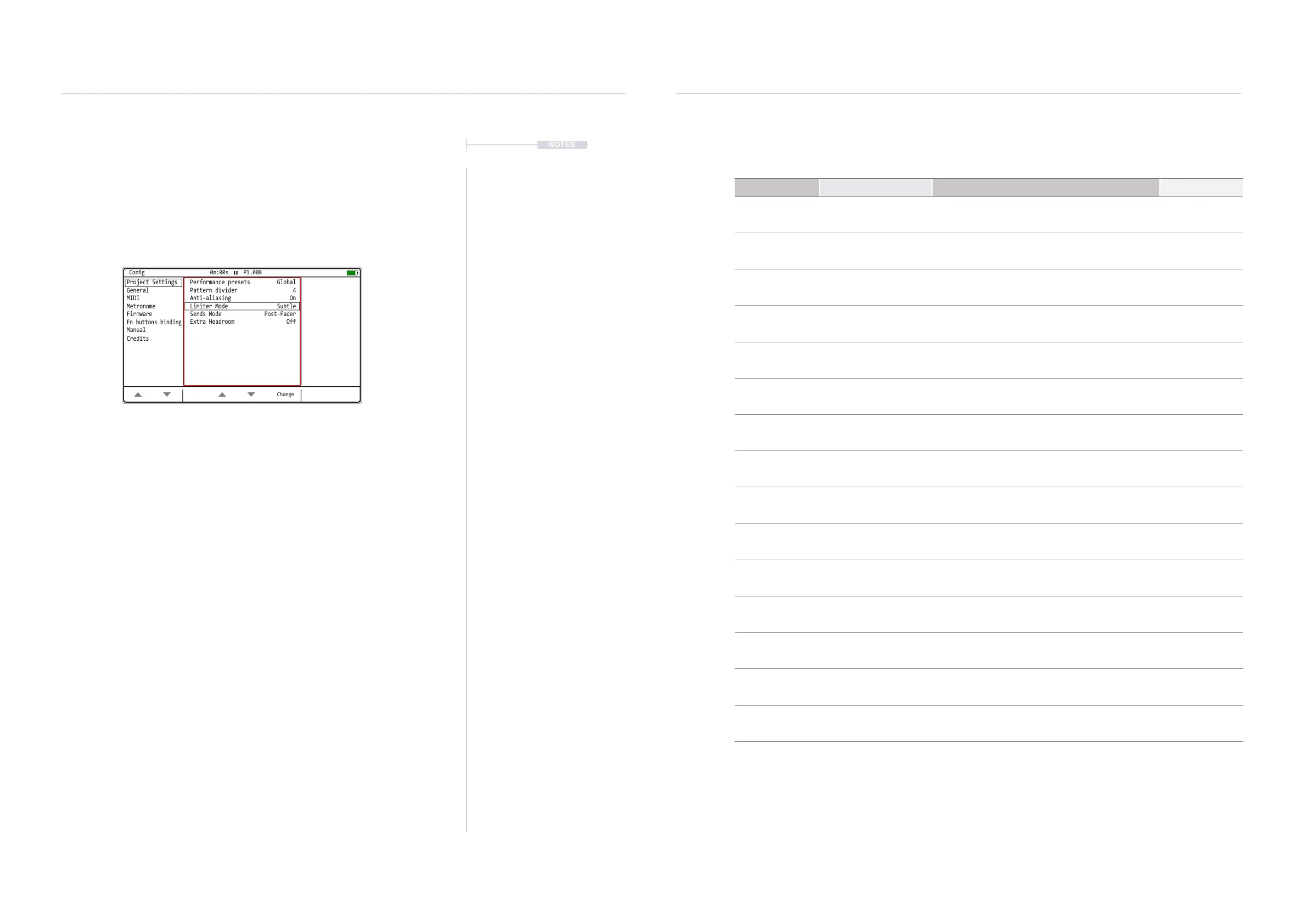
Press [Shift] + [4] or navigate in the [Menu] for the ‘Cong’ page
Menu Option Description Book Section
Project Settings Performance Presets
Allows performance presets to be saved either as
a global conguration or local to each project.
Performance
Mode
Project Settings Pattern Divider
Sets the highlight level for the selected step
offering better pattern visualisation.
Pattern Format
Project Settings Anti-aliasing
Anti-aliasing set to ‘On’ gives a cleaner sound for
sample playback. Off is more lo- vintage feel.
Project Settings Limiter Mode
Sets the characteristics of the limiter attack and
release between subtle and extreme.
Master Effects
Project Settings Sends Mode
Sets the sends to pre-fader i.e. independent of
volume or post-fader.
Master Effects
Project Settings Extra Headroom
Avoid clipping by adding extra headroom in the
output audio.
Project Settings Snap to Zero
Snap audio crossings to zero points, Used as
green markers in the sample playback page.
Instruments
General Display Brightness
Adjusts the brightness level of the 5” display
between three settings: High, Medium, Low.
System
General Display Theme
The colour scheme of the screen. Original has the
dark background while monochrome is bright.
System
General Display Font
Text font option. Original has the classic consolas
look while ‘new’ is smaller, more standard.
System
General Recording Options
Sets the options for what is recorded i.e. notes,
quantization, micro-timing, velocity.
Sequencing
Steps
General Numbering Mode
Sets all numbers to the decimal starting at 0 or 1
or hexadecimal format. Classic look and feel.
System
General Pattern Arrangement
Sets the pattern display to the traditional vertical
view or alternative horizontal display.
Patterns
General Pattern Top Info
Allows the top part of the pattern screen to display
only the track name, additional info or off.
Patterns
General Line In Channel
Selects the audio input of the line in between
stereo, mono left or mono right.
Audio
Press (Left) or (Right) to navigate between the option windows a
red bounding box will indicate the selected window. Press (Up) or
(Down) to navigate to the desired listed option.
Also the [Up] and [Down] screen buttons will select the option and
automatically select the menu window.
NOTES
Projects
3
Projects
3
Change
Project Settings Performance presets Global
Pattern divider 4
Anti-aliasing On
Limiter Mode
Extra Headroom
Subtle
Off
Sends Mode Post-Fader
General
MIDI
Metronome
Firmware
Cong 0m:00s P1.008
Fn buttons binding
Manual
Credits
Cong Options



 To Next Page