143
Polyend Tracker Mini Manual
142
Polyend Tracker Mini Manual
NOTESNOTES
7.5 Volume
FX Type Tag
Value Ranges
FX Description
Example
Effect
V
0 - 100%
Will apply a volume level for this individual instrument step.
For MIDI this will send a NOTE ON Velocity parameter.
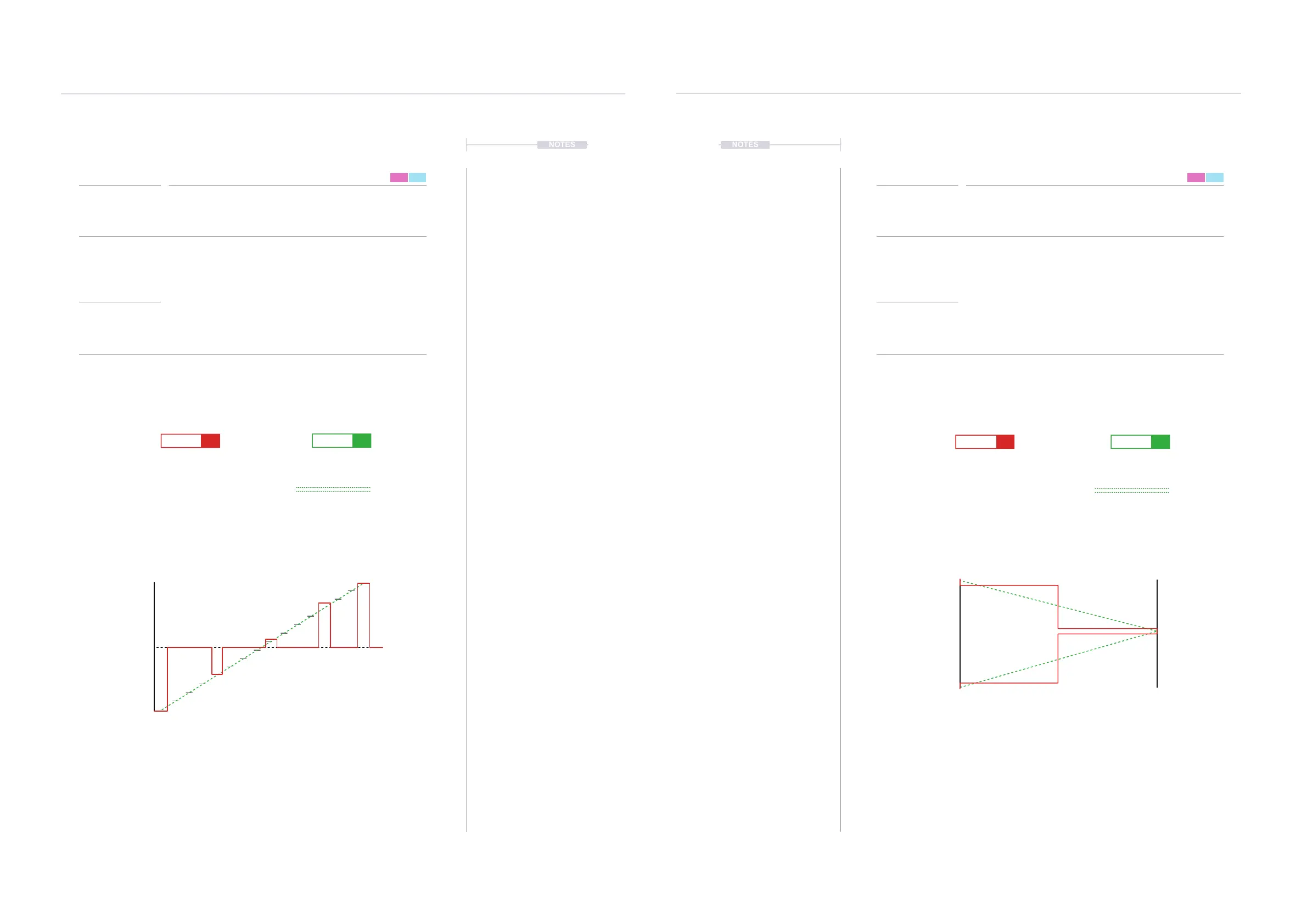
To illustrate an example, 16 Steps with volume ramped up through the pattern
steps. This will be a stepped ramp. To create a smoother ramp try using the ll
function to populate all steps using ‘From-To’ or Live Rec. This will still be
triggered per step but will be audibly smoother.
Volume / Velocity
FX Steps
7
FX Steps
7
7.6 Panning
FX Type Tag
Value Ranges
FX Description
Example
Effect
P
L -50 - R +50
Positions the audio within the stereo eld, panning the signal in the left / right
position. This is applied per step.
An example of 16 Steps panned left to right and then back to left. Triggered for
the stereo position per step. To create a smoother, less stepped transition use
ll to populate all steps using ‘From-To’.
Panning
1
1
9
3
5
2
13
15
16
16
D6 03
----
V 0
D6 03
----
V 0
D6 03
----
V 80
D6 03
----
V 94
D6 03
----
V100
D6 03
----
V100
D6 03
----
V 30
D6 03
----
V 6
D6 03
----
V 55
D6 03
----
V 13
Volume Level
100%
0%
1 5 9 132 6 10 143 7 11 154 8 12 16
1 1
9 3
5 2
13 15
16 16
D6 03
----
P-50 D6 03
----
P-50
D6 03
----
P 0 D6 03
----
P-38
D6 03
----
P-50 D6 03
----
P-50
D6 03
----
P 0 D6 03
----
P-42
D6 03
----
P 50 D6 03
----
P-31
Panning
Left Right
-50 0 50
1
9
13
16
5



 To Next Page