113
Polyend Tracker Mini Manual
112
Polyend Tracker Mini Manual
NOTESNOTES
Instruments
6
Instruments
6
Automation can add some highly creative and interesting features to a
sound. This is applied by modulating parameters in the instrument sample.
This can transition from a simple, static audio sound (when type is off) to
add some subtle movement to generative and evolving sound designs. Try
combining and experimenting with automation.
LFO - Low Frequency Oscillator
A low frequency oscillator (LFO) operates at a lower frequency than a
normal audio oscillator which is typically used as an audio generator. The
purpose of an LFO is to act as a modulator for parameters of other devices,
to add interest and create movement. A common use of an LFO is to add a
vibrato effect to control the pitch of a sound.
As well as the shape, the second key parameter is speed. LFO Speeds in
Tracker Mini are hard synchronised to the project tempo and are therefore
assigned based on the number or intervals of steps. Despite Tracker Mini
having a de-clicking audio algorithm, some settings may still cause audio
clicks due to the LFO cycle with respect the samples zero crossing points.
Steps
Speed Setting Illustrations
Speed 24
Speed 16
Speed 4
Speed 3/2
Speed 1
Speed 1/4
1 2 3 4 5 6 7 8 9 10 11 12 13 14 15 16
Time
Amplitude
Time
Amplitude
Time
Amplitude
Time
Amplitude
Time
Amplitude
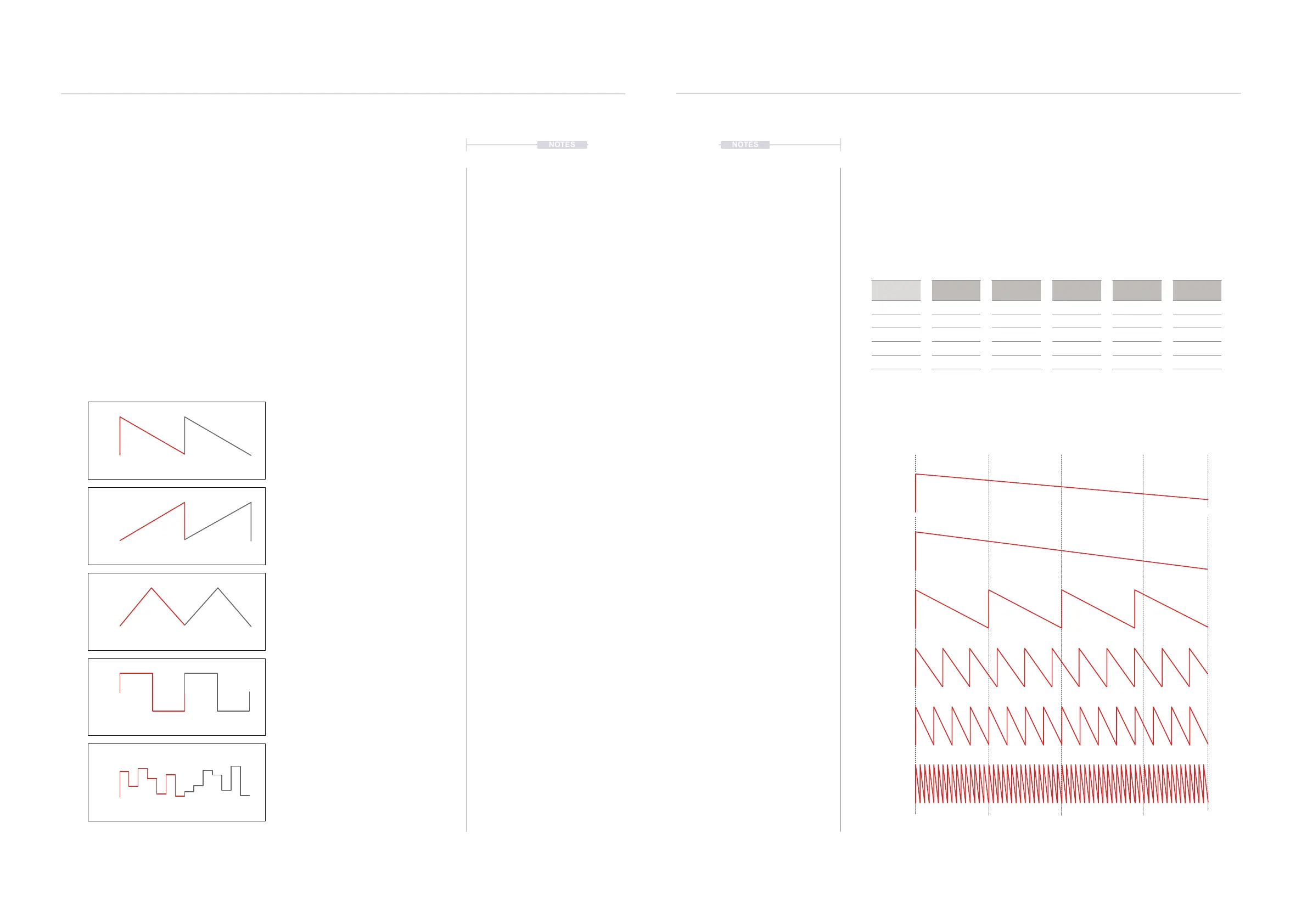
LFO Shapes
Examples show 2 Cycles of the LFO shape. Speed inuences cycles across pattern.
LFO Speed
Speed is based on pattern step intervals.
* 128 to 32 Step Speed options are not available with Volume as the destination.
Triangle
Good for vibrato style sounds
Reverse Saw
Ideal for ramp down sounds
Square
Great for steppy, pulses
Saw
Ideal for ramp up sounds.
Random
Steppy random sounds
Speed
In Steps
24
16
12
8
6
Speed *
In Steps
128
96
65
48
32
Speed
In Steps
3/4
1/2
3/8
1/3
1/4
Speed
In Steps
4
3
2
3/2
1
Speed
In Steps
3/16
1/6
1/8
1/12
1/16
Speed
In Steps
1/24
1/32
1/48
1/64



 To Next Page