11.1.3.1 CT Testing Error Messages
During the CT test, the PowerMaster
®
may display error messages if a problem occurs. If the
user encounters one or more of these error codes, please check the setup again.
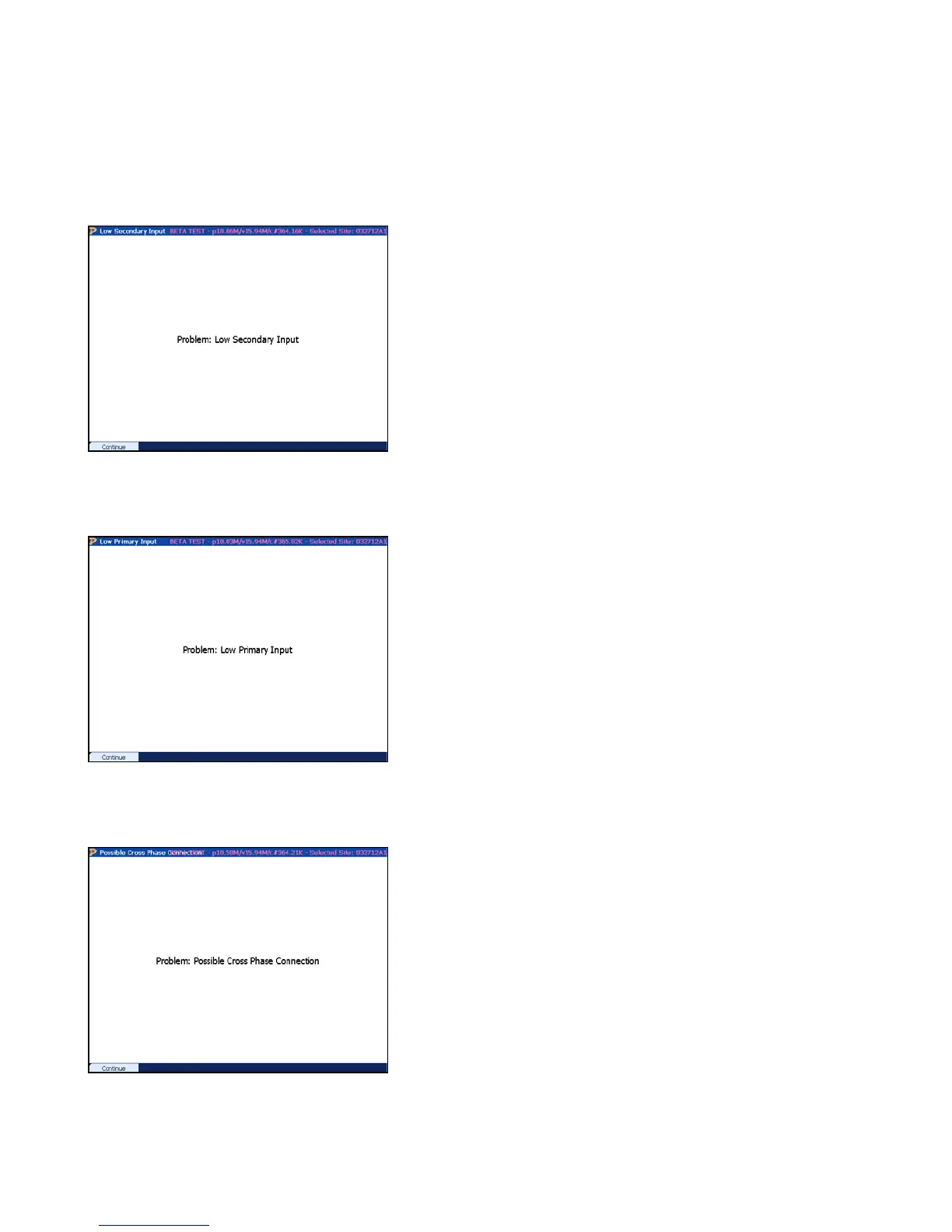
Examples:
The PowerMaster
®
detect less than 0.1A secondary
current on the probe used for the phase under test.
Check the following:
1. Verify the CT does not have a shunted
secondary
2. Verify the probe is inserted into the test switch
or clamped on the secondary wire
3. Check for a wiring error from the secondary of
the CT
4. Contact Technical Support for troubleshooting
the probe and/or analyzer
The PowerMaster
®
detect less than 0.1A primary
current on the probe used for the phase under test.
Check the following:
1. Verify the probe is connected to all primary
conductors for the CT
2. If using the HV probe, verify the probe is turned
on.
3. Check for a wiring error from the primary of the
CT
4. Contact Technical Support for troubleshooting
the probe and/or analyzer
The PowerMaster
®
detects a phase angle error greater
than 100 degrees for the phase under test. Attempt the
following:
1. Verify the probe is connected to all primary
conductors for the correct CT
2. Verify the probe is not connected to an incorrect
phase
3. Check for a wiring error from the primary of the
CT
4. Contact Technical Support for troubleshooting
the probe and/or analyzer
Rev 1.5 92


 To Next Page
 Loading...