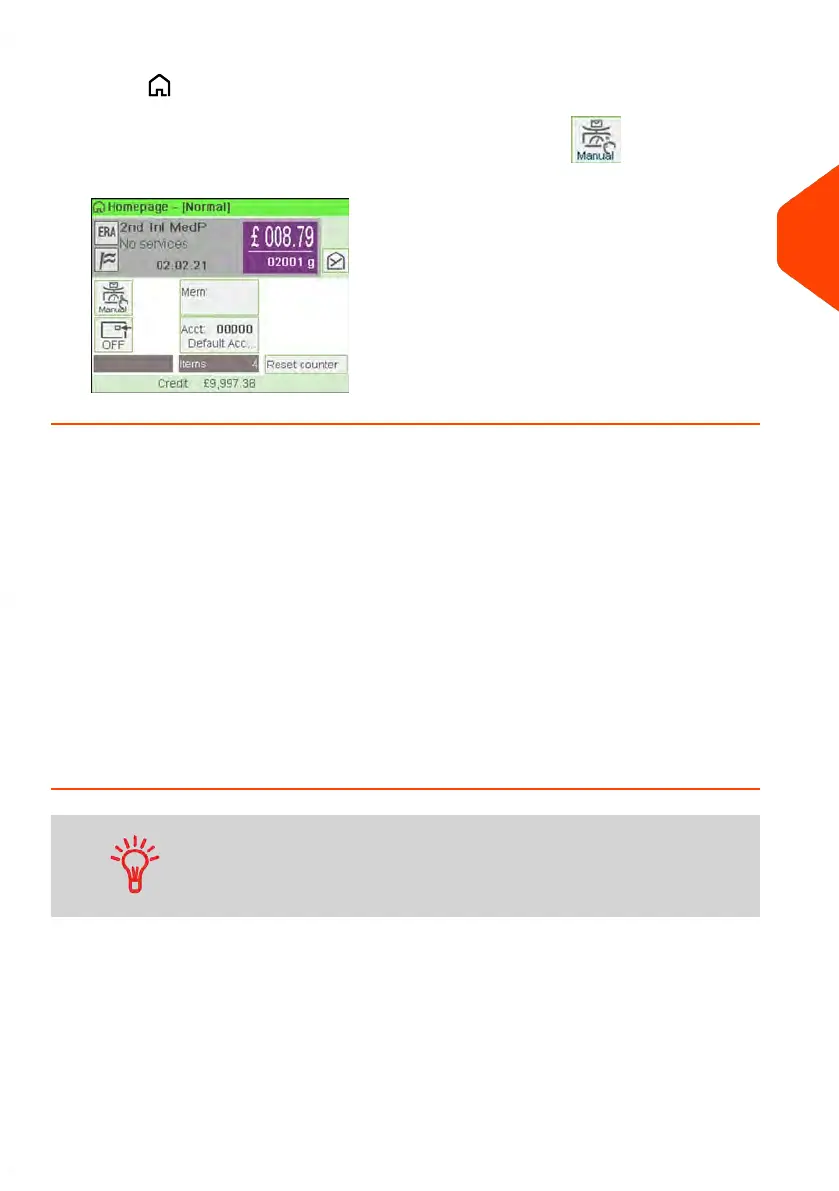
5.
Press to return to the home screen.
The home screen displays the Manual Weight Entry icon ( ) and the weight
entered.
Configuring the Imprint
Depending on the current Type of imprint, you can modify the elements printed on mail
pieces as follows:
• Change printed date.
• Adding a pre-loaded Slogan to the left of the imprint.
• Adding a pre-recorded ERA to the left of the imprint.
• Moving the imprint away from the right edge of the envelope.
See also
• How to Change the Current 'Type of Imprint' on page 37.
• Type of Process and Type of Imprint on page 35.
How to Change the Date
You can set the Date to change the date at a fixed time. This is
useful if you process mail after the last mail pickup for the day.
This ensures that the proper date of mailing is printed for the
next days mail pickup.
The Date setting allows you to:
• Change the date printed on the mail pieces for future sending (you are processing
the mail on Friday but not delivering the mail to the post office till Monday).
To change the date that will be printed:
3
Processing Mail
81
| Page 81 | Jun-21-2021 12:11 |



 To Next Page