780C Multi-Interface Interoperability Tester – User Guide Page 152
8.2.1 Configurations for Monitoring DDC Transactions with ACA on HDMI Sink Devices
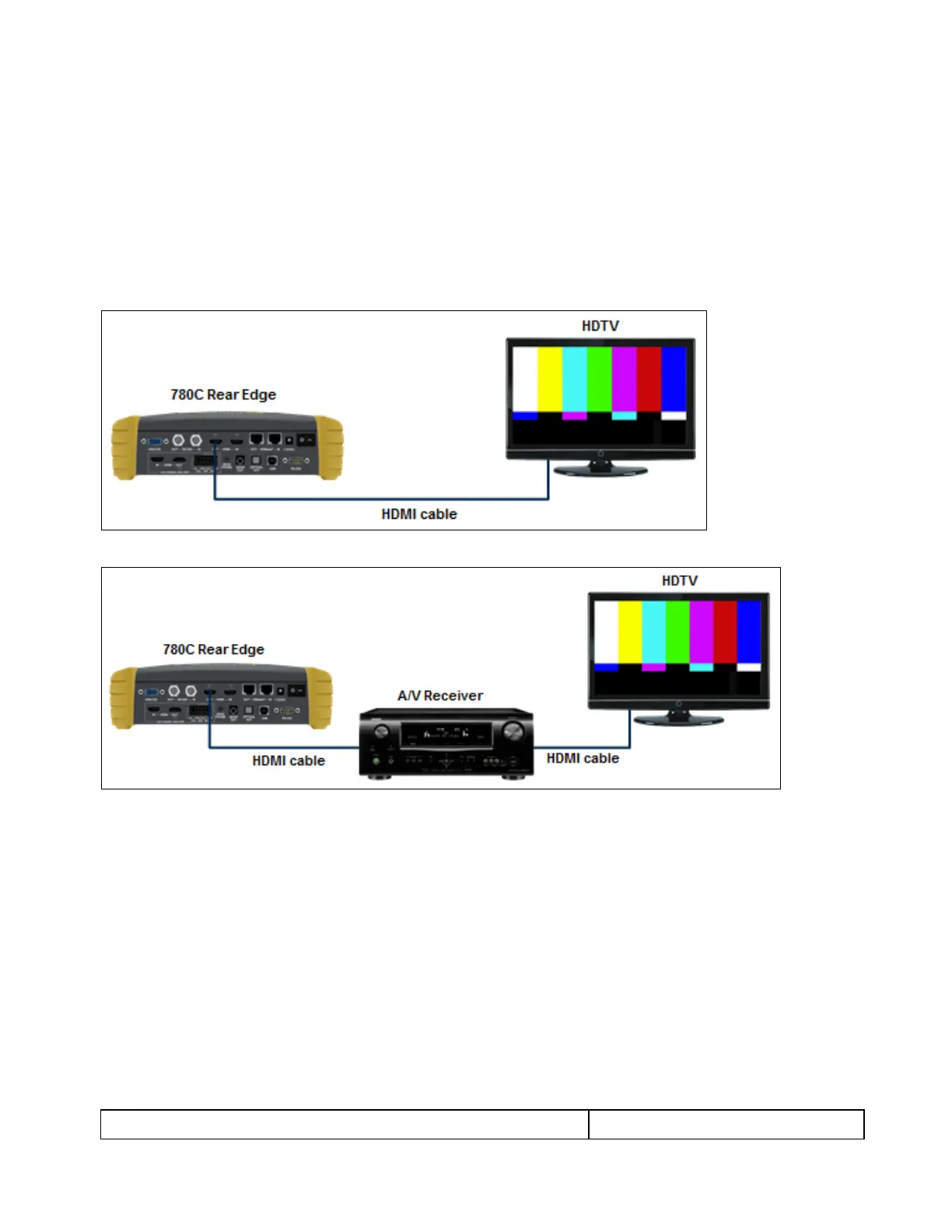
This subsection provides configuration diagrams that depict ACA monitoring of HDMI sink devices, with or
without a repeater while the 780C is emulating an HDMI source device.
1. Connect the HDMI or HDBaseT sink devices to the 780C in either of the ways shown in the diagrams
below and described as follows:
a. The HDMI sink device input is connected the 780C HDMI OUT connector.
OR
b. The HDMI repeater device input is connected to the 780C HDMI OUT connector.
8.2.2 Configurations for Monitoring DDC Transactions with ACA on HDBaseT Sink Devices
This subsection provides configuration diagrams that depict ACA monitoring on HDBaseT sink devices, with or
without a repeater while the 780C is emulating an HDBaseT source device.
1. Connect the HDBaseT system devices to the 780C in either of the ways shown in the diagrams above and
described as follows:
a. The HDBaseT sink device input is connected the 780C HDBaseT OUT connector.
OR
b. The HDBaseT repeater device input is connected to the 780C HDBaseT OUT connector.



 To Next Page