780C Multi-Interface Interoperability Tester – User Guide Page 81
5.3.2 Procedures for Testing CEC on an HDMI/HDBaseT Sink Device
Use the following procedures to test CEC on an HDMI/HDBaseT sink device.
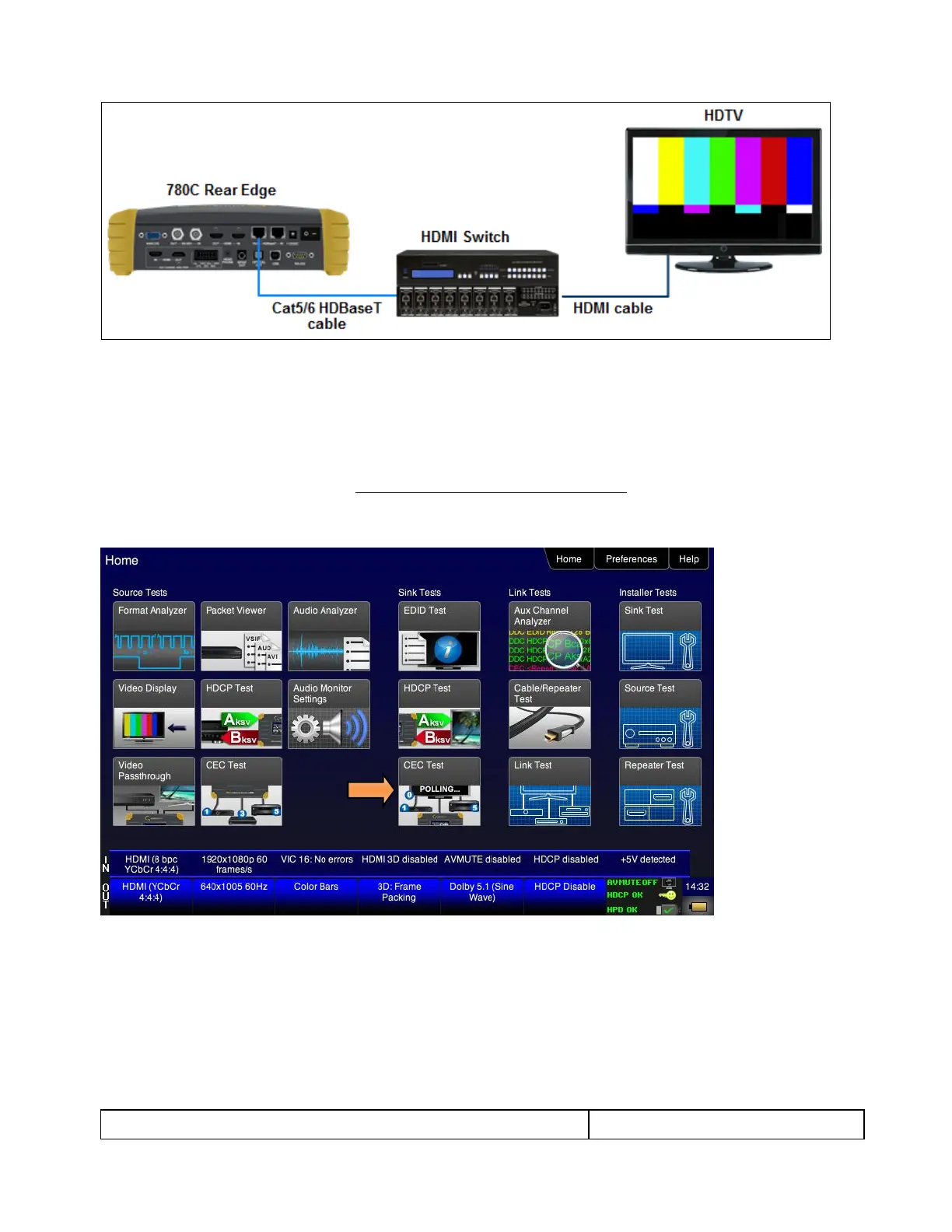
1. Connect the 780C HDMI/HDBaseT OUT port to an HDMI/HDBaseT sink device (e.g. HDTV or A/V
receiver) using the configuration guidelines provided above.
2. Follow the procedures above for Selecting a Signal Type and Resolution to enable the HDMI/HDBaseT
output.
3. Touch select CEC Test from the Home menu shown below.
The CEC devices on the HDMI network are presented on the display as shown below:



 To Next Page