Getting Started GM300 Radio Service Software Manual
2-16 6880902Z36-B October, 1996
Organizing Your Disk and Diskettes
2
2.6.1 Organizing Your Hard Disk
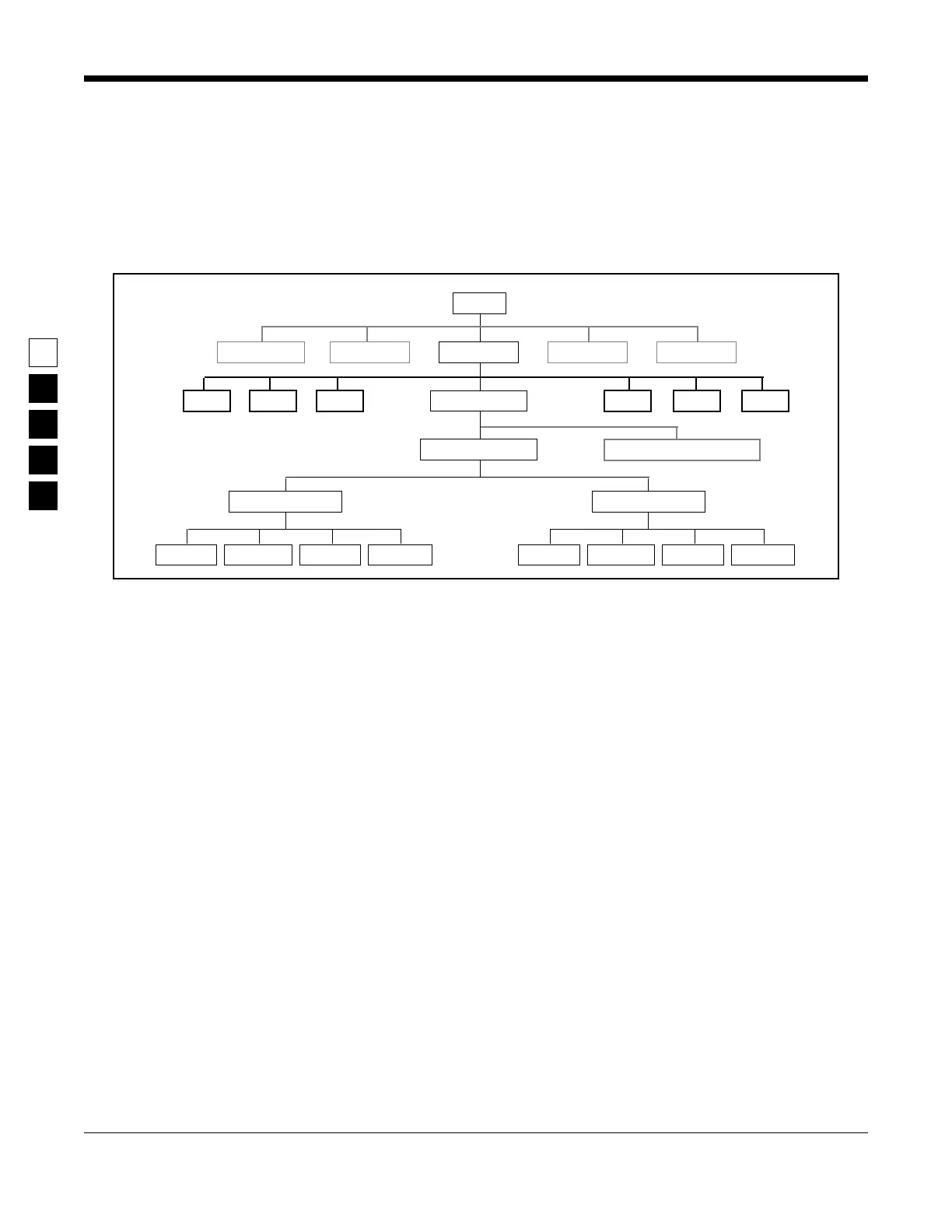
Figure 2-2 is a sample directory tree for storing your radio archive files on your computer’s hard disk.
Though your hard disk directory tree may be a little different based upon your way of doing business,
this setup may be a starting point for you. To create this directory tree on your hard disk, follow the steps
below. After each command, press the Return (or Enter) key.
root
GM300
MRSS
1991
COURIERFIRE
executable program files
GP300 M500 etc...P200P100etc...
ARCHIVE
TOWING
SECURITY
1992
COURIERFIRE TOWING
SECURITY
Data BaseWP GraphicsSpread Sheet
Figure 2-2. Hard Disk Directory Tree



 To Next Page