Getting Started GM300 Radio Service Software Manual
2-26 6880902Z36-B October, 1996
Navigating Through RSS Menus
2
2.7.4.5
Main Menu
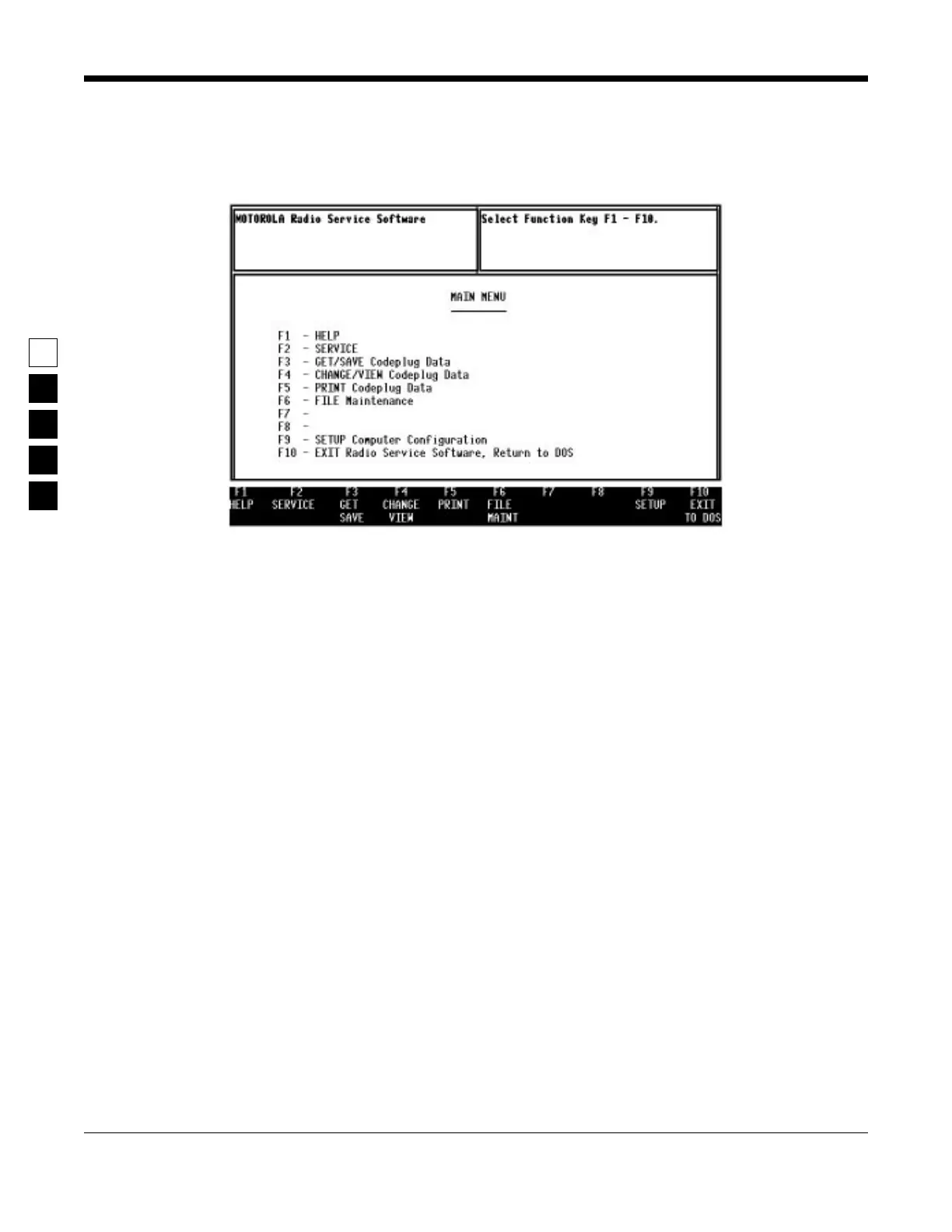
After pressing any key at the BANNER screen, the MAIN MENU (see below) appears.
Figure 2-6. The Main Menu
From here you can begin to program a radio, but first we will explain how to move around within the
menus and screens of the RSS with the keyboard keys. The parts of a menu are described in Section 2.8.2
- Anatomy of a Menu.
2.8Navigating Through RSS Menus
You have successfully started RSS and are ready to learn just what it is you see on the display, how to
move around, how RSS is organized, how to change the feature choices, and finally, how to exit.
2.8.1Keyboards Keys and Their Functions
Now that the RSS Main Menu is on your display, to proceed any further you may want to know about the
keyboard keys and what they do. Every action of RSS is controlled by you through the use of formatted
displays and function keys. The function keys are the ten keys labelled F1 to F10 grouped on the left hand
side of the keyboard on some keyboards or the twelve keys labelled F1 to F12 at the top of other key-
boards.



 To Next Page