October, 1996 6880902Z36-B
3-7
GM300 Radio Service Software Manual Tutorials
Programming Basic Radios
3
3.2.4.3
Program The Per-mode Features
Now that the radio-wide features are programmed, you can now program the per-mode features.
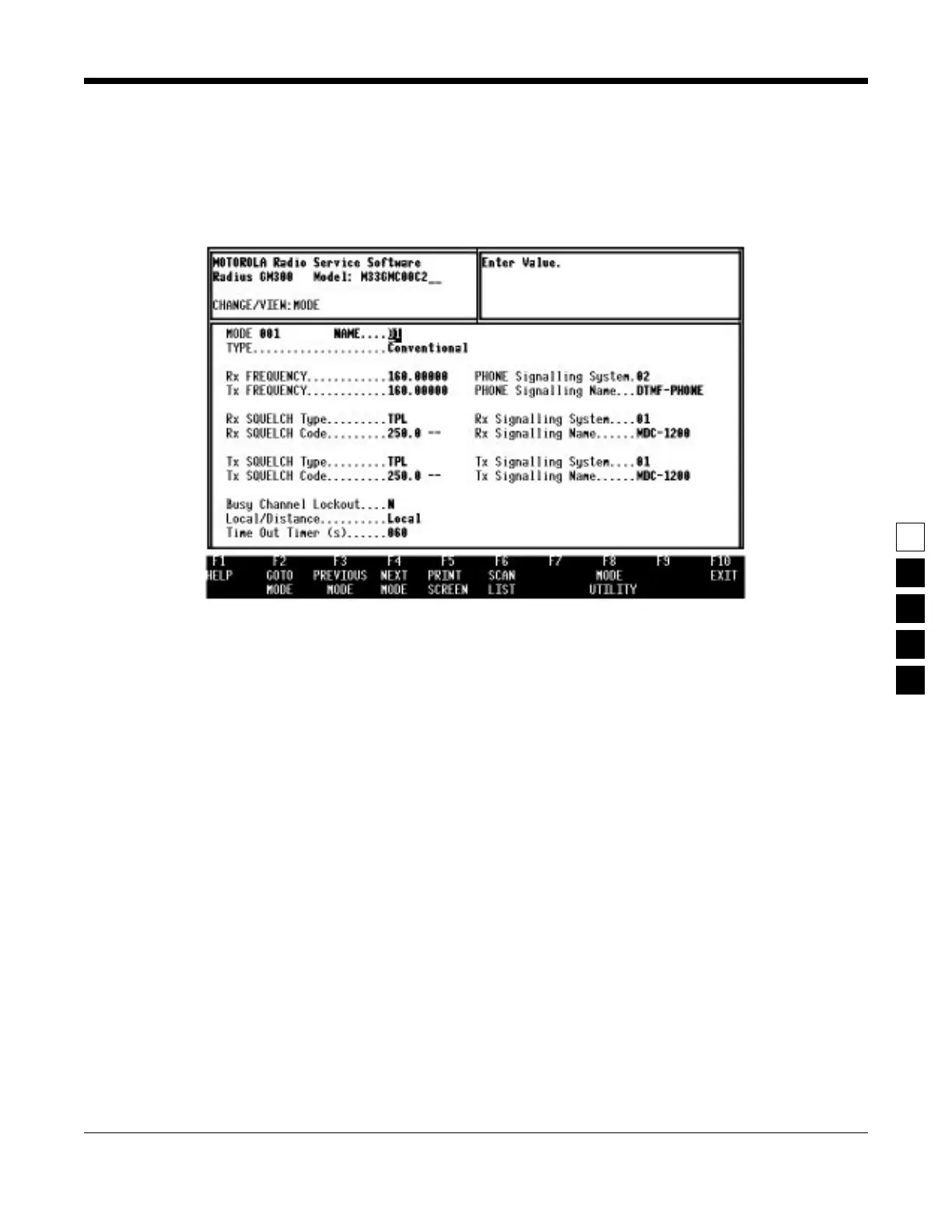
Figure 3-1 shows the MODE CONFIGURATION screen. You will become very familiar with this screen,
as you will change the field options on this screen for each mode you program on a “per-mode” basis.
Figure 3-1. Per-Mode Features on MODE screen
To keep track of where you are, use Table 3-2 on page 3-4 to check off the features, per mode, after you
program them. In Table 3-6 on page 3-8, the Enter or Return key can be used instead of the Tab key.



 To Next Page