Basic Features GM300 Radio Service Software Manual
4-4
6880902Z36-B October, 1996
GM300 Features
4
Forced Monitor
RSS LOCATION
DEFINITION
Forces radio to be in monitor (Rx PL disabled) before radio can be keyed. When
PTT is pressed when not in monitor, the operator will hear a low-pitched (error)
tone and the monitor light will illuminate. Pressing PTT a second time will cause
the radio to key.
DEFAULT/CHOICES Default: OFF
Choices:
■
OFF
■
ON
RECOMMENDATIONS
Use to force operator to monitor channel before transmitting or in markets where
this is a regulatory requirement. Normally not needed unless customer does not
want to use the microphone hang-up feature.
WARNINGS
Using this feature with Busy Channel Lockout or Transmit Inhibit On Busy is not
recommended. Busy Channel Lockout rules prevail when both features are
enabled.
SEE ALSO
Busy Channel Lockout, Transmit Inhibit On Busy
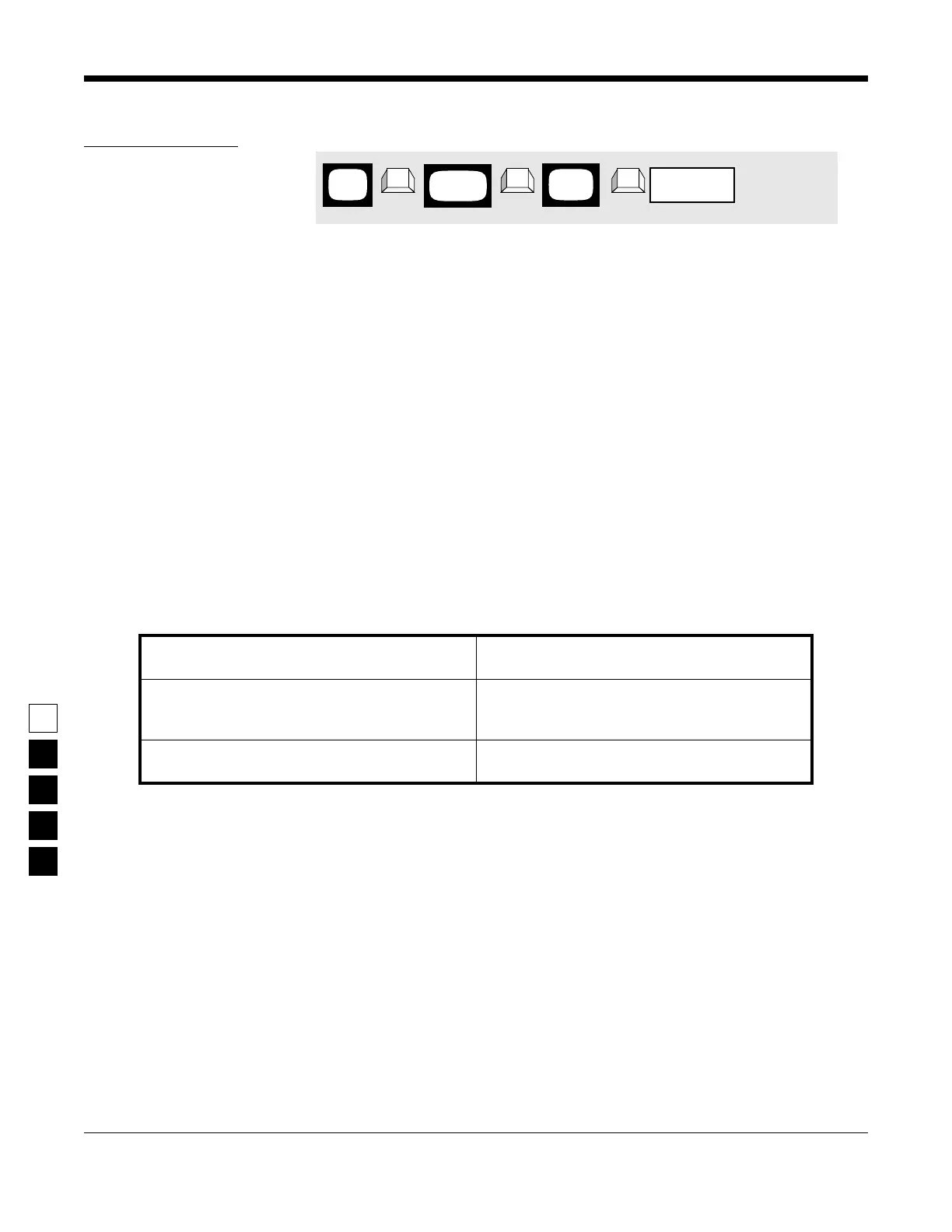
PROGRAMMING PROCEDURE
1.
Press
F4
at the
MAIN MENU
to get to the
CHANGE/VIEW CODEPLUG MENU
.
4.
Use the
↑ ↓
arrow keys to select the desired
Forced Monitor
value.
2.
At the
CHANGE/VIEW CODEPLUG MENU
,
press
F2
to get to the
RADIO WIDE CONFIGU-
RATION
screen.
3.
Press
Tab
(or
Enter
or
Return
) until the
Forced
Monitor
field is highlighted.
MAIN
MENU
RADIO
screen
WIDE
field
Forced Monitor
➠
F4
➠
F2
➠
Tab
CHANGE/
VIEW



 To Next Page