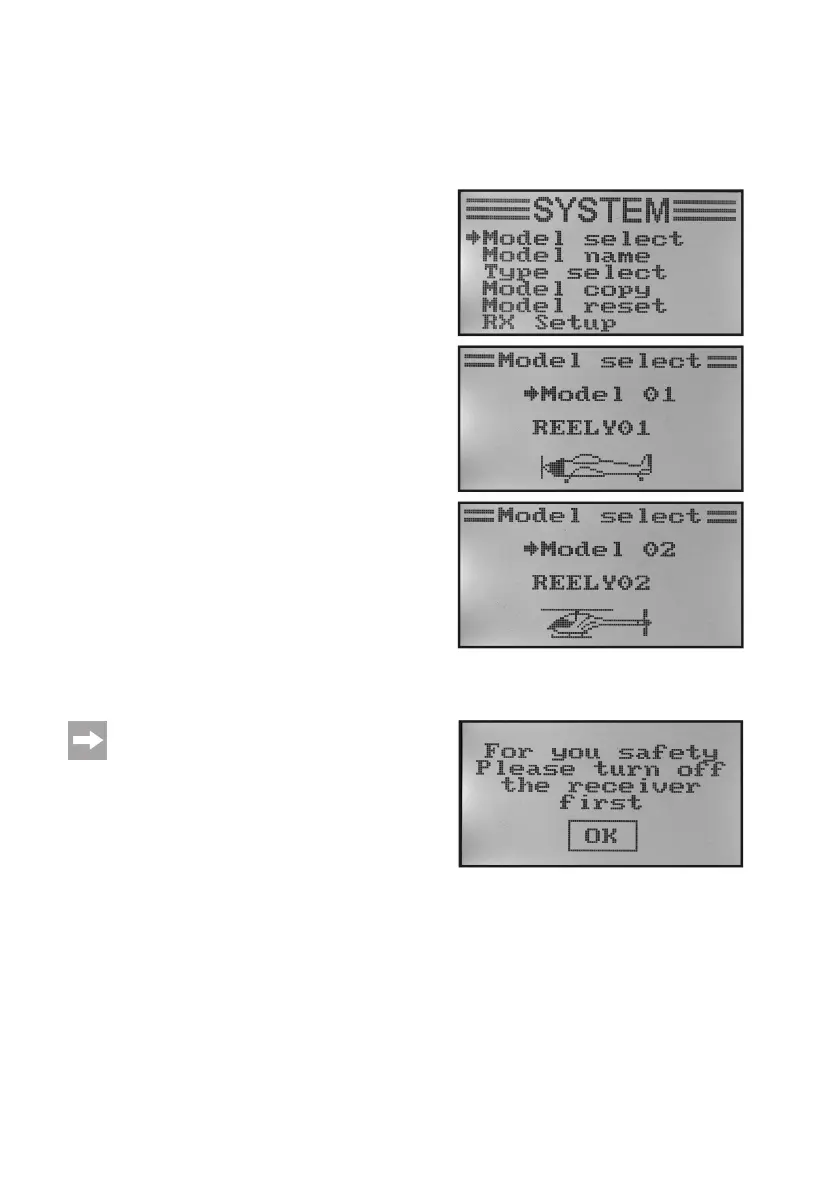
a) Model Memory Selection „Model Select“
The remote control system has 20 model memories which allow you to save the data for your respective models
independently of one another. Therefore, it is required to set the associated model memory in the transmitter before
operatingaspecicmodel.
Setting the model memory:
• Switchonthe transmitterandcallthe systemsettingmenu.
The top menu item „Model select“ is marked by the cursor
arrow.
• Brieypushthebutton„OK“toactivatethemenuitem.
The display shows the currently activated model memory.
Additionally,themodelnameandamodeltypegurearedis-
played.
• Pushthebuttons„UP“or„DOWN“toselectthedesiredmodel
memory 1 - 20.
• Keepthebutton„CANCEL“pushedforalongerperiodtoac-
tivate the desired model memory. The display then shows the
system setup menu again.
• Pushthebutton„CANCEL“repeatedlyuntilyoureturntothe
operating display and check if the desired model memory is
set.
If you want to switch the model memory even though
the receiver is still on, the display shows a warning
note that the receiver must be switched off before a
model memory change.
Figure 16
Figure 17



 To Next Page