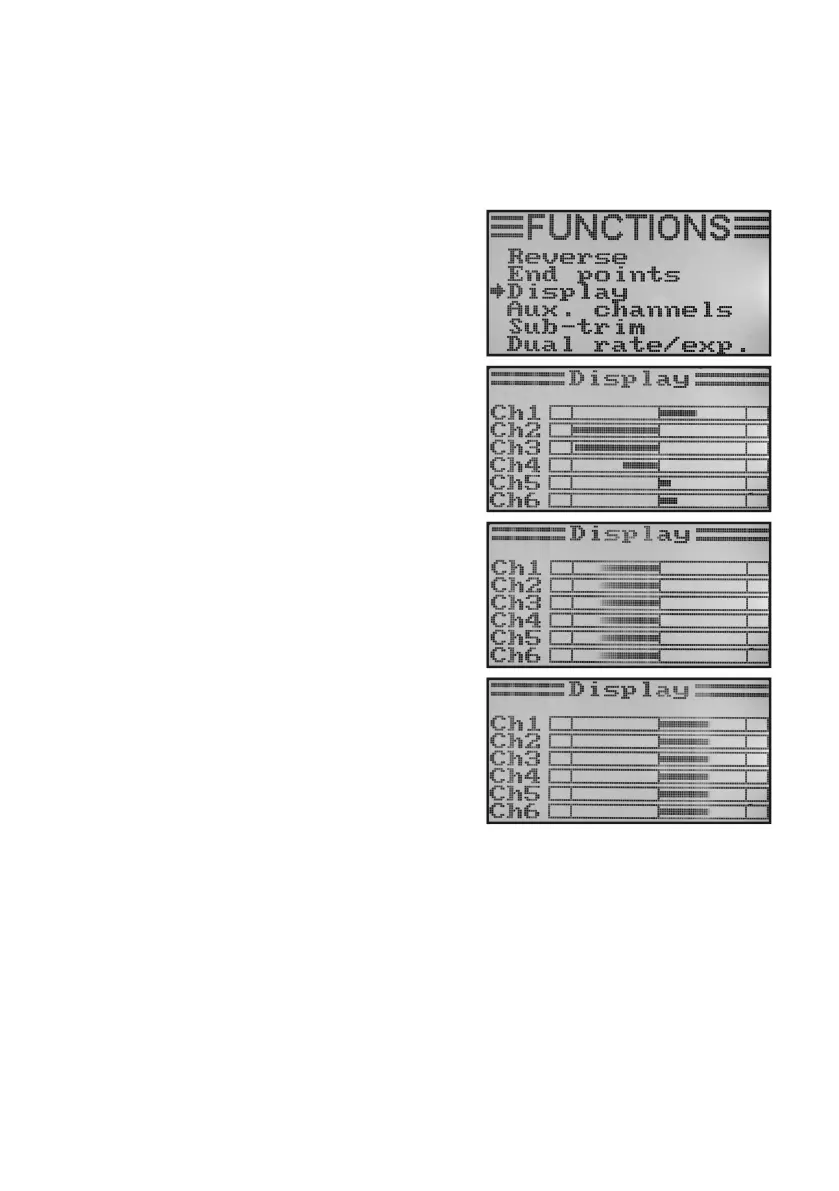
c) Servo Control/Test „Display“
In this menu you can graphically display the servo control settings for all 6 channels and simultaneously check the
individual control functions with all mixers. Especially with helicopter models you can easily very quickly make mixer
errors for swash plate control. The servos can be tested as well in this programme. For this, all six channels are
automatically run from one end stop to the other and back.
Display servo control:
• Switchonthetransmitterandcallthefunctionsettingmenu.
• Movethecursorarrowtothemenuitem„Display“withthetwo
buttons „UP“ and „DOWN“.
• Brieypushthebutton„OK“toactivatethemenuitem.
The display shows the 6 channels in the current position of the
encoders.
If you move the control sticks, activated switches or rotating
encoders in different directions now, you will see precisely
which servo is controlled in which direction.
• Pushandhold thebutton„CANCEL“to starttheservotest.
The six bar displays now continually run from one end stop to
the other. With the receiver activated, the servos react accor-
ding to the bar charts.
• Pushthebutton„OK“toterminatetheservotest.Thedisplay
then shows the function setup menu again.
• Pushthebutton „CANCEL“repeatedlyuntilyou getbackto
the operating display.
Figure 37



 To Next Page