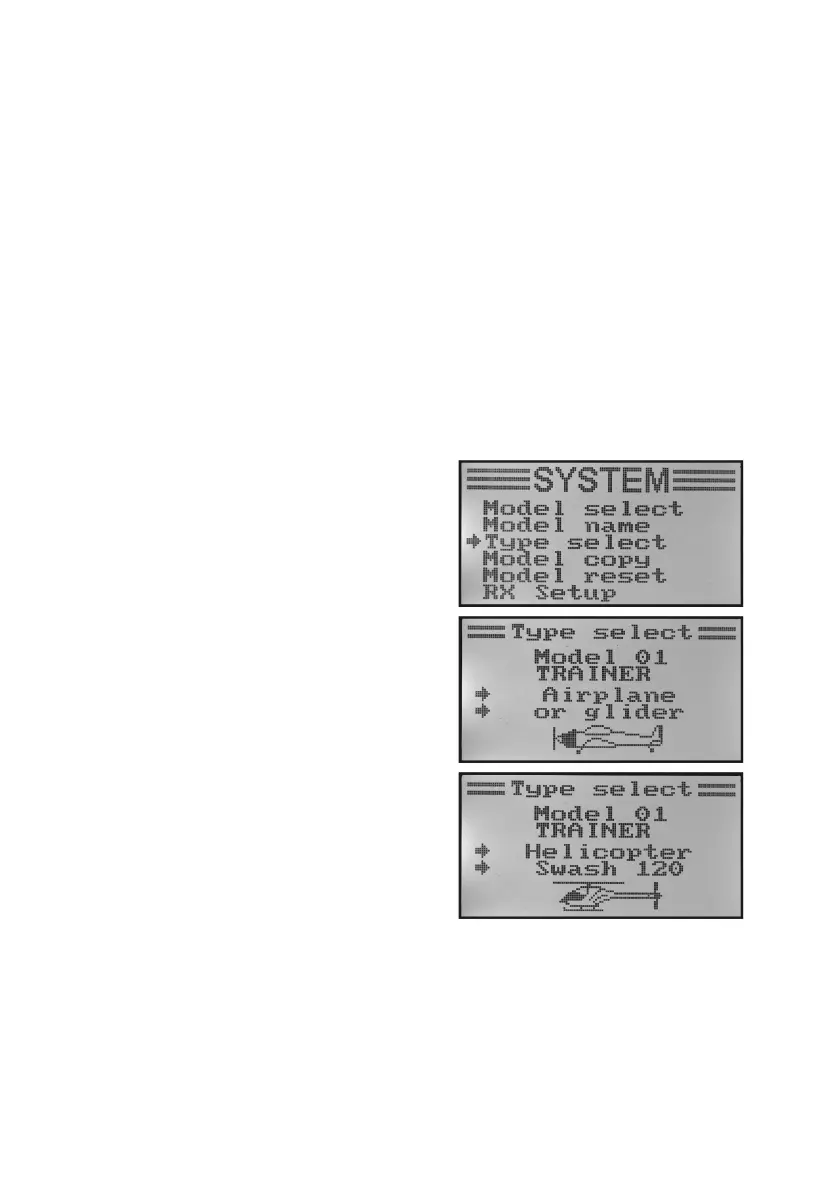
c) Model Type Selection „Type Select“
As there are different functions available for each of the respective model types, such as mixers or switching functions,
it is necessary to enter the right model type during programming. You can pick between model planes „Airplane or
glider“ and helicopter models „Helicopter“.
Among the helicopter models, the following versions are also available with different swash plate linkages:
„Fixed pitch“:
Select these settings in speed-controlled model helicopters in which the angle of attack of the main rotor blades
cannot be adjusted.
„Variable pitch“:
Choose this setting for helicopters that use a separate servo each for rolling, nodding and pitch functions.
„Swash 90°, 120° or 140°“:
Select this setting when the swash plate for your model helicopter is controlled with 3 servos and the linkage points at
the swash plate are offset against each other by 90°, 120° or 140°. Depending on angle of the linkage points, different
mixing ratios of the three swash plate servos are required that the transmitter will be considered automatically then.
Ondemand,youcanndmoreinformationontheswashplatelinkageinthedocumentsofyourmodelhelicopter.
Selection of the model type:
• Switchonthetransmitterandcallthesystemsettingmenu.
• Movethecursorarrowtothemenuitem„Typeselect“withthe
two buttons „UP“ and „DOWN“.
• Brieypushthebutton„OK“toactivatethemenuitem.
The display shows the currently set model memory with the
model name and model type. Additionally, the model type is
displayedatthebottomdisplayedgewithagurethatislater
shown in the operating display as well.
• Pushthebuttons„UP“or„DOWN“toselectthedesiredmodel
type now.
• Keepthebutton„CANCEL“pushedforalongerperiodtosave
the set model type. The display then shows the system setup
menu again.
• Pushthebutton„CANCEL“repeatedlyuntilyoureturntothe
operatingdisplayandcheckifthecorrectgureisdisplayed.
Figure 19



 To Next Page