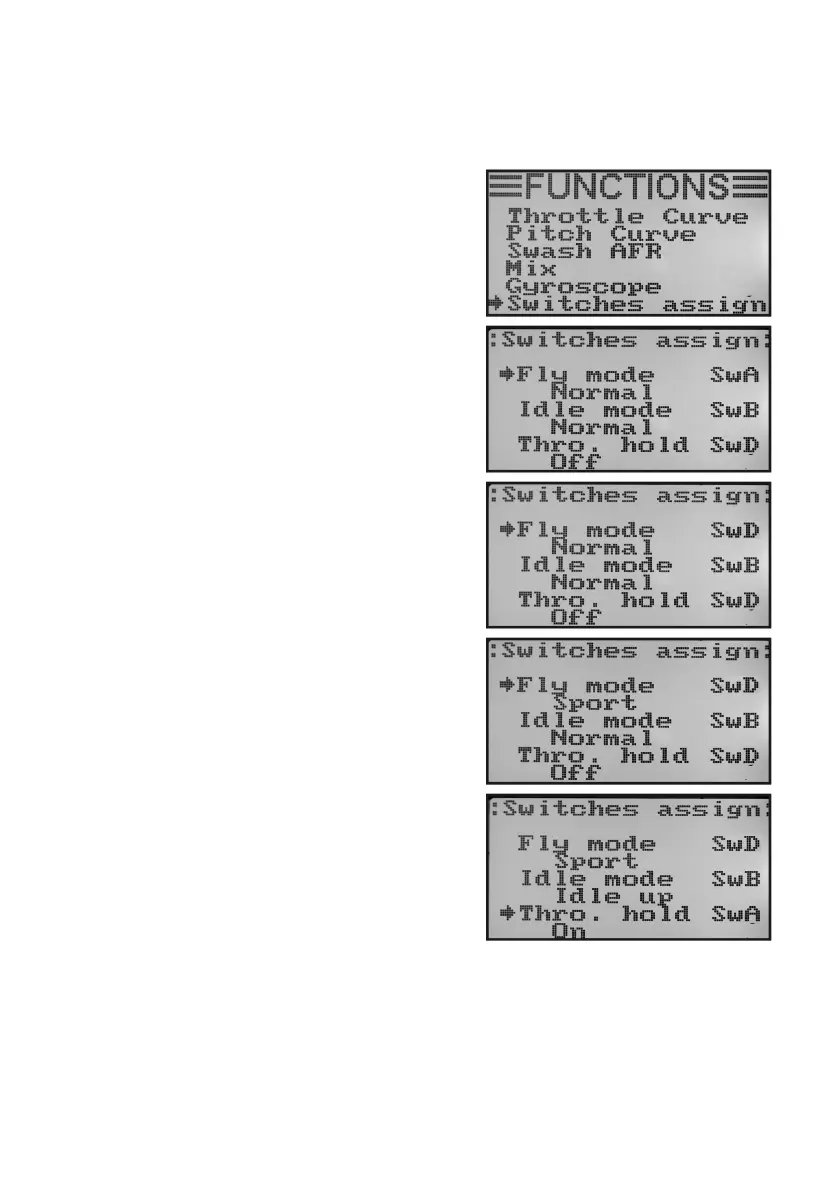
n) Switch Assignment „Switches Assign“
Inthismenu,youcanindividuallyspecifywhichswitchyouwanttouseforthedifferentightconditionsorthethrottle
switch (see last menu item).
Switch assignment setting:
• Switchonthetransmitterandcallthefunctionsettingmenu.
• Move the cursor arrowto the menu item „Switches assign“
with the two buttons „UP“ and „DOWN“.
• Brieypushthebutton„OK“toactivatethemenuitem.
The display shows the three switching options with the respec-
tive assigned switches. Depending on the current position of
the switches, the displays show „Normal“ and „Off“ or „Sport“,
„idle up“ and „On“.
• Pushingthebuttons„UP“or„DOWN“chooseswhichoneof
the toggle switches „SwA“, „SwB“ or „SwD“ should be used for
switchingtheightconditions„Normal“and„Sport“.
• Whenpushingthebutton„OK“,thecursorarrowwilljumpto
switchingthenextightcondition„Normal“and„Idleup“.
• Pushing the buttons „UP“ or „DOWN“ selects which toggle
switch is to be used for this switching.
• Theswitchforthrottleswitchingisselectedaccordingtothe
same principle.
• Keepthebutton„CANCEL“pushedforalongerperiodtosave
the settings. The display then shows the function setup menu
again.
• Pushthebutton „CANCEL“repeatedlyuntilyou getbackto
the operating display.
Figure 53



 To Next Page