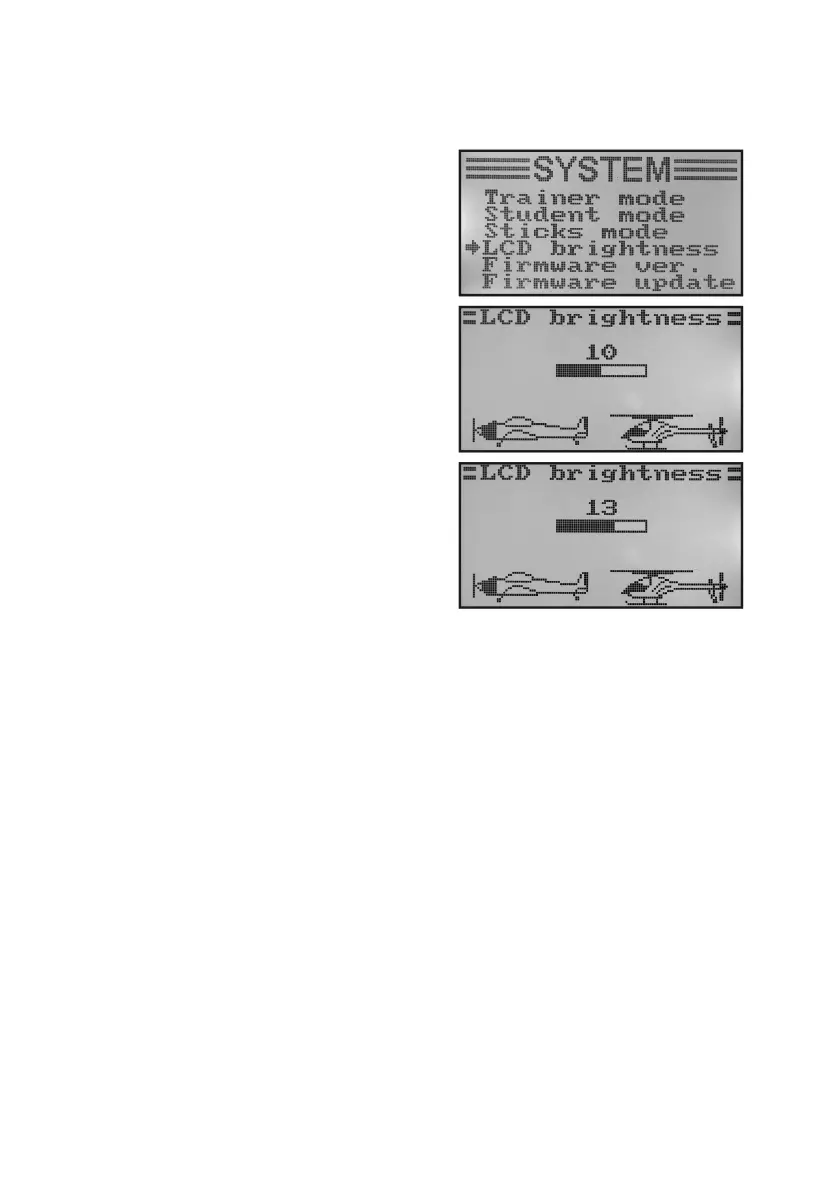
j) Display Brightness „LCD Brightness“
To have a perfectly legible display signals at all times, you can set the brightness value individually.
Setting the brightness value:
• Switchonthetransmitterandcallthesystemsettingmenu.
• Movethecursorarrowtothemenuitem„LCDbrightness“with
the two buttons „UP“ and „DOWN“.
• Brieypushthebutton„OK“toactivatethemenuitem.
The currently set brightness value is displayed with a nume-
ric value and a bar chart in the display. To better assess the
brightness settings, the two model icons at the lower display
edge are indicated as well.
• Pushthebuttons„UP“or„DOWN“toselectthedesireddisplay
brightness now. If the button „OK“ is pushed and held, the fac-
tory parameters are called.
• Keepthebutton„CANCEL“pushedforalongerperiodtosave
the settings. The display then shows the system setup menu
again.
• Pushthebutton „CANCEL“repeatedlyuntilyou getbackto
the operating display.
Figure 30



 To Next Page