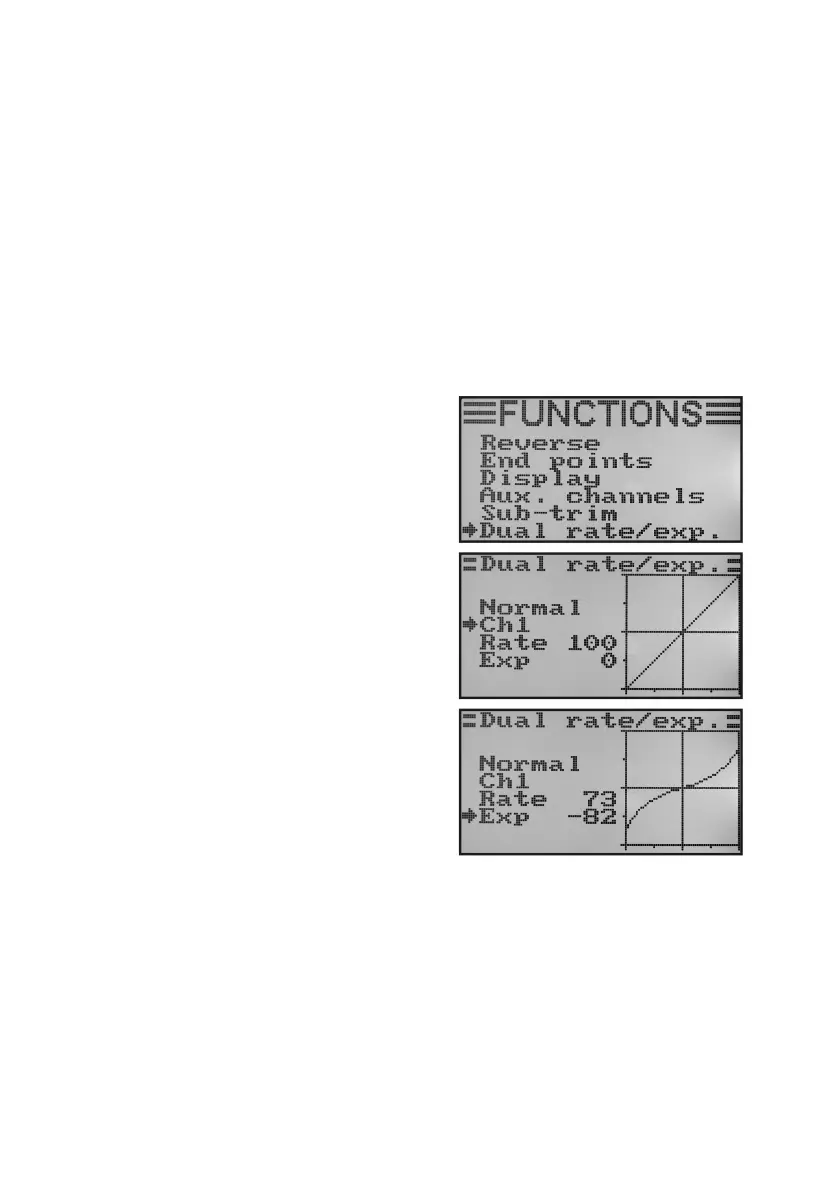
f) Dual Rate/Exponential Setting „Dual Rate/Exp.“
The dual rate function:
Thedualratefunctionallowsyoutoreducetheservodeectionsofchannels1,2and4byoperatingtheightcondi-
tion switch. You can do this to simply and easily reduce the reaction sensitivity of a model which reacts too aggressi-
velyatfullextension.Especiallyforbeginners,modelswithreducedrudderdeectionsarealoteasiertocontrol.
Whenamodelisusedforthersttime,itmightnotyetbeclearhowsensitivelyitrespondstothecontrolcommands.
Thereforeitisaprovenmethodtoreducethedeectionsduringight.
Exponential Function:
Incontrasttothedualratefunction,theenddeectionsoftheservosarenotreducedintheexponentialfunction.The
exponential function merely reacts to the middle range of the control curve. In practice, this means that the reaction
tothecontrolstickisnolongerlinear,.butformsacurve.Whenthecurveshapeisattenedinthemiddle,themodel
will react more sensitively to the control commands in the middle area of the control sticks. This is required when large
rudderdeectionsaresetforextremeaerobatics.
Setting the dual rate/exponential function:
• Switchonthetransmitterandcallthefunctionsettingmenu.
• Movethecursorarrowtothemenuitem„Dualrate/exp.“with
the two buttons „UP“ and „DOWN“.
• Brieypushthebutton„OK“toactivatethemenuitem.
The display shows the displays for the dual rate and exponen-
tial functions for channel 1. At the same time, a control curve
diagramandtheightcondition „Normal“(theswitch„SWA“
needs to be in the front position for this) are displayed.
Intheightcondition„Normal“,reducedrudderdeectionsare
set,inightcondition„Sport“,largeronesareused.
• Pushingthebuttons„UP“and„DOWN“selectsthechannelin
whichthedualrateandexponentialvaluesfortheightcondi-
tion „Normal“ are to be set.
• Whenpushingthebutton„OK“,thecursorarrowwilljumpto
the dual rate setting value.
• Pushthebuttons„UP“or„DOWN“tosetthe reduced servo
deection.Theslantofthecontrolcurvechangesaccordingto
the setting.
• Whenpushingthebutton„OK“brieyagain,thecursorarrow
will jump to the exponential setting value. If the button „OK“ is
pushed and held, the factory parameters are called.
Figure 40a



 To Next Page