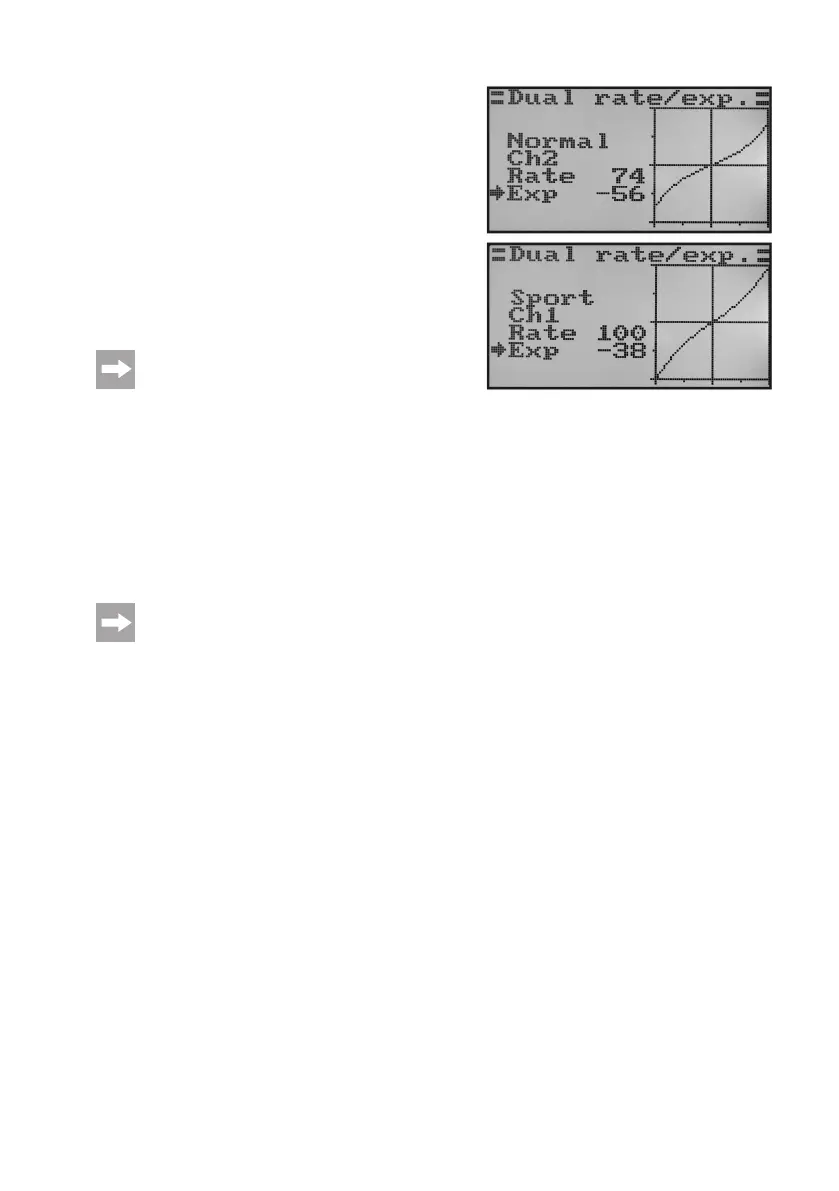
• Pushthebuttons„UP“or„DOWN“tosettheshapeofthecon-
trol curve.
• If anegative setting valueis selected, the curveshape be-
comes atter in the middle area. If a Positive setting value
is selected, the curve shape becomes steeper in the middle
area. If the button „OK“ is pushed and held, the factory para-
meters are called.
• Repeathisprocess untilyouhaveset thedesireddualrate
andexponentialvaluesforightcondition„Normal“inallthree
channels.
• Nowoperatethetoggleswitch„SWA“tocalltheightcondi-
tion „Sport“.
On demand, another toggle switch for switching the
ightconditionscanbeassignedinthefollowingmenu
switch assignment menu (Switches assign).
• Repeattheaboveprocessagainandsetthedesireddualrate
andexponentialvaluesforightcondition„Sport“inallthree
channels as well.
For setting „Sport“, the settings should be larger than for the setting „Normal“, which leads to a much more agile
model.
• Keepthebutton„CANCEL“pushedforalongerperiodtosavethesettings.Thedisplaythenshowsthefunction
setup menu again.
• Pushthebutton„CANCEL“repeatedlyuntilyougetbacktotheoperatingdisplay.
Deectthesteeringstickfortheindividualfunctionstothestopandconrmtheightconditionswitch.Now
checkifthefullrudderdeections(switchpositionSportandthereducedrudderdeections(switchposition
Normalcorrespondtoyourideasorthemanufacturerinformationoftheightmodel.
Figure 40b



 To Next Page