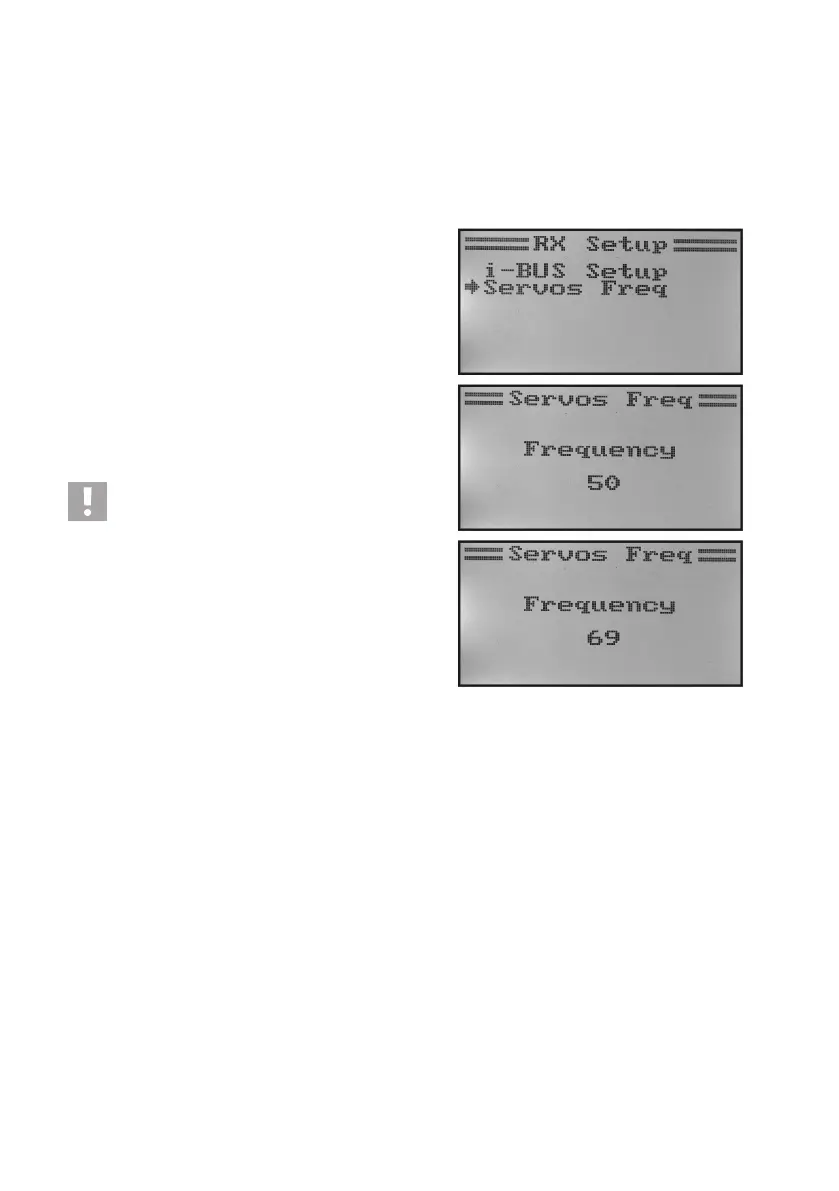
Servo control frequency „Servos freq“
Analogue servos are supplied with a control impulse 50 times per second by the receiver. Digital servos in contrast
can be controlled much more often. This enables them, among others, to develop high adjustment and holding forces
andtomovetothespeciedpositionsextremelyfast.Thecontrolfrequencyaservocanbearcanbetakenfromthe
technical data sheets of the individual servos.
To set the servo control frequency, proceed as follows:
• Callthe„RXSetup“menu.
• Usethebuttons„UP“or„DOWN“toselectthemenuitem„Ser-
vos Freq“ and activate it with the button „OK“.
• Use the buttons „UP“ or „DOWN“ to set the desired servo
control frequency. If the button „OK“ is pushed and held, the
factory parameters are called.
• Keepthebutton„CANCEL“pushedforalongerperiodtosave
the set servo control frequency. The display then shows the
„RX setup“ menu again.
• Pushthebutton „CANCEL“repeatedlyuntilyou getbackto
the operating display.
Caution, important!
When using analogue servos, the servo control fre-
quency must not exceed 50 Hz, since the servos are
otherwise destroyed. If you operate only digital servos
at the receiver, the value to be set is according to the
maximum value of the slowest servo, since the set va-
lue is effective for all receiver outputs.
Figure 26



 To Next Page