4.4 USING THE MICROSOFT WINDOWS TERMINAL EMULATOR
The Terminal Emulator supplied with Windows can be used to communicate with the RFL 9660 through the
modem. The following procedure was written for users with some experience with Microsoft Windows. If you
have never used Windows before, refer to the manuals supplied with Windows for information on running the
Windows Tutorial. Make sure you are comfortable with windows before trying to use the Windows Terminal
Emulator.
1. Make sure Windows in running and the "Switch Applications" window is open. If not, run Windows and
double-click on the "Switch Applications" icon to open the "Switch Applications" window.
2. Double-click on the "Terminal" icon in the "Switch Applications" window to call up the terminal
emulator.
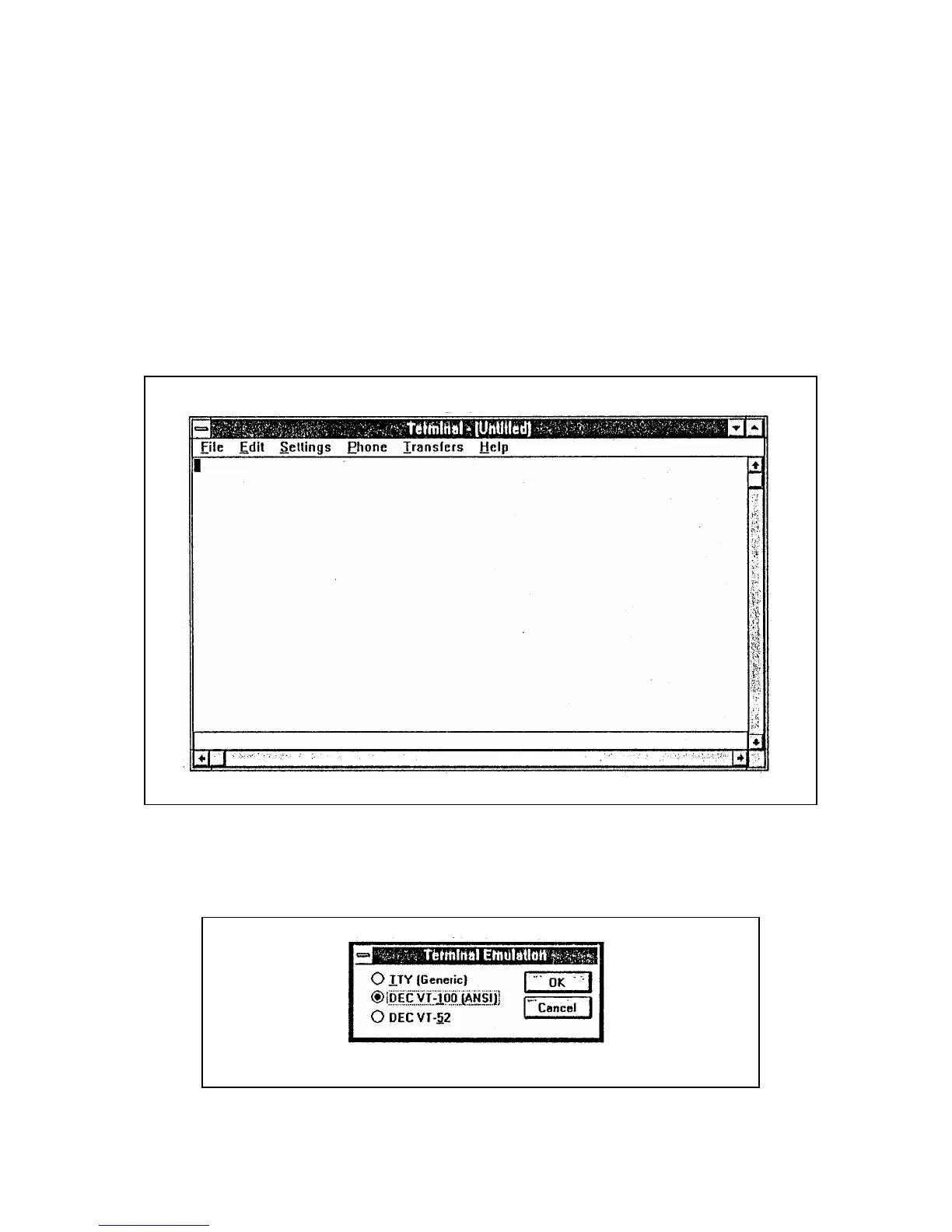
The "Terminal Emulator" window will appear on the screen. (See Figure 4-1.)
RFL 9660 RFL Electronics Inc.
April 24, 2007 4-3 (973) 334-3100
Figure 4-1. Microsoft Windows "Terminal Emulator" window
3. Click on the "Settings" menu name, and then click on "Terminal Emulation" in the menu that appears.
The "Terminal Emulation" dialog box will appear. (See Figure 4-2.)
Figure 4-2. "Terminal Emulation" dialog box for Microsoft Windows Terminal Emulator



 To Next Page