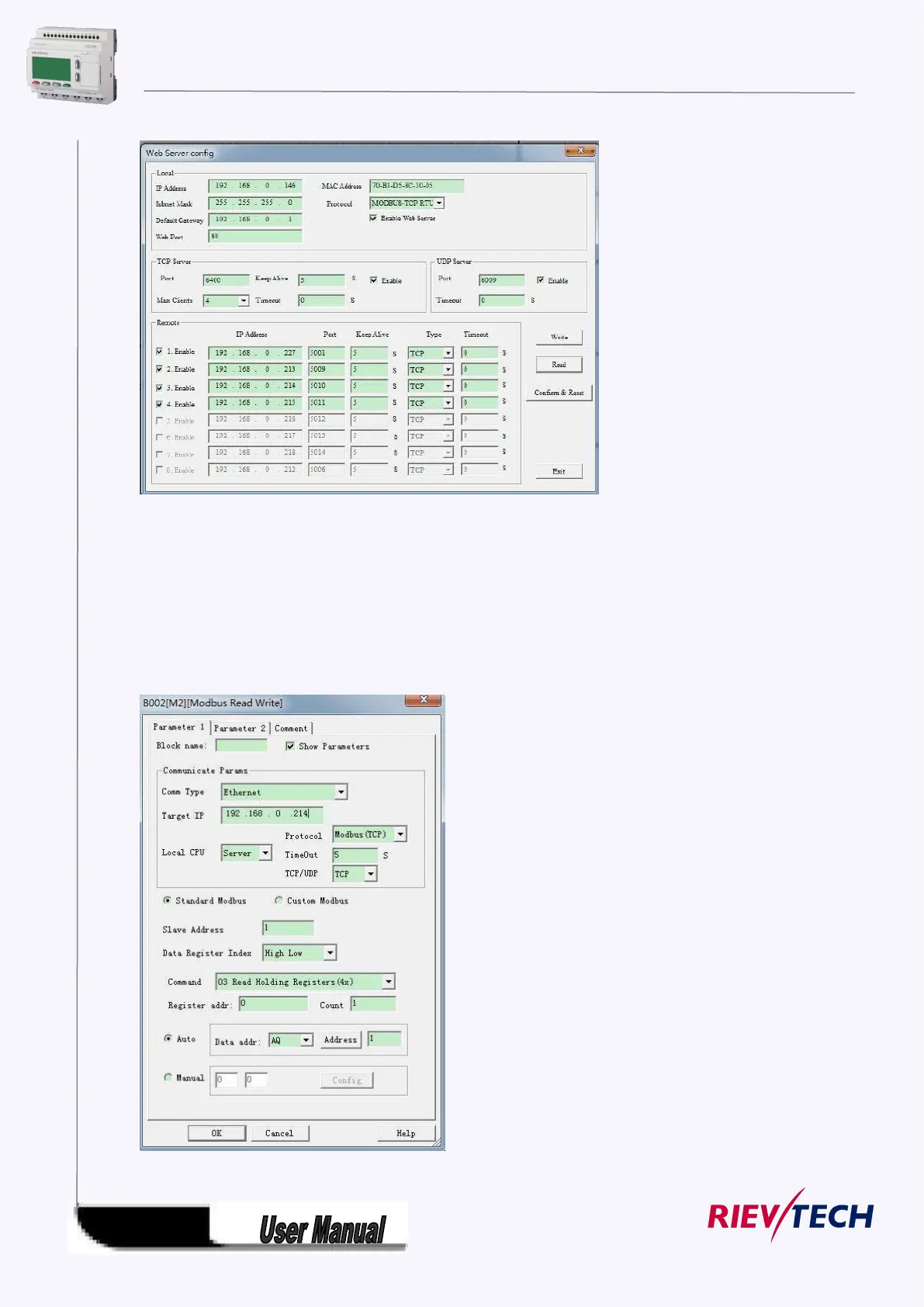
You can get the network information by the Read button, and if you changed the information, you need
click the "Write" button to download the settings into PLC. And click the "Confirm&Reset" button to active
the settings.
In above dialog you can see the Max Clients is 4. And the first remote target server is 192.168.227, port
is 5001. so if you enabled the modbus read write block(B013) , the CPU will connect with the TCP server
192.168.0.227, port 5001 and read the coils 0 status then save into the Q1 status.
Option B. Local CPU works as server



 To Next Page