Wrist Camera Instruction Manual
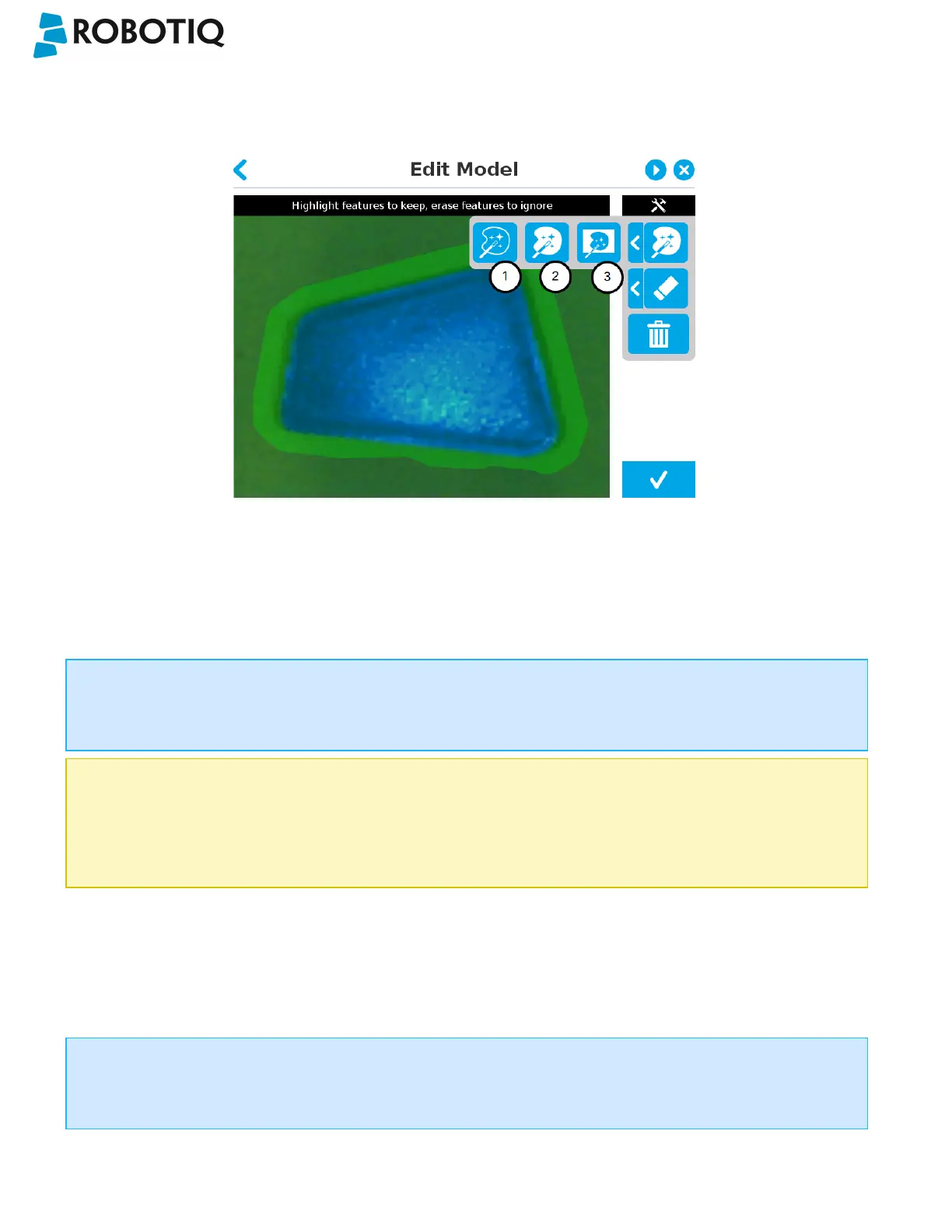
Quick selection modes
Tap the arrow to the left of the quick selection tool to expand the selection modes menu.
Fig. 5-14: Edit Model step with quick selection modes expanded
1
Outline only
The Outline only selection tool is used to highlight the contour of the object
Info
The selection area bleeds off the edge of the object to capture the background color.
Caution
The Outline only selection tool is not available for an object that has been selected manually at the Select Model
step. This prevents users from selecting the partial contour of an object, which could lead to faulty contrasts and
edge detection.
2
Outline & surface
The Outline &surface selection tool is used to highlight the contour and upper surface of the object. Tap the middle
button. This tool is selected by default when the user accepts a model selected automatically during the Select
Model step.
Info
The selection area bleeds off the edge of the object to capture the background color.
©Robotiq inc. 2016-2018
57



 To Next Page