Wrist Camera Instruction Manual
5.2.3.4. Camera settings
Warning
Camera settings can be adjusted at the Select Model step of the Automatic teaching method and/or at the
Configure Model step of the Teach object wizard.
Editing the camera settings at the Configure Model step will override the settings selected at the Select Model
step of the Automatic teaching method.
Please refer to the Camera settings section for more details.
5.2.3.5. Save location
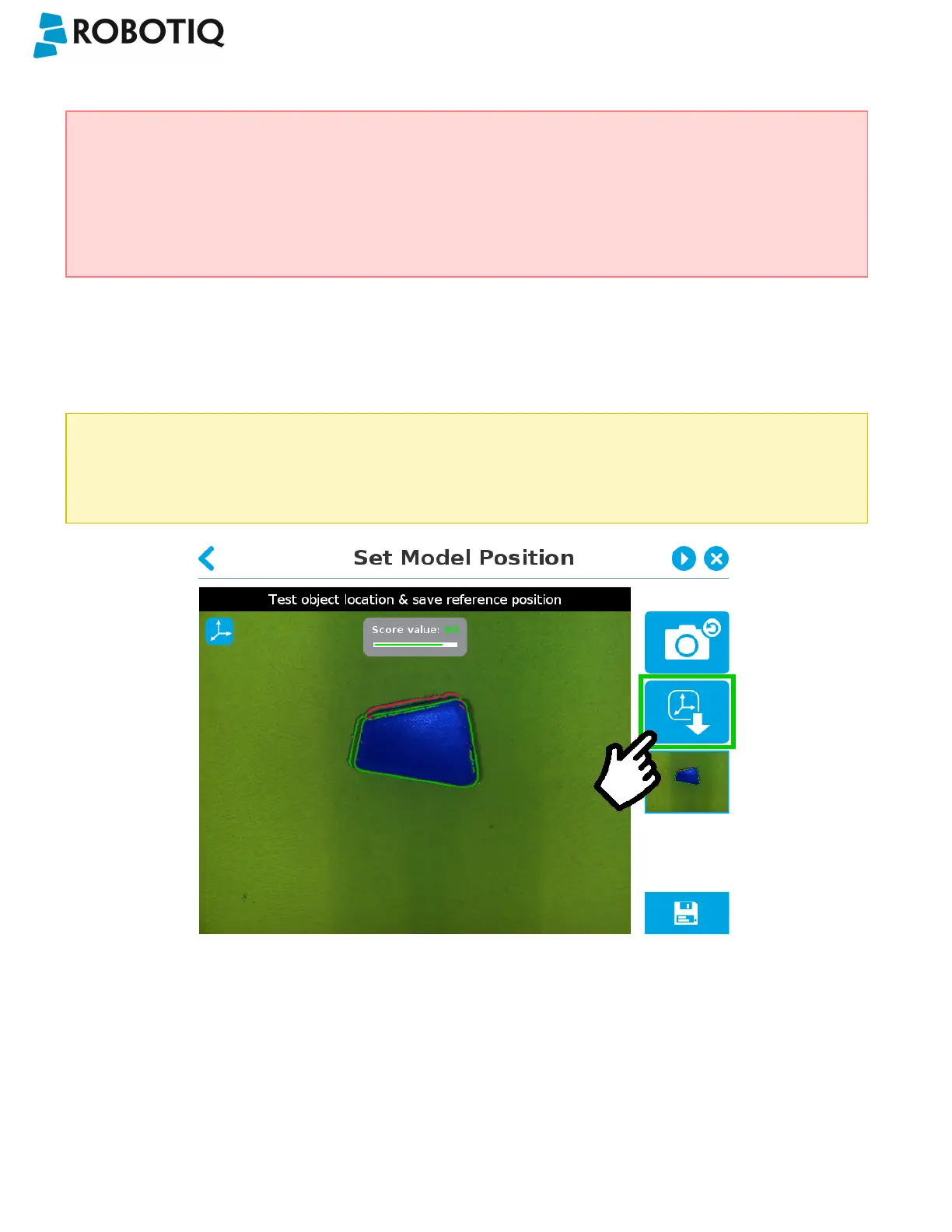
Once you are done with the test and adjustment, tap the Set reference position button.
Caution
Do not move the object after saving the position; the subsequent relative movements programmed will be relative
to that position. Please refer to the Programming with the Camera Locate Node section for more details.
Fig. 5-30: Position defined.
Once the position is saved, tap the Save & Reset button in the lower right corner of the teach pendant interface.
When you are done with the teaching process, the Camera Locate node will show you a snapshot of your saved object.
You can tap Reset to redefine completely. You can tap Test / Modify to change the detection threshold or both the
threshold and the saved object position.
©Robotiq inc. 2016-2018
81



 To Next Page