Wrist Camera Instruction Manual
Color detection threshold and score
Color detection can only happen following a successful edge detection.
Caution
Color validation must be enabled in order to go through the color detection step. Please refer to the Color
Validation section for more details on enabling color validation.
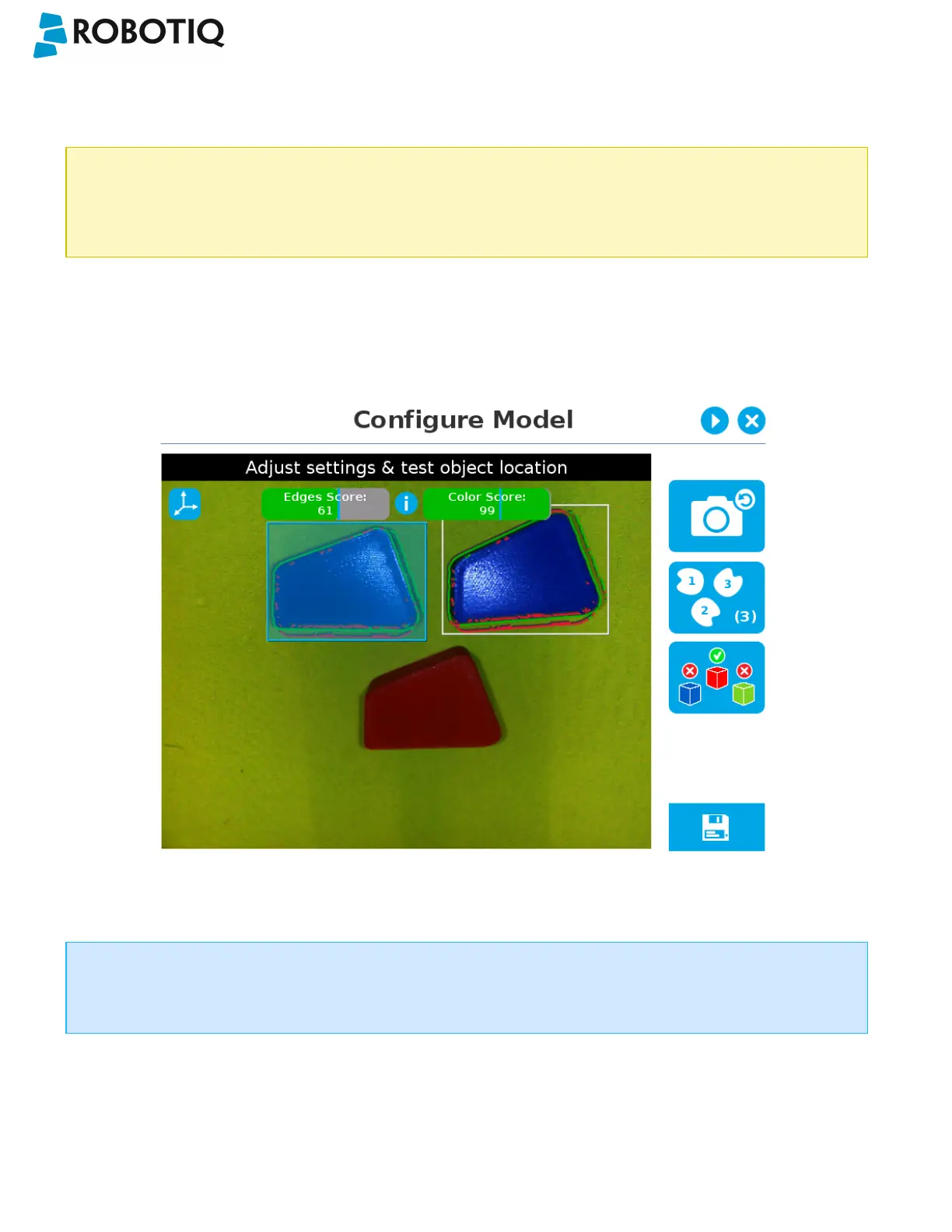
If the object goes through the 2-step detection successsfully, you will see the object(s) outlined, surrounded by a blue
rectangle, with the detection score values (%).
Other objects detected will be surrounded by a white rectangle. Tap the other object(s) to display their own set of
detection score values.
Fig. 5-29: Multiple objects found each with their selection rectangles and detection scores.
Info
In the context of multiple objects detection, each object detected has its own set of detection score values (%).
©Robotiq inc. 2016-2018
80



 To Next Page