Wrist Camera Instruction Manual
2
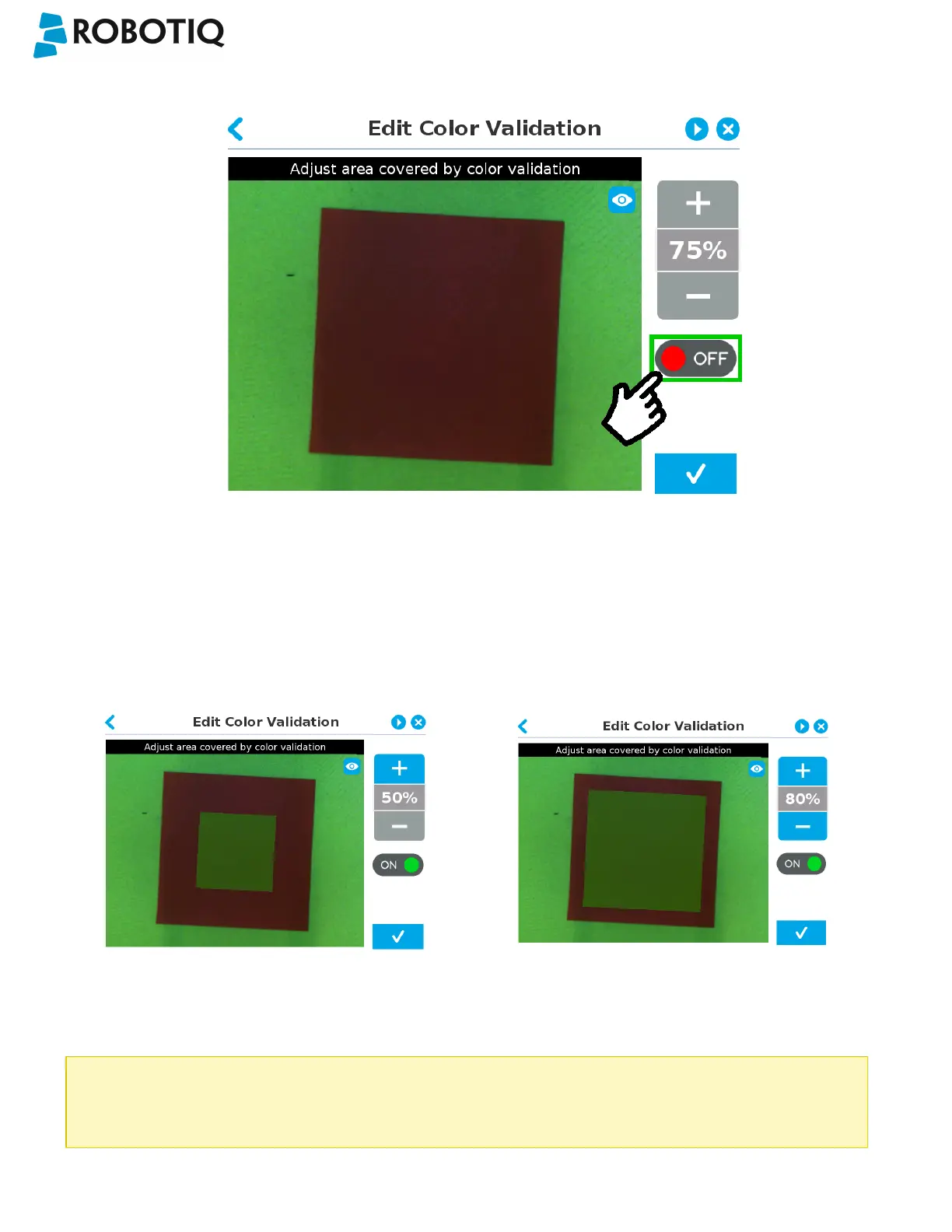
Turn on color validation by the tapping the red button on the right side of the screen.
Fig. 5-25: Edit Color Validation menu (Parametric method) with ON/OFFtoggle button highlighted.
Color sampling tool
In the parametric method, given the inherent symmetry of the objects located by the system, color validation is supported
via an expendable/shrinkable color selection zone, on par with the contour of the object to be located.
Tap the plus icon to expand the color selection zone, and tap the minus button to shrink the selection zone.
Color selection zone (50% of object size) Color selection zone (80% of object size)
Caution
The size of the color selection zone ranges from 50% of the object size to 150% of the object size.
©Robotiq inc. 2016-2018
75



 To Next Page