146 Performing an observed test sequence (OTS)
Roche Diagnostics
cobas
®
pulse · Software version 01.03 · User Assistance · Publication version 1.0
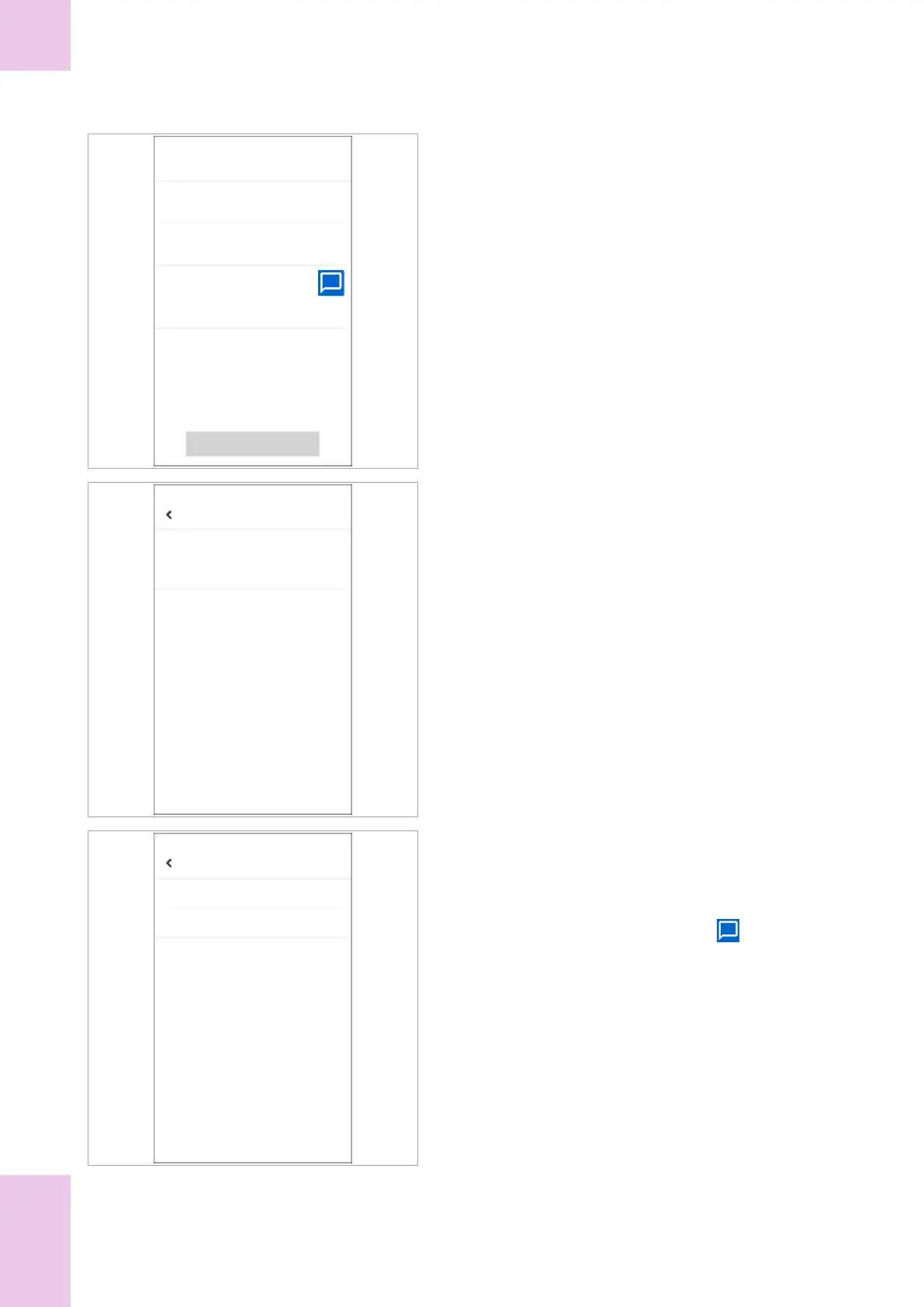
Assessment
Glucose test result
Observed test sequence
Add a comment (required)
Confirm
5 OBSERVER:
In the Assessment screen, tap the Glucose test
result option.
Glucose test result
Valid
Invalid
6 OBSERVER:
In the Glucose test result screen tap the
appropriate option (Valid or Invalid.).
7 OBSERVER:
In the Assessment screen, tap the Observed test
sequence option.
Observed test sequence
Passed
Failed
8 OBSERVER:
In the Observed test sequence screen tap the
appropriate option (Passed or Failed).
9 OBSERVER:
In the Assessment screen, tap the button.
10 OBSERVER:
In the Comments dialog box, enter an appropriate
comment (20 characters maximum), and then tap the
Save button.
11 OBSERVER:
In the Assessment screen do the following:
• Review the assessment.
• If necessary, amend the assessment by tapping
the appropriate option and make the change.
• Tap the Confirm button.
6 Non-routine operation


 To Next Page