Operation
Edition BE210202
03.2022
Rondostar 5000
Operating manual
85
5.4.7 Saving a program on the USB stick [foreman or higher]
1. Prepare the USB stick.
See chapter 5.4.6 Preparing the USB stick [foreman or higher]
2. Insert the USB stick into the interface.
3. Log on as foreman. Otherwise you will have no read authorisation.
4. Tap import/export programs.
► The import/export pop-up opens automatically. Otherwise tap
the USB icon in the program list.
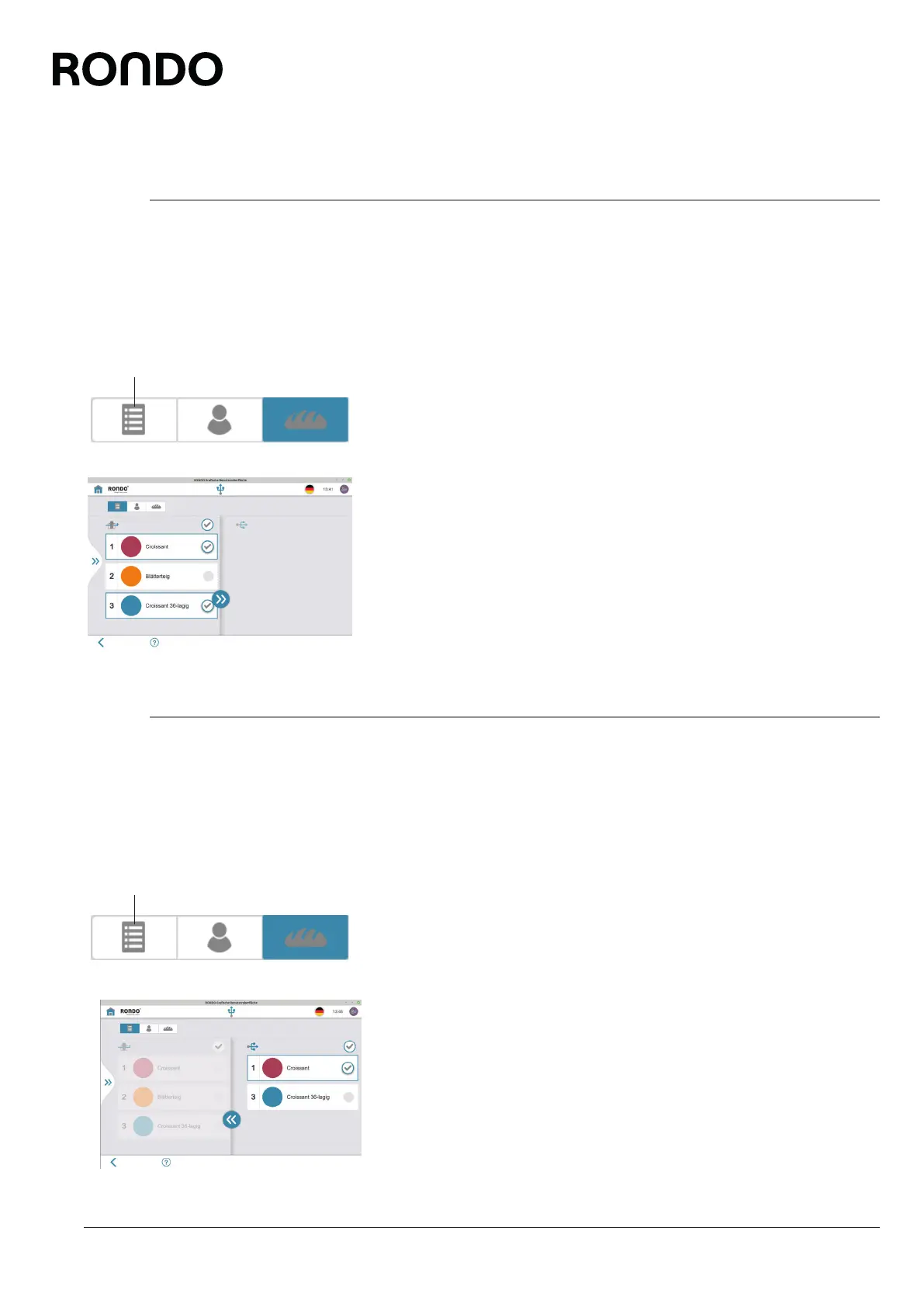
5. Tap the program list icon (1).
6. Select the program to be saved from the left-hand column.
(Multiple selection is possible)
7. Tap the double arrow icon.
8. Follow further instructions where applicable.
► The program is saved on the USB stick.
9. Remove USB stick from the interface.
5.4.8 Load program from USB stick [foreman or higher]
1. Prepare the USB stick.
See chapter 5.4.6 Preparing the USB stick [foreman or higher]
2. Insert the USB stick into the interface.
3. Log on as foreman. Otherwise you will have no read authorisation.
4. Tap import/export programs.
► The import/export pop-up opens. Otherwise tap the USB icon
in the program list.
5. Tap the list icon (1).
6. Select relevant programs from the right-hand column.
(Multiple selection is possible)
7. Tap the double arrow icon.
8. Follow further instructions where applicable.
► The program is saved on the machine.
9. Remove USB stick from the interface.
1
1



 To Next Page