User Manual Roth EnergyLogic Touchline/Wireless
Electrical connections
42 P100011294 E
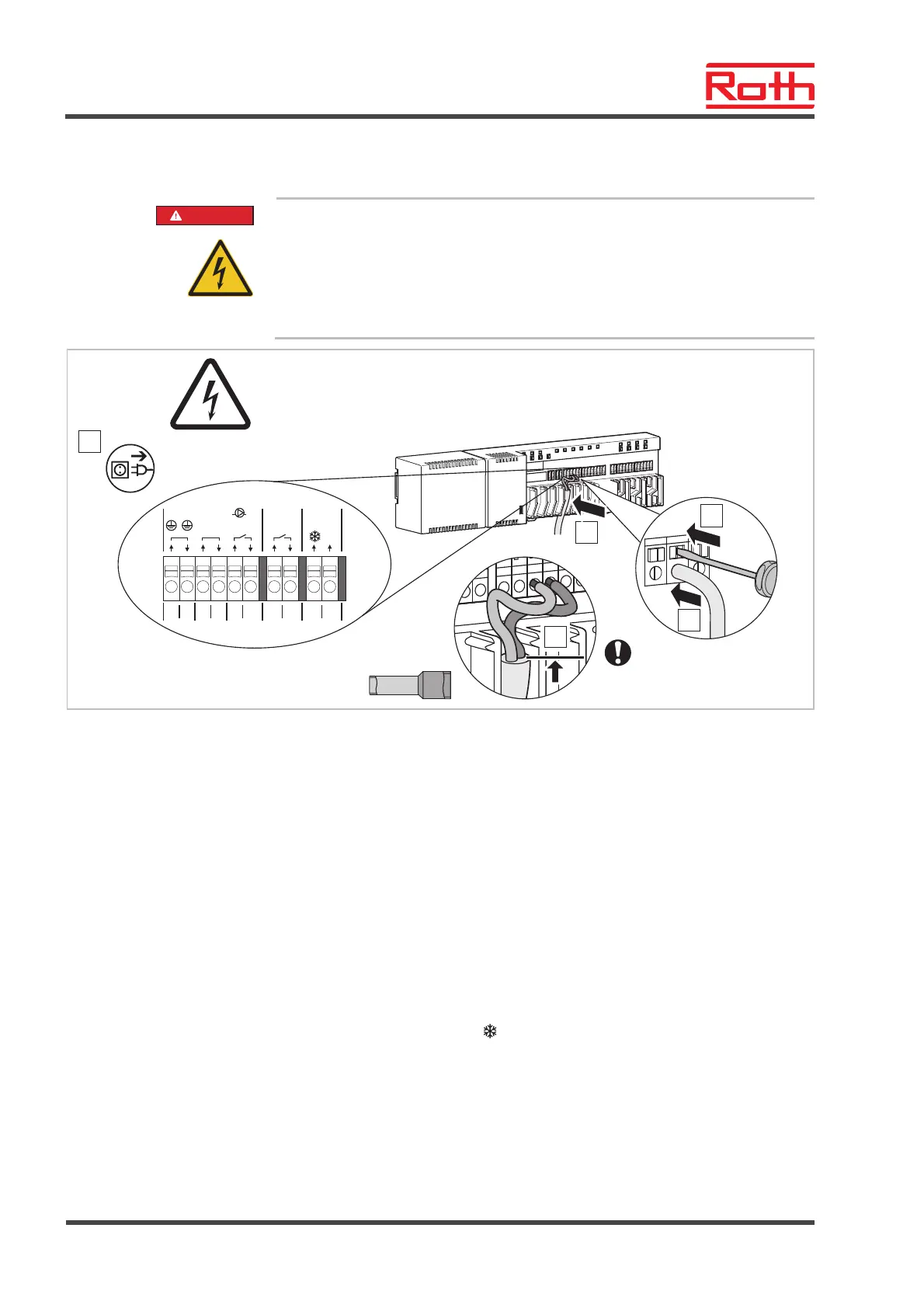
Connect wires
DANGER
Danger from electrical voltage on terminals 01 to 10!
There is a direct danger to life from contact with live parts.
– Before any work, disconnect the wireless connection module and the
peripheral devices from the mains and secure against reactivation. Test
for absence of voltage.
– Type Y attachment according to EN 60730
B12293b
1
230 V AC
5
08
03
01
02
230 V
c/o out
Pump230 V
04 05 06 07
N LLN
09 10
230 V
c/o in
/TB
N L
DIN 46228-4
4
3
2
Fig. 29: Connect wires
Connect wires
► Press down the terminal pin with a screwdriver. See step 2.
► At the same time put the wire into the terminal opening. See step 3.
► Press the cable into the matching strain relief. See step 5.
Observe that the line jacket should be as close as possible to the connec-
tion terminal. This keeps the individual conductors well in their position.
See step 4.
This must be performed specifically at the following terminals for the
230 V-lines:
● 01 and 02: PE
● 03 and 04: N and N Pump out
● 05 and 06: L and L Pump out
● 07 and 08: 230 V c/o out (LAN versions only)
● 09 and 10: 230 V c/o in
/TB (LAN versions only)



 To Next Page