Web-based Configuration Guide System Settings
172
Note
Select the SNMP protocol version, and click Save. The corresponding configuration
options will appear on the View/Group/Community/User Access Control page.
Configuration Steps
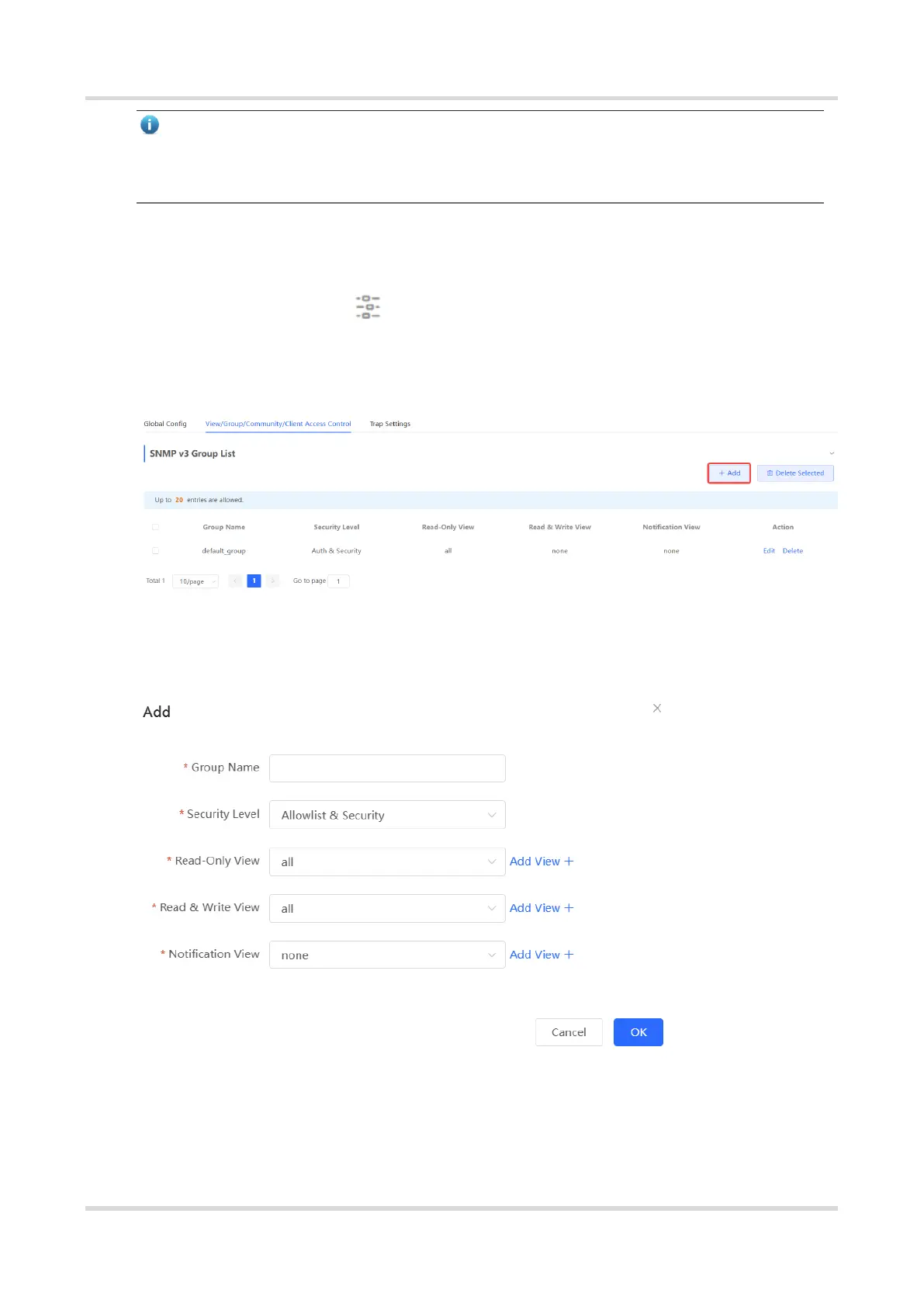
In Network mode, choose System > SNMP > View/Group/Community/Client
Access Control > SNMP v3 Group List
(1) Click Add in the SNMP v3 Group List pane to create a group.
(2) Configure v3 group parameters.



 To Next Page
 Loading...