5-10
TSL-710 Operation Manual
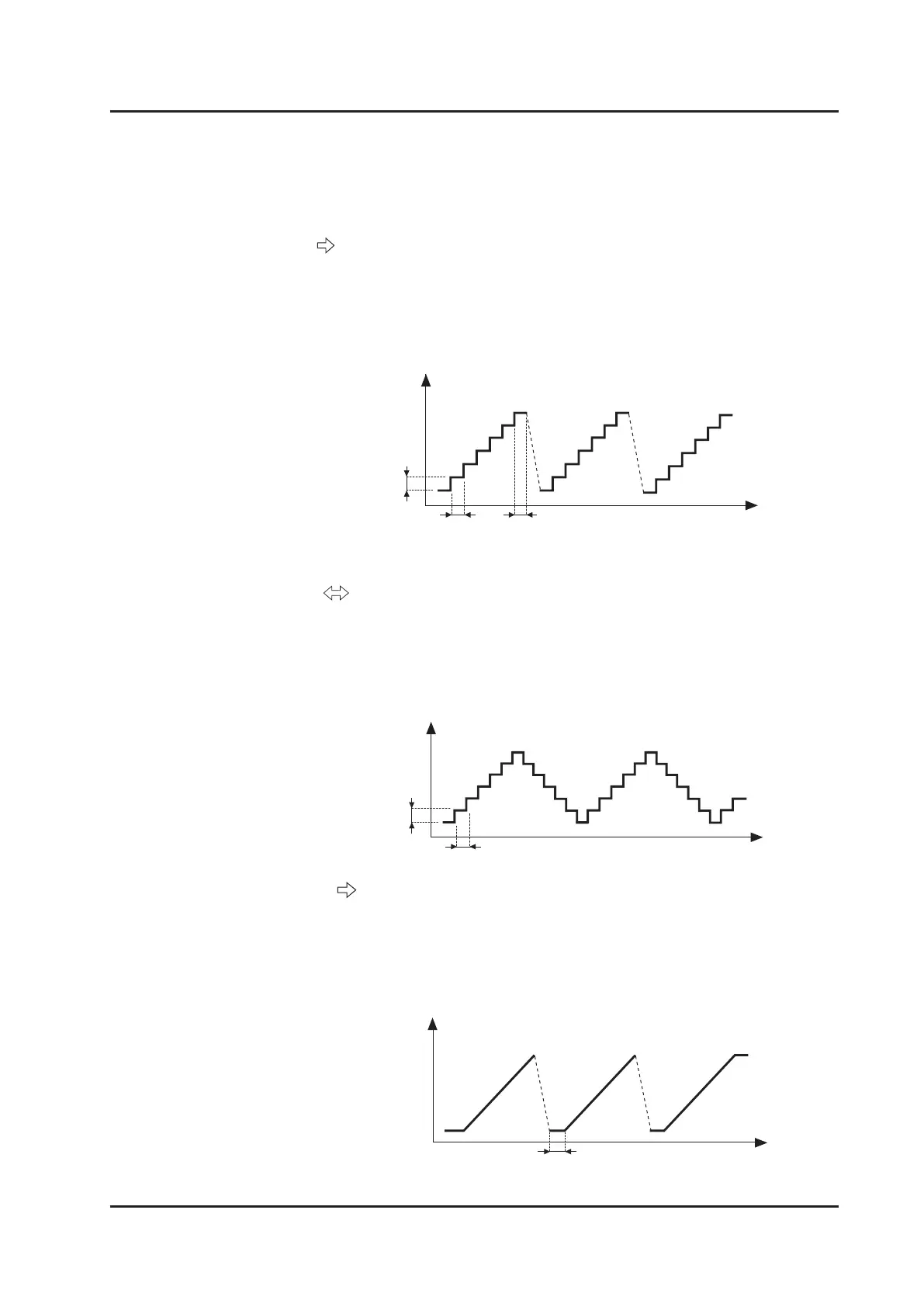
(B) Step
Perform two-way sweep with step operation. Change the
wavelength from the start wavelength to the end wavelength
with the wavelength interval set by STEP and the wait time
set by Dwell. Afterwards, change the wavelength from the end
wavelength to the start wavelength in the same manner.
Wavelength
Time
dwell
step
Time
delay
Perform one-way sweep by changing the wavelength
continuously. Change the wavelength from the start wavelength
to the end wavelength with the speed set by Speed and return
to the start wavelength. The wait time between each sweep is
set by Delay. It does not include the time to return to the start
wavelength.
Wavelength
(C) Sweep
Perform one-way sweep with step operation. Change the
wavelength from the start wavelength to the end wavelength
with the wavelength interval set by STEP and the wait time set
by Dwell. When the wavelength returns to the start wavelength,
the speed and time are not controlled.
Wavelength
Time
dwell dwell
step
Mode
Sets the sweep operation mode. Select from the following four modes:
(A) Step



 To Next Page