Page 66 of 86 SCHÄFER IT-Systems
Industriestraße 41 D-57518 Betzdorf
Phone: +49 (0) 2741/283-770 sales@schaefer-it-systems.de www.schaefer-it-systems.de As
amended on 16/8/2019 (subject to technical changes)
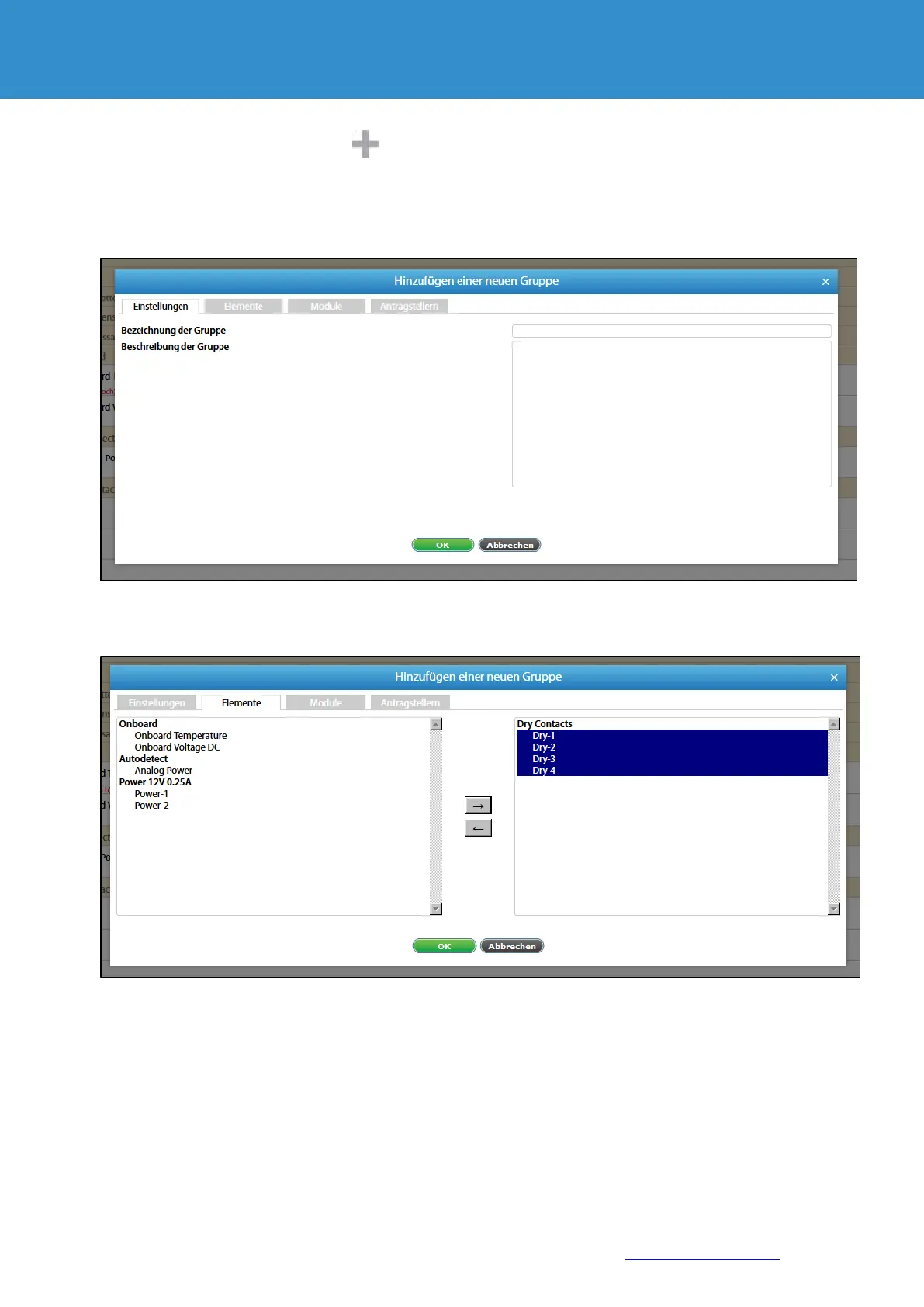
To create a group, press the button in the menu item "System tree".
Then select "Group". A modular window appears.
Enter the name of the group in the dialogue box and enter the description.
Add the necessary elements and modules to the group and save the new group with "OK".
From version 2.5.0 there is the possibility to receive notifications within the group when the status of
elements changes.
Add notifications on the “Submitter“ tab and choose a triggering state to receive a notification.


 To Next Page
 Loading...