Page 84 of 86 SCHÄFER IT-Systems
Industriestraße 41 D-57518 Betzdorf
Phone: +49 (0) 2741/283-770 sales@schaefer-it-systems.de www.schaefer-it-systems.de As
amended on 16/8/2019 (subject to technical changes)
11.12.2. Add an IP camera to the web interface
The IP camera element was developed to display images from monitoring cameras
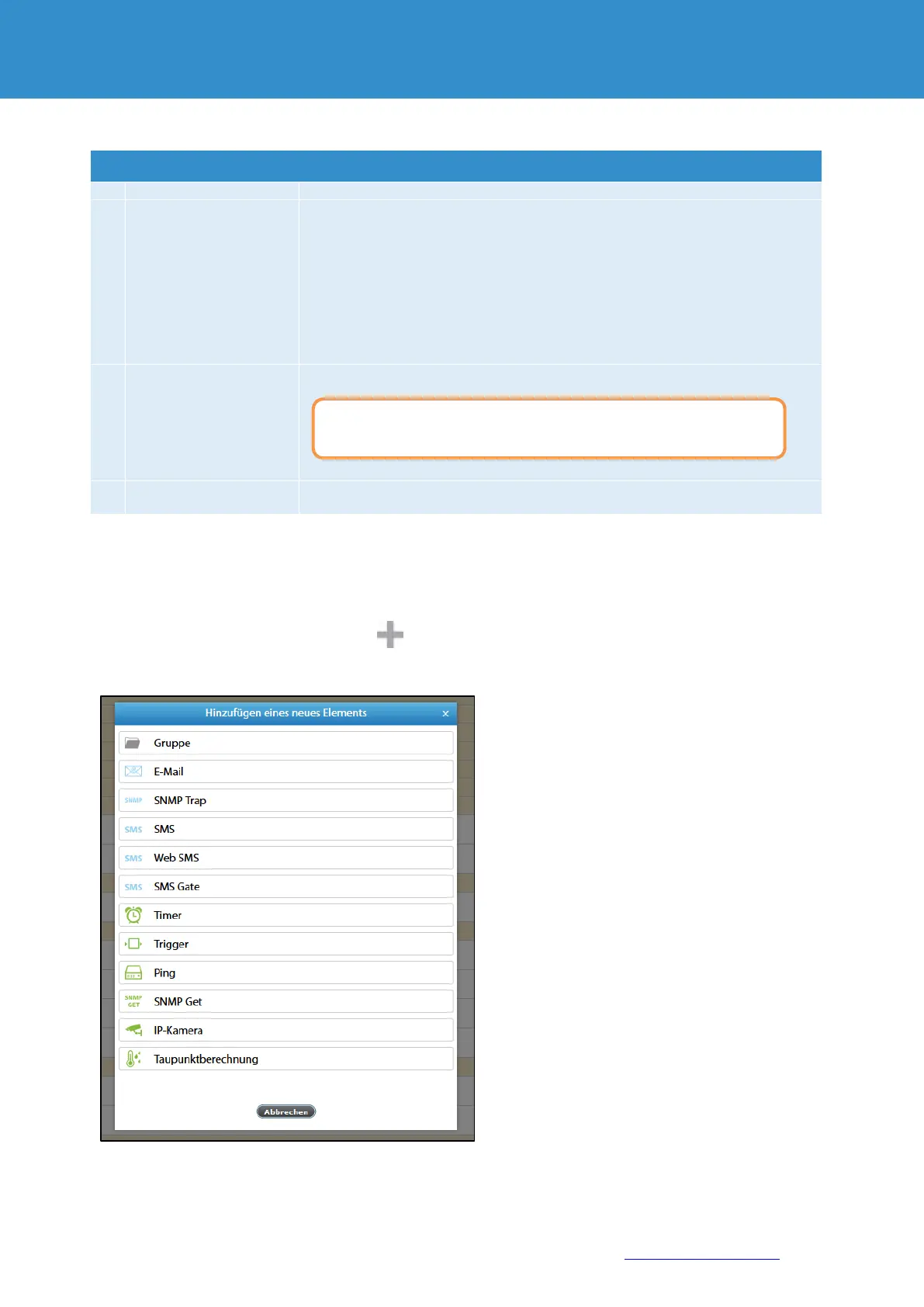
To create IP-camera, press the Add button in the "System tree" menu. Then select IP camera. A modular
window appears:
The name of the element in the system
The URL (IP address) of the camera is required with the protocol type (http: // or
https: //)
The most common URL format (IP address) is "http: //xx.xx.xx.xx/axis-
cgi/mjpg/video.cgi".
In general, the URL of the video stream for IP cameras depends on the
manufacturer and model.
To determine this URL, please contact the manufacturer.
The video stream authentication of the camera. Optional parameters.
The refresh rate of an image to generate a video stream via a JPEG web
interface or MJPEG, when streaming directly via an IP camera.
It is not permitted to use the name and password as a prefix in the URL
(IP address) field.


 To Next Page