Page 81 of 86 SCHÄFER IT-Systems
Industriestraße 41 D-57518 Betzdorf
Phone: +49 (0) 2741/283-770 sales@schaefer-it-systems.de www.schaefer-it-systems.de As
amended on 16/8/2019 (subject to technical changes)
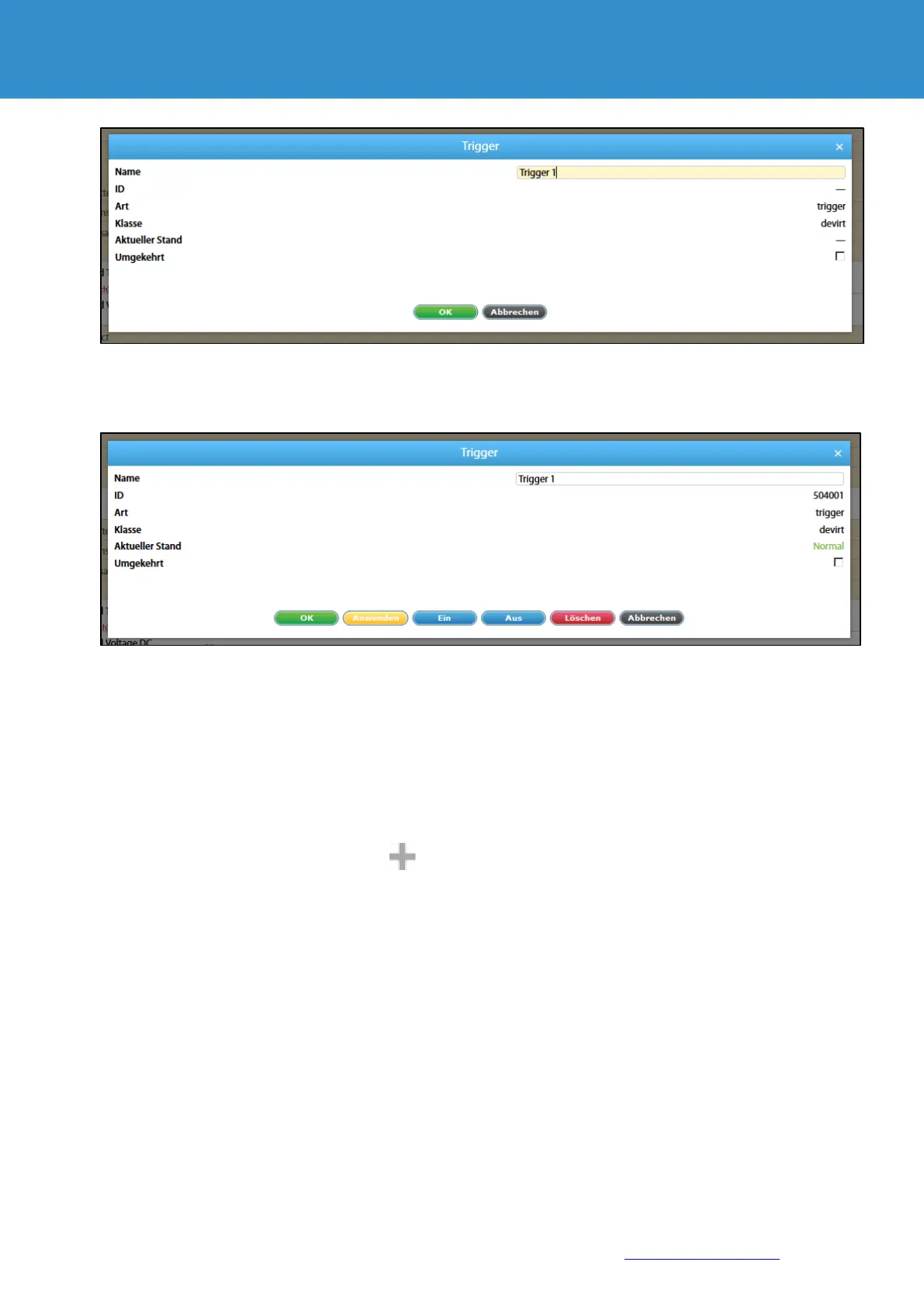
Enter a name for the trigger created. If necessary, select the inversion.
Press "OK" to create a trigger.
When editing a trigger, virtual elements and functions are available in addition to the standard control functions:
"On" - transition to an active state (alarm - for normal and norm - for inverse mode)
"Off" - transition to an inactive state (norm - for normal and alarm - for inverse mode)
11.11. Create Get SNMP elements
The virtual sensor "SNMPGet" is used to read data from external devices via SNMP PDU GET (v2c).
To create “ SNMPGet", press the Add button in the "System tree" menu. Then select "SNMP Get". A
modular window appears:


 To Next Page