Page 72 of 86 SCHÄFER IT-Systems
Industriestraße 41 D-57518 Betzdorf
Phone: +49 (0) 2741/283-770 sales@schaefer-it-systems.de www.schaefer-it-systems.de As
amended on 16/8/2019 (subject to technical changes)
Sending SMS via another iQdata RMS that is equipped with a GSM modem (SMS Gate)
If several RMS are used in the same network and at least one of them has a GSM modem, you can send SMS from
other devices that are not equipped with a modem.
To create an email notification via SMS Gate, you need to specify the following parameters:
The name of the element in the system
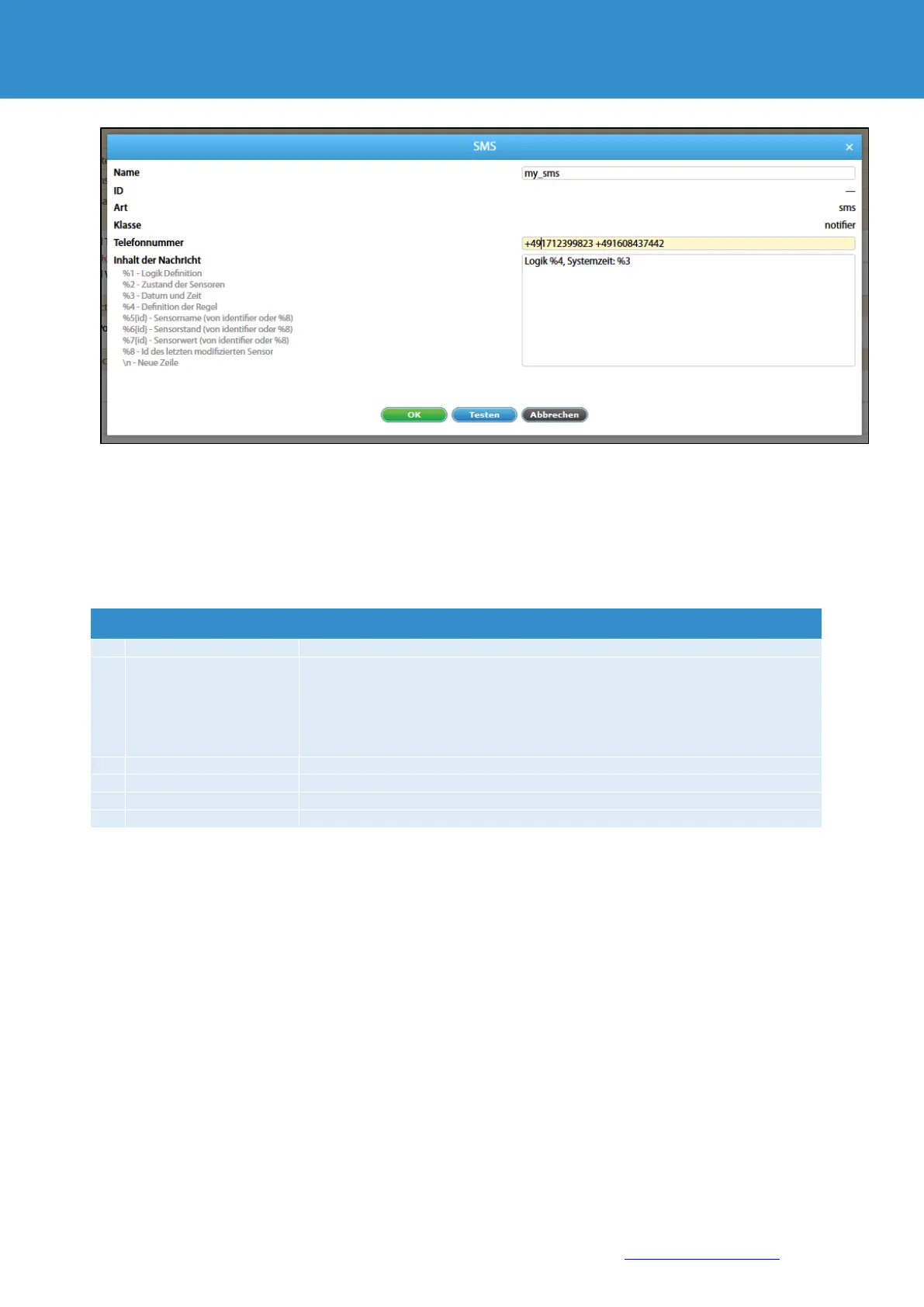
Telephone number of the recipient (421908315000), up to 10 numbers.
For multiple phone numbers use "space", ";" or ",".
Example 1: +421908315000 +421908315001 +421908315002
Example 2: +421908315000,+421908315001,+421908315002
Example 3: +421908315000 ; +421908315001 ; +421908315002
User login to the device with a GSM modem
Password user login to the device with a GSM modem
IP address of the device with GSM modem


 To Next Page