100 User’s Manual
6.2 Continuous Monitoring of data
The Vscope DAQlink system allows continuous monitoring of a small number of
channels. Larger number of channels slows the computer program system too much for
continuous monitoring. First set up the DAQlink III for short records.
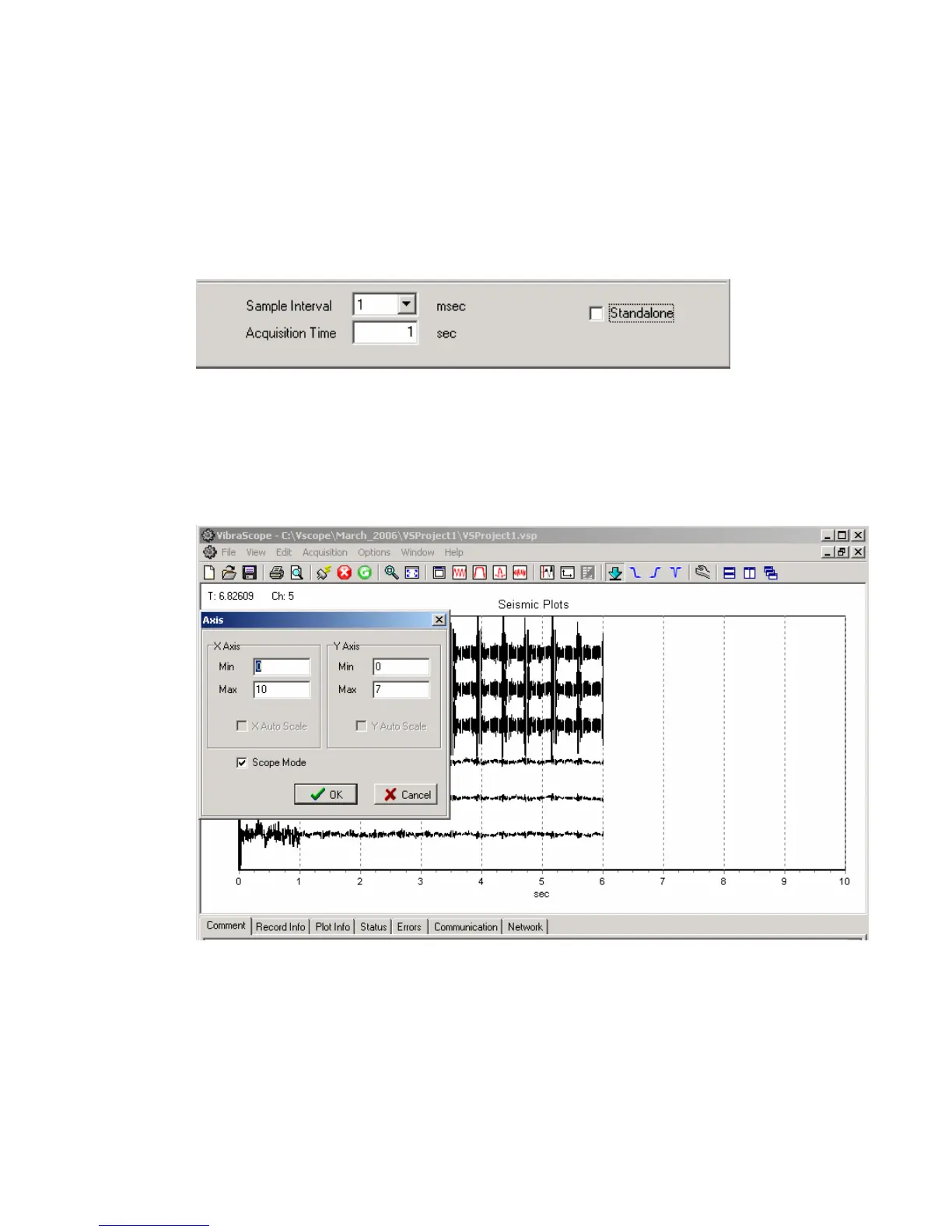
Example 1 msec sample rate
1 second record
Set up the DAQlink III to record. Setup system for appropriate trigger method. Either
setup for auto trigger for continuous monitoring, or use actual trigger to monitor actual event.
Select signal graph and go to axis setup.
Select Scope Mode, and set x –axis to larger than acquisition time.
Start acquisition. Each time the 1 second record is received; the graph is updated in real
time. Example shows result of 6 one-second records.



 To Next Page