49
5.3.3 Import and Export Data
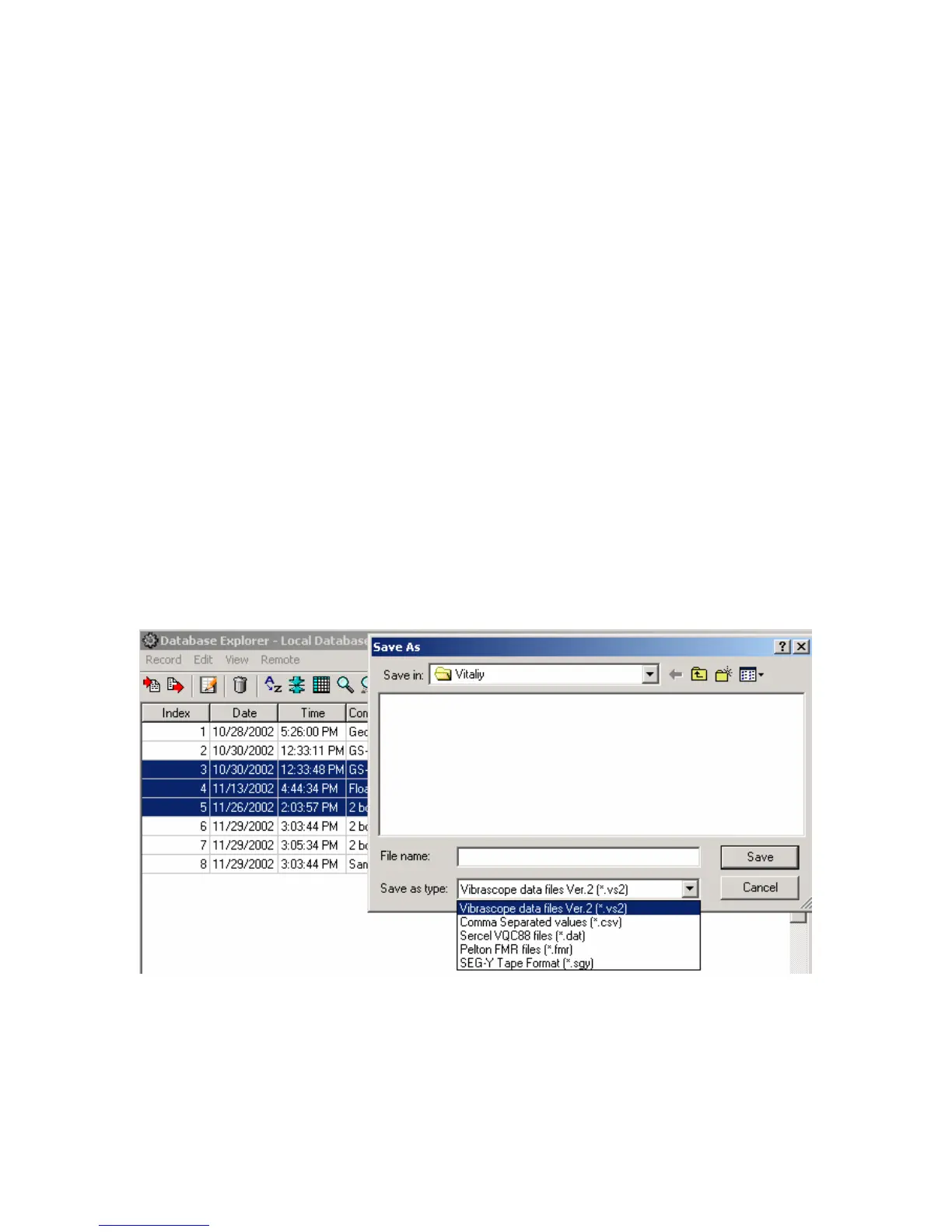
The import and export functions located in File menu allow for data to be exported or
imported to different projects or to different applications. The VScope currently offers the option
for the following import and export files.
• VScope data files (*.vs2) – use this selection when moving data from one project to
another, or from one computer running the VScope program to another.
• Space delimited files (*.csv) – use this selection when importing or exporting file to
third party software such as spreadsheet software (e.g. Microsoft Excel and so on).
• Sercel VQC88 files (*.dat) – use this selection when importing or exporting data to
be used on Sercel VQC88 analysis program.
• Pelton Force Meter Files (*.fmr) – use this selection when importing or exporting
data to be used with the Pelton Vibrator Quality Control System.
• SEG Y Tape format – (*.sgy) – use this to import or export data to the standard SEG-
Y Tape Format.
• SEG II format – (*.sg2) – use this to export data to the standard SEG-II Format.
While in the Database Explorer multiple records can be exported to SEG-Y, or SEG-2
format. First select the records to be exported by highlighting them using the left button and the
“ctrl” left button. After the desired records are selected use the pull down menu Record – Export
(or use Export button on Toolbar) to select the export function.
Figure 5.3.3 Exporting data with Database Explorer



 To Next Page