67
5.4.7 Filters
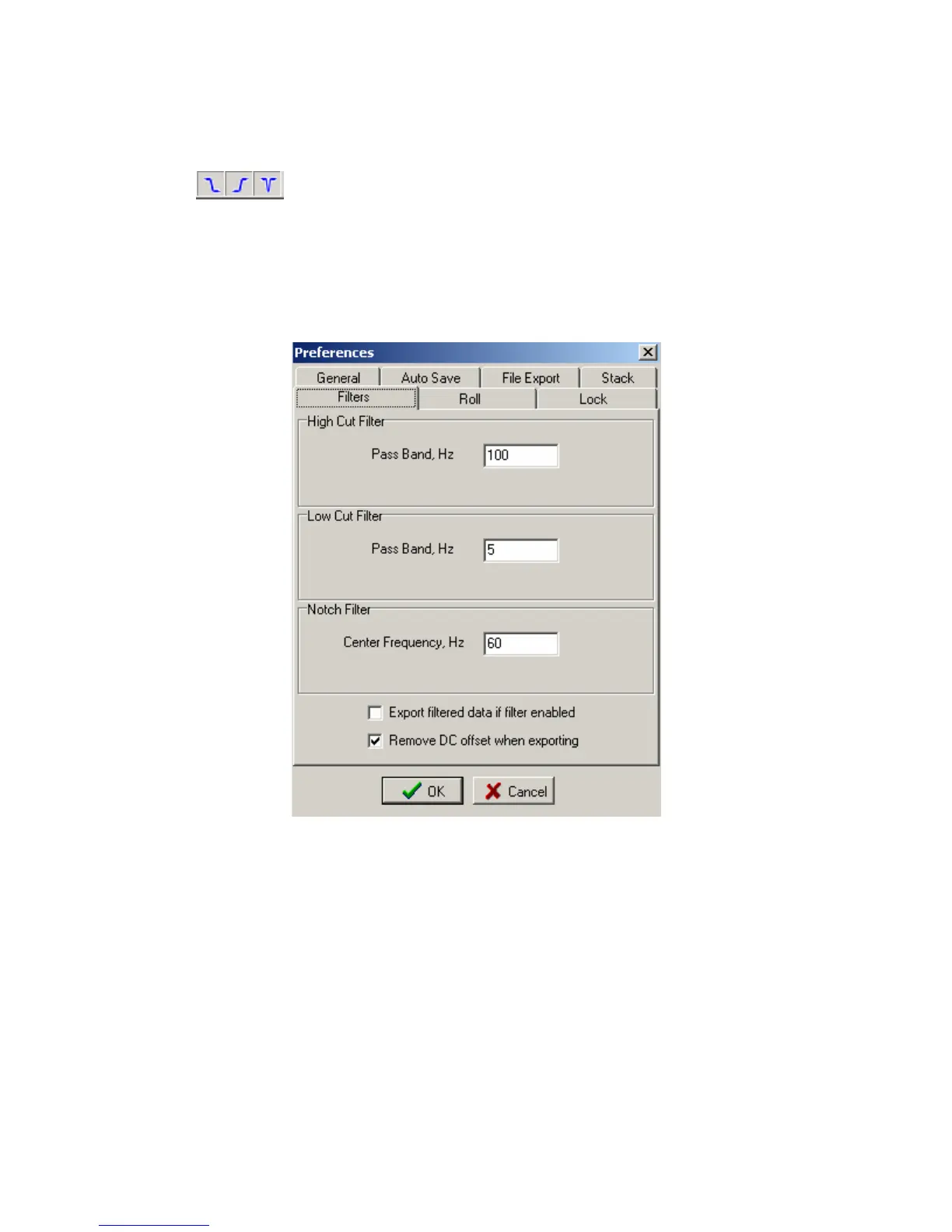
High Cut, Low Cut and Notch filters can be setup and selected. The Tool
bar can be used to select or unselect each filter. If the Toolbar button appears pressed in then the
filter is selected.
The setup for each filter can be found under the pull down menu Option – Preference.
The pass band, and stop band frequencies for the Highpass and Lowpass filters can be set. The
Notch Filters Center Frequency and the width can also be set.
Figure 5.4.7 Filter Selection
There are two additional options for exporting the data.
Normally the remove DC offset when exporting is always enabled.
The “Export filtered data if filter is enabled” selection is normally not enabled. When
enabled the exported SEG-Y or SEG-2 data will have the filters applied. Normally the raw data
is exported and filtering is done by the processing center.



 To Next Page