103
6.3.2 Downloading Multiple Records
To download a multiple record from the DAQlink III Flash card memory, go to File –
Open Menu, and open the database explorer.
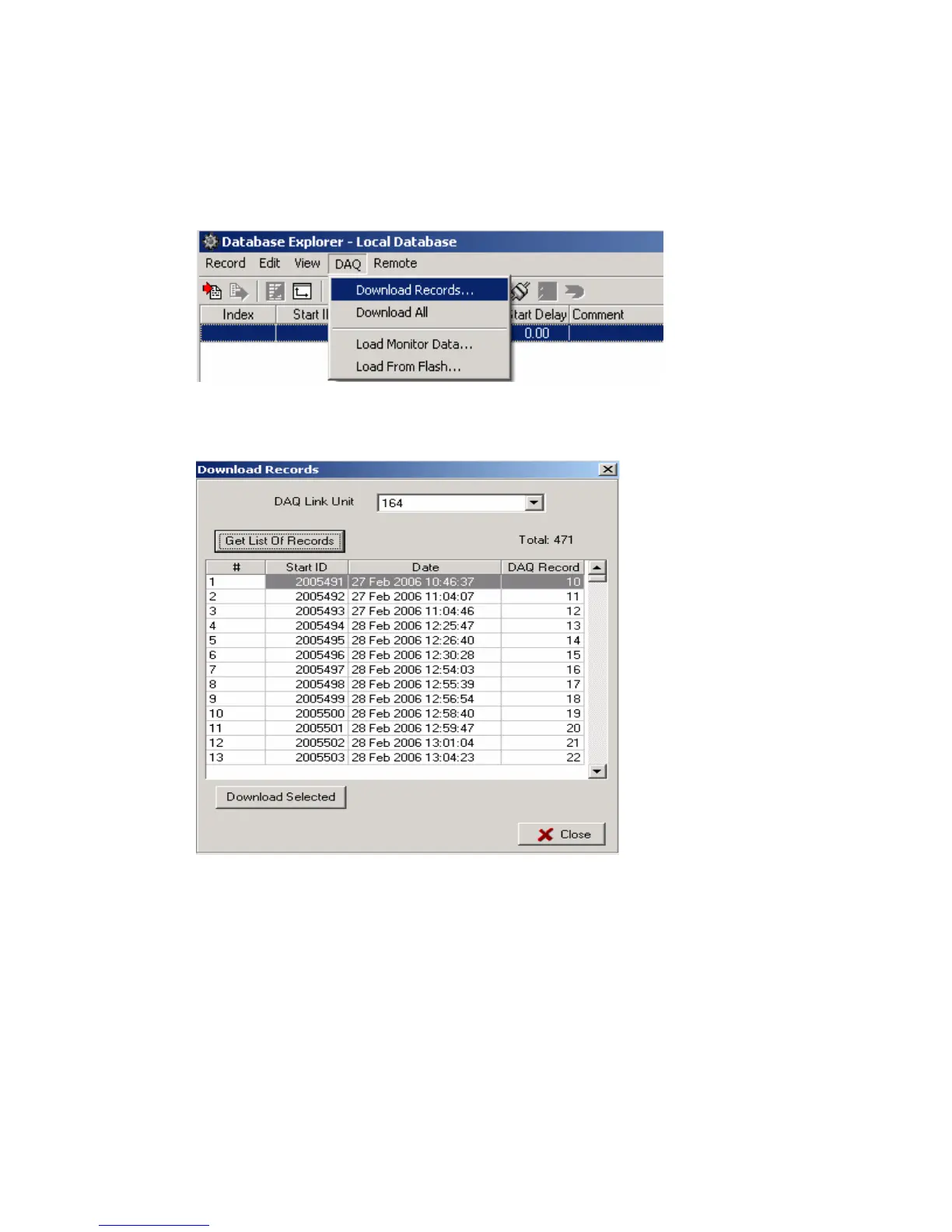
From the database explorer, go to the DAQ- Download Records menu.
There is also an option to download all of the data stored in the Compact flash.
After pressing the “Get List of Records” button, a list of all of the stored data will appear.
Select the records to be downloaded from the list by highlighting the record. Press
Download selected.
The selected records will be stored to the database.
If the Time of the record matches another Time already in the database then the new
record will be added to the existing record. This allows data from multiple DAQlink III units to
be combined together in the database.
To prevent combining of records press the “ctrl” button when the Download is selected.



 To Next Page